ios Quick Tips | Unsplit the ios Keyboard

Tips Introduction

Skip the paragraphs below & scroll down to the

screen shots for the quick solution

A while back, perhaps around the time that ios 7 or 8 came out, Apple added the ability to split the keyboard for iPads. If I remember correctly, the feature was developed for users who wanted to use thumb typing on larger displays. I’ve never had an occasion to use the split keyboard. Probably because I can’t/don’t and won’t ever become a proficient thumb typist!

Yet, every once in a while, I do something inadvertently which results in my accidentally splitting the keyboard and sometimes undocking it too*.  I’m always really annoyed when this happens because I don’t remember how to fix it.  I just remember that the solution is a quick and easy one…but not specifically, what that solution might be!

Surprise!  I split the keyboard again!

Surprise! I split the keyboard again

Unfortunately, this exact scenario occurred today.  I ended up searching online for a solution which, in this instance required me to briefly scan (but really not so briefly ) 4 articles that highlight many new features of ios 9 as well as tips for using them.  But not one tiny mention of this feature (usually these highlight articles will mention innovations from recent-past ios versions too…thus my rational was a sort-of  ‘kill 2 birds with one stone’ variety.)

Ultimately finding the solution took me approximately 20 minutes. But that was only because I managed to remain focused and actually did stop reading when I found the solution!   This plan could easily have gone awry and distracted me for a much longer period of time**.  Because, as it turns out, right now (due to the newness of ios 9) current articles with highlights of 9’s features are plentiful, enlightening and engaging!

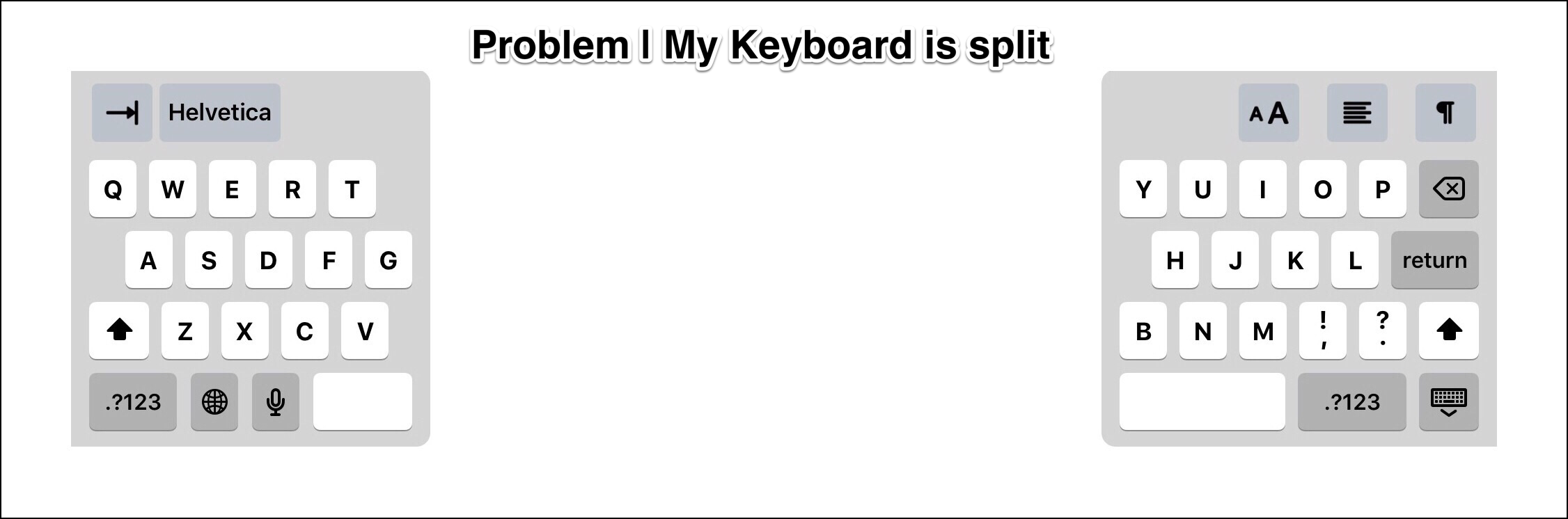
Problem, my keyboard is split

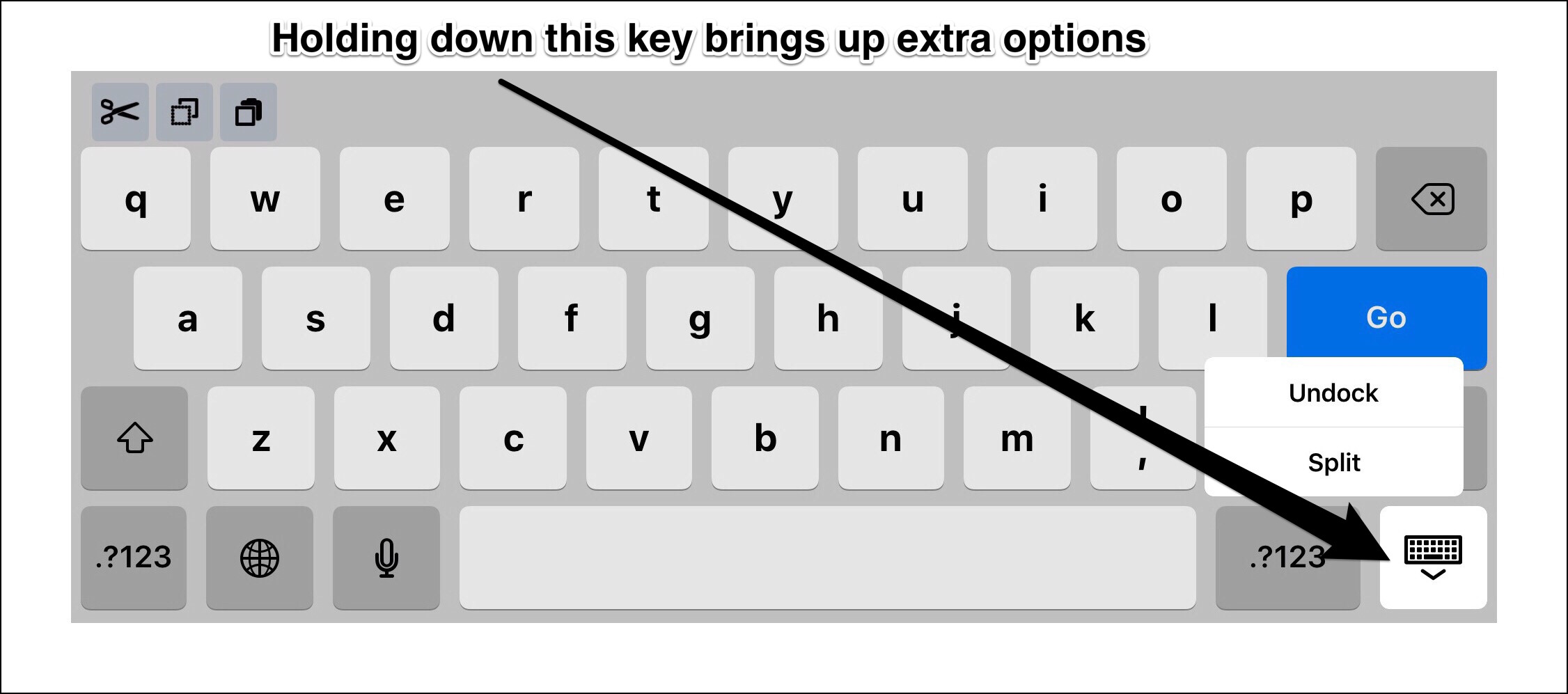
The screenshot above demonstrates my problem (the one I encountered today).  The ones below depict the solution for ‘unsplitting‘ the keyboard.  They also demonstrate how to ‘redock‘ the keyboard  (i.e. locking it to the bottom of the screen) if you suddenly discover that the keyboard has begun to float!

Keyboard key

Keyboard key's extra options

Settings Override to Permanantly Disable Split Keyboard

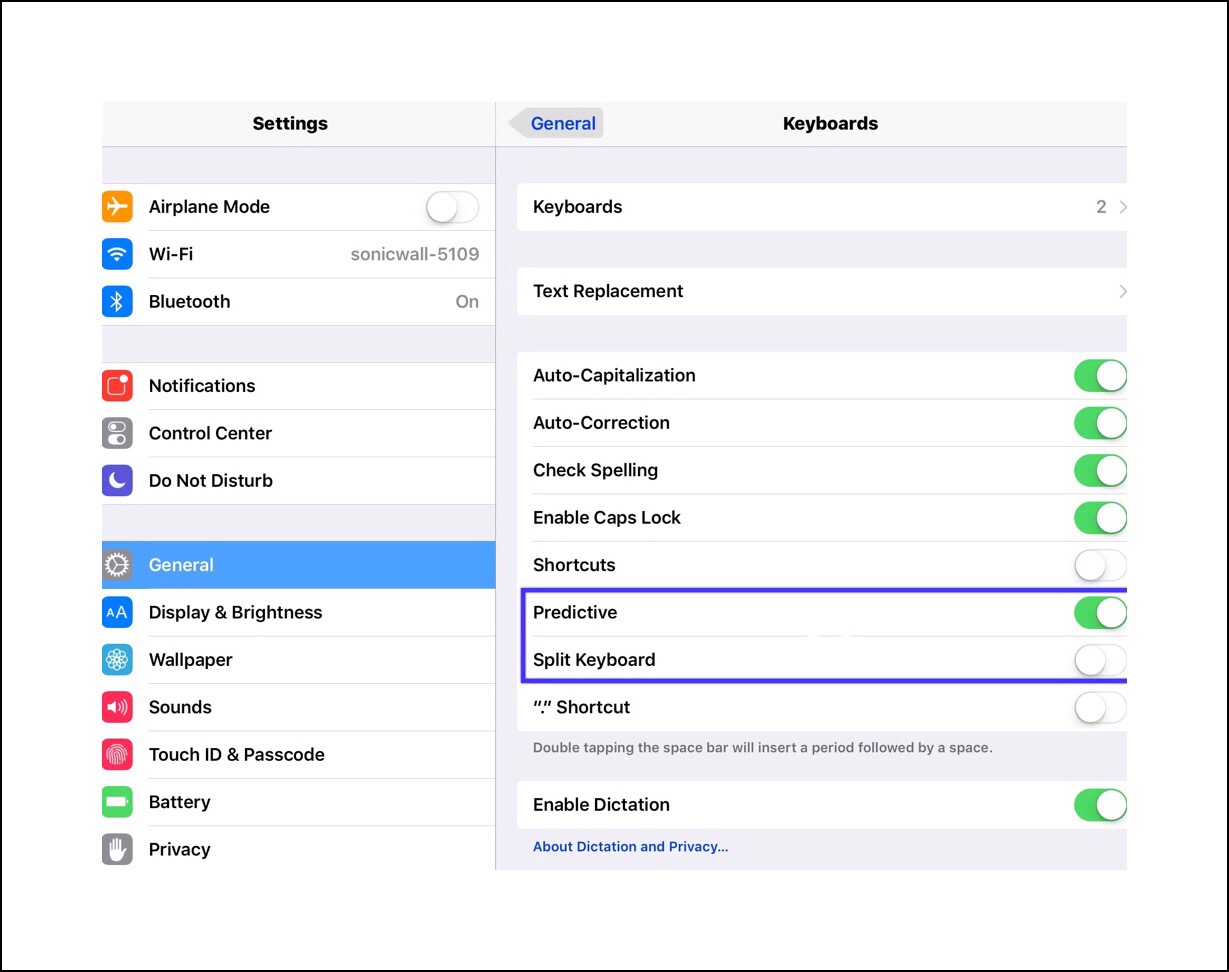
If you never want to risk having the keyboard become split, you can also turn this feature completely off in ios 9 settings.

Go to Settings – General – Keyboard to turn this off…see screenshot below.

ios 9 keyboard settings
These are footnotes which can easily be skipped 
*The solution above helped me to figure out what might be doing to cause the ‘splitting’ of  the keyboard.  While I’m still not completely sure, I suspect that I’m either not tapping the ‘keyboard’ key quickly enough sometimes (maybe if I’m distracted and thinking about something?)   Or I might be swiping up from the bottom of the screen to reveal the Control Panel while the keyboard is displayed, but my swipe is a little off center and I swipe on the keyboard key instead.
**Anyone who doesn’t experience symptoms of ADHD might not really get how just a few small occurrences like this can cumulatively wipe out an entire day’s productivity! I thought the fact that I’d just taken my daily dose of Ritalin saved me but then realized as I wrote this, that my subsequent decision to actually write this post for myself had the exact same negative impact upon productivity!

Comments

Please leave any comments below:

← Back

Thank you for your response. ✨


Posted in ios, ios 9, ios 9 Quick Tips, iPad, iPhone, Tech Tips | Tagged , , , , , | Leave a comment

Evernote’s New App For Cooking Provides Recipes from the  New York Times | 1st Time Using WordPress ‘Press This’ 

New York Times Recipes App for Evernote

While researching an Evernote topic today I ran across this new (to me) app today on Evernote’s blog.  I don’t cook much, but if I did this would be one resource that I’d definitely use.

New York Times Evernote App

So I decided to try and share this in a new post for my friends and family who, with very few exceptions, all do love to cook (which is probably the key reason why I don’t need to!)   But I then realized that I was using Safari on my iPad, and I’d installed the ‘Press This’ bookmarklet yesterday, so I decided to try to post this ‘sort-of automatically‘ using the WordPress ‘Press This‘ feature.

‘Press This’  is a feature of WordPress that lets users create new posts very quickly and easily right from within a web browser with web clipped content.

This is my first time using ‘Press This‘ so I’m really hoping this post ends up looking OK, and that it isn’t really messed up…because if it isI’ll need to reverse the automatic republishing of it using WordPress’s ‘Publicize This‘ plugin on Facebook and Twitter.  I love automation, but sometimes the ‘too much of  a good thing’ old adage applies!

Link

Finding specific apps in the Apple’s ios App Store can be difficult if not impossible, so I found the link for my followers.  This should automatically open in the Apple Apps Store on your ios device:

Link to the ios app

A Little More Information About It

Apparently this app is beautifully designed and helps users find recipes from a database of over 15,000.  It’s received great reviews!

Initially on Evernote’s blog, I misinterpreted the origins of the app.   It’s not actually an Evernote app, it’s a New York Times app which interconnects seamlessly to Evernote.

Here are a few more of New York Time’s apps:

New York Times Apps

I’d love to hear from any of my followers if you’ve used this new app…so please leave any comments below!

Update:  OK, Press This worked well!  I’m pretty excited about that.  The only thing that got messed up is the image I uploaded at the last minute when I noticed a camera icon at the bottom of my iPad screen.  The image itself is fine, but it wasn’t placed where I wanted it.  

Posted in Evernote, General Technology Articles, ios apps, Tablets, Tech Tips, Tech Topics | Tagged , , | Leave a comment

ios 9 Quick Tips | 2 New Ways to Select Multiple Photos for Batch Edits in ios 9


I just discovered that Apple has finally reprized a method to select multiple photos all at once in ios 9.  So you can now perform batch tasks with groups of photos.  You can do things like like deleting the whole group, or you can open them all in a different app, or you can share them all through social media, messaging or emailing…but as a group rather than individually.

This is a feature many people have been requesting for eons!  This capability was briefly present in ios 6 but no one really seemed to know it existed!  I discovered it accidentally right around the time ios 7 was released, so I only got to use it a few times.  Once again I discovered this feature by accident while working with a large number of vacation photos.

My advice to anyone who may have been postponing organizing all those photos they’ve accumulated is to do it now while these multi-selection features are available!   Especially if you have thousands of photos (like I do)…now is a great time to accomplish a mass reorganization…because there’s no guarantee that this feature won’t disappear again! 

Photo app icon

Apple’s Photo App Icon


Option 1:   How to Select Multiple Photos Using ‘Album View’ with the Apple photo app (ios 9 only)

  1. Identify the range of contiguous photos that you’ll want to select and then act upon.
  2. Tap on Select while in Album view.
  3. Instead of just tapping to select each individual photo, long press the first photo in the range, then, without lifting your finger, drag it up…row by row…until you’ve selected all the photos you want.(you’re really select whole rows of photos but the first and last row can be partials.)  You can tell a photo is selected by the blue check-mark that appears in the top right-hand corner of the thumbnail.
  4. Tap on the Share icon (the rectangle with upward pointing arrow) for most ‘open in’ and ‘sharing’ actions or the trashbin icon to delete them.

Multi-select groups pf photos in Apple's Photos appIMG_3326

Option 2:  Select Groups of Photos in ‘Photo’ view | See the photo below for steps

Each day is represents a separate selectable group of photos that can be multi-selected all in one step

Each day is a separate selectable group of photos that can be multi-selected all at once.


Posted in Computers, ios 9, ios 9 Quick Tips, ios apps, Photography, Tech Tips | Tagged , , , , | Leave a comment

Introduction to Creator Studio App for ios | The Evolution of YouTube |  YouTube’s Mobile Features Enhancement

A Brief Background of YouTube’s Evolution


In the early days of the Internet simply sharing pictures was a cumbersome ordeal.  Back when Google first came onto the scene, no one could have predicted how ubiquitous Google would become.  The masterminds behind the rapidly evolving technology apparently kept themselves grounded enough to accurately assess and predict what ‘everyman‘ would need and want going forward.  Gmail, Google and YouTube rapidly grew to become iconic, not just for the younger generations but across multiple generations.

“My Soon-to-be 90 Year Old Dad Watches YouTube Almost As Much As He Does His Favorite Network TV Channels”

Blogging Versus Vlogging

Today, almost anyone who writes a blog has, at one time or another, wanted to include the kind of detail that videos provide.  For some people, once they’ve gained a little experience with this medium, they don’t want to go back to merely blogging, instead many instantly decide to pursue vlogging.  This used to involve a pretty steep learning curve.  Today however, regardless of whether or not you’re a frequent vlogger or you just have the occasional need to upload some video content to share…the end result is essentially the same…a new set of tools and work flow challenges face you.  But in this instance, learning is half the fun of it I think!

It’s really easy to see why YouTube has become the chosen venue for people across the globe to share their videos.  For a very longtime most of the popular social networks like Facebook and Twitter didn’t allow people to upload videos directly to their social networking servers.  You needed to upload a video to YouTube first and and then you could link to it.

That’s no longer the case anymore, but it is sort of hard to change old habits…therefore I oftentimes forget that I can even do that now!  Overall, as the YouTube phenomenon evolved, Google+, which is another social network, but this time one that was created by Google, became inexplicably intertwined with YouTube…and YouTube channels.

Today, in 2015, almost anyone with a Gmail account also has a G+ account and a YouTube channel.  Whether or not they actually use the channel for anything is a different matter…many people do, but even more people don’t…irregardless of whether or not they upload videos to YouTube.  The channel aspect is there however if someone needs it.  Channels can help active bloggers and vloggers a lot in keeping their uploaded content accessible and organized, plus their history of viewing videos as well as their playlists (playlists are sort of like bookmarks for videos) too.
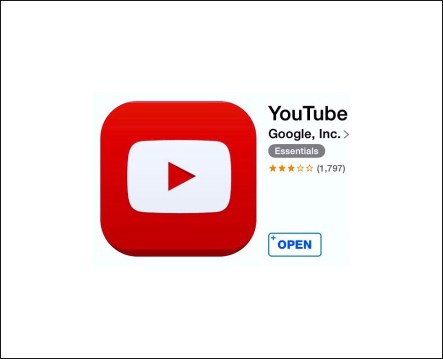
 YouTube ios app icon 2014 | Note the # of stars based on user reviews

YouTube’s ios app in 2014 | Note the # of stars based on user reviews


YouTube Mobile Apps

The easiest way to search for and watch videos on mobile devices is through the use of the mobile YouTube app.   When I’m setting up a brand new device, the YouTube app is one of the standard apps I always download almost from the get go (unless it’s an Android device in which case YouTube is already on it.)

For many years the YouTube app was great for video viewing, but very little else.  There was a huge disconnect for active video up-loaders in terms of shooting & creating their content, which was generally done using mobile devices (most often an iPhones or Android phones) and managing any and all aspects of that same content once it was uploaded to YouTube.  The years of 2014 & 2015 mark the time when Google finally began to take notice and to address this significant disconnect.

Both the ios and the Android YouTube app versions slowly began integrating the features mobile users desperately needed.  A few years back it became possible to upload videos to YouTube directly through the  use of the YouTube app.  More recently it became possible to get a decent handle, in real time, of how well your videos might be doing out in the world.  The evolution of the YouTube App’s occurred in almost tiny, imperceptible increments, but functionality was continually improving.

The General Public Doesn’t Always Embrace Google’s Major Software Overhauls Readily…

…nor do I.  I fall prey to this as readily, if not more so, than most people I know.  This is probably because I really rely on these apps for my day to day work.  Anything that slows me down isn’t welcome!

But in this instance I can say with a certain degree of confidence that the YouTube redesigns truly make a lot of sense, and they will ultimately become that ‘missing link’ which was needed to address the disconnectedness that I talked about earlier!  Still, it’s interesting to see how users are reacting right now to the newness of the apps!!!

Compare the # of stars for ios users to last year around this time

Compare the # of stars for ios users to last year around this time

Fall 2015 |  Mobile Versions of Google’s YouTube App’s Are Overhauled | That’s When I Discovered YouTube Creator Studio App
 

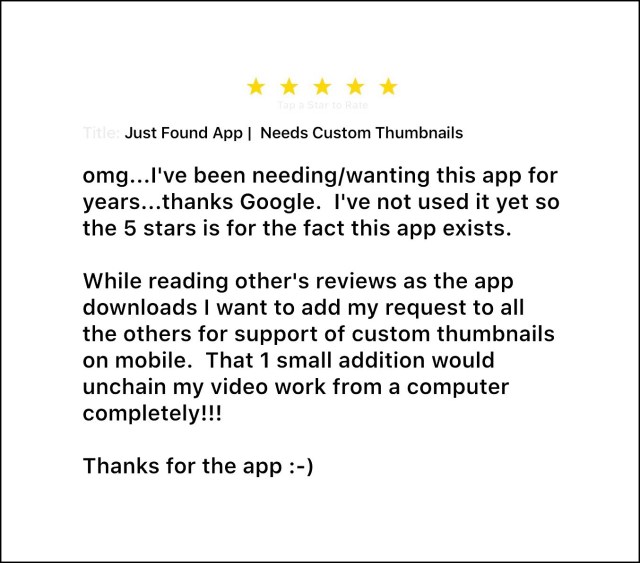
Sometime during the fall of 2015, Google released a completely new, vastly superior YouTube app for ios users.  It was while exploring the apps features that I ran across the Creator Studio app.  Let me say right here and right now, that I was ecstatic to discover this newish app!  Finally I’ll have any easy way to manage all of my uploaded videos and content across channels, right from my iPad!   In fact, I was so overtaken with excitement that I actually wrote a review while the app was downloading:
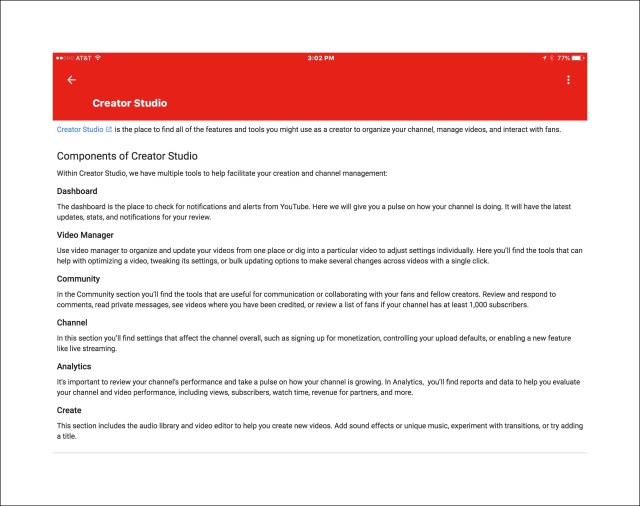
I’ve only just begun to explore using Creator Studio…but it is essentially the Video Manager Dashboard that is primarily accessed using a computer, although the with enough tweaking one can use it on a mobile device too.  The fact that we can now accomplish 99% of our video creation (including shooting, editing, uploading, managing and analytics) directly on a mobile device is so significant that the overall impact cannot be understated!

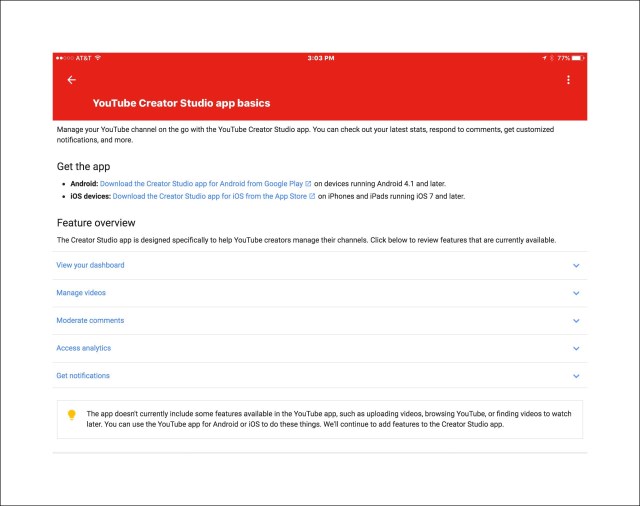
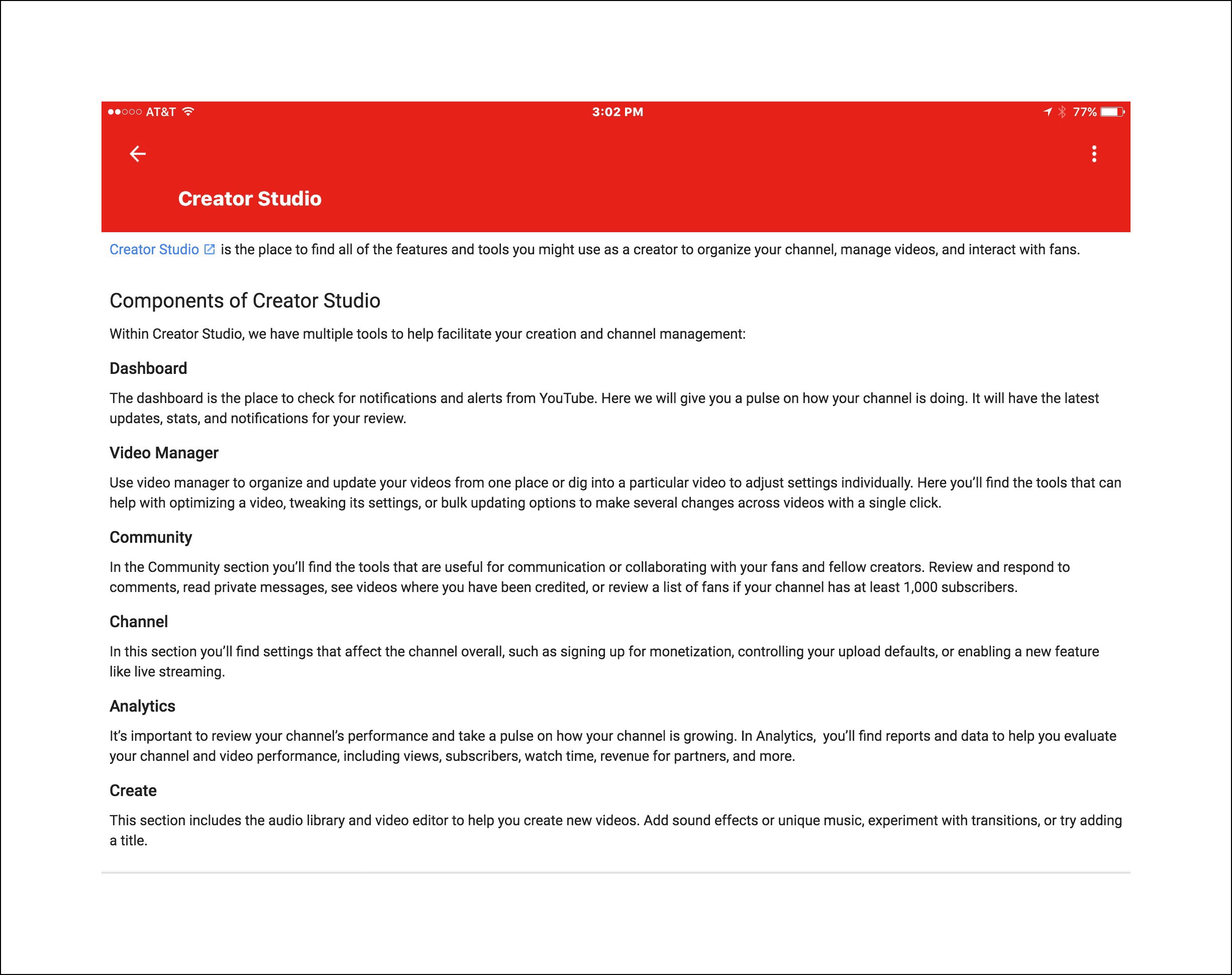
The 2 screenshots below provide a good overview of Creator Studio’s features

  • Links to download Creator Studio (free):

Download the ios version

Download the Android version

Will Videography Become the New Photography???

This is an exciting time and so are these new developments.  Primarily because the realm which was once relegated solely to just tech or video enthusiasts, will now put videography into a much more mainstream position.

I believe that we’re standing at a precipice which, if we care to notice, will eventually come to define us and this moment in time to future generations.

Cutting Edge YouTube News | YouTube Red

2 days from now on October 28th (and on my husbands birthday too!) Google will launch an entirely new way for consumers and commercial entities alike to engage with YouTube.  They are calling it YouTube Red.  YouTube Red seems to be aimed at creating a new income stream for Google as well as potentially leveling the playing field for ad earnings between large YouTube producers and smaller ones like solo vloggers (and me.)

In a nutshell, YouTube Red will attempt to get people to pay a monthly subscription fee for video content they currently follow for free.  Google points out that this new alternative will be optional, and people will still be able  to subscribe to their favorite channels for free too.  But that the new fee structure will allow fans to monetarily support the work of YouTube creators too…in the hopes that even more people will decide to become more actively engaged in the whole video sharing phenomenon.  To make the fee structure aspect more palatable (I suspect), Google will also be introducing a new streaming music service too, that will be free for those choosing to subscribe to YouTube Red.  Here’s a short video about that. 

Posted in Blogging, Google, Videography, Videos, Vlogging, YouTube | Tagged , , , , , | Leave a comment