
Update: 1 Year Later…December 2018
2018 Introduction
I decided to add a lot of new content to this post which was originally from December 2017. There are several reasons why. First I learned a lot about the Apple upgrade program this last year and wanted to alert my readers of the few major problems regarding this amazing program. Second I need to get a new case for my iPhone X and was lucky enough to discover the Spigen case I initially fell in love with was still available! Since the same cases that fit iPhone X also fit the iPhone XS, updating this article just makes sense.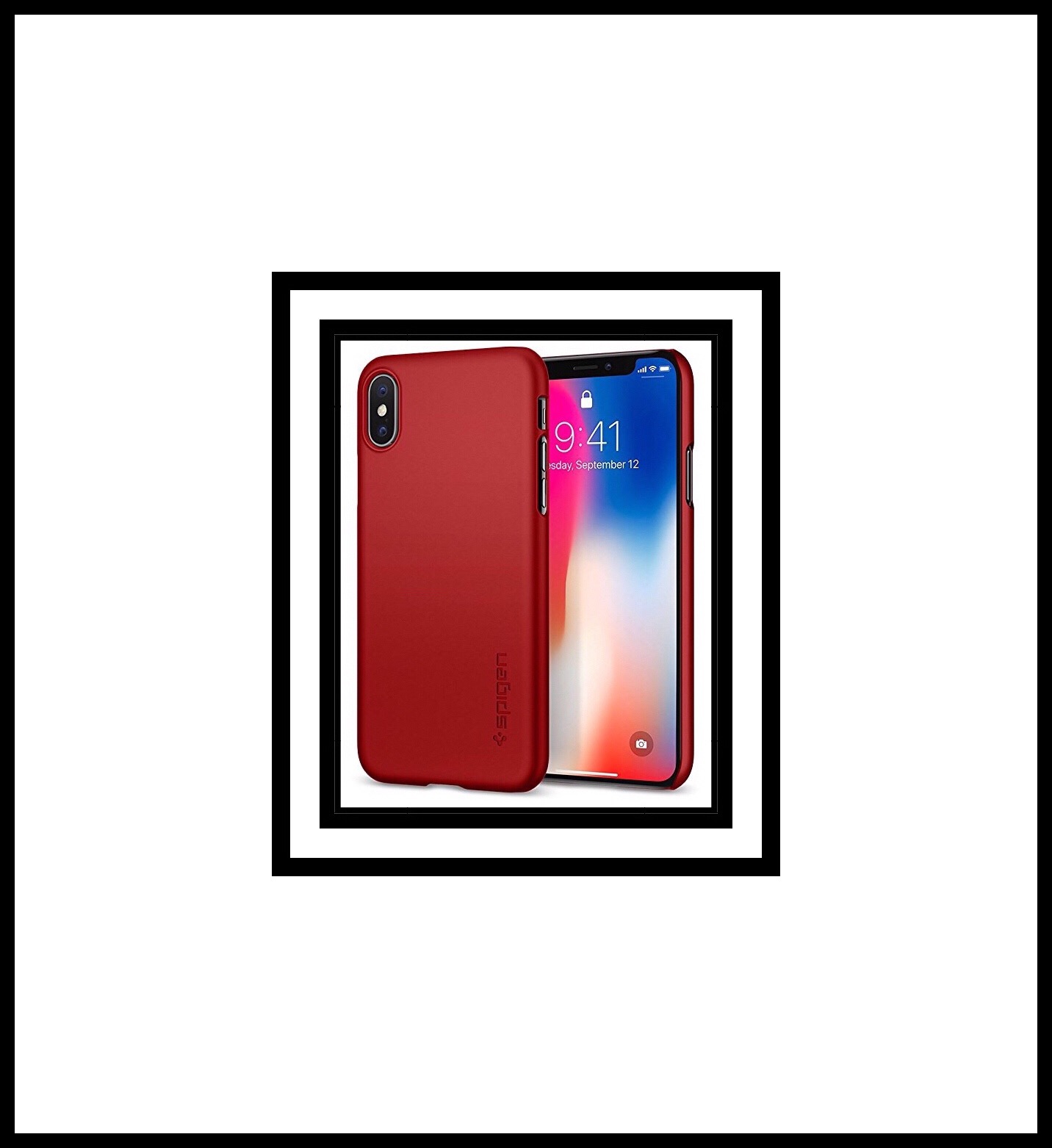
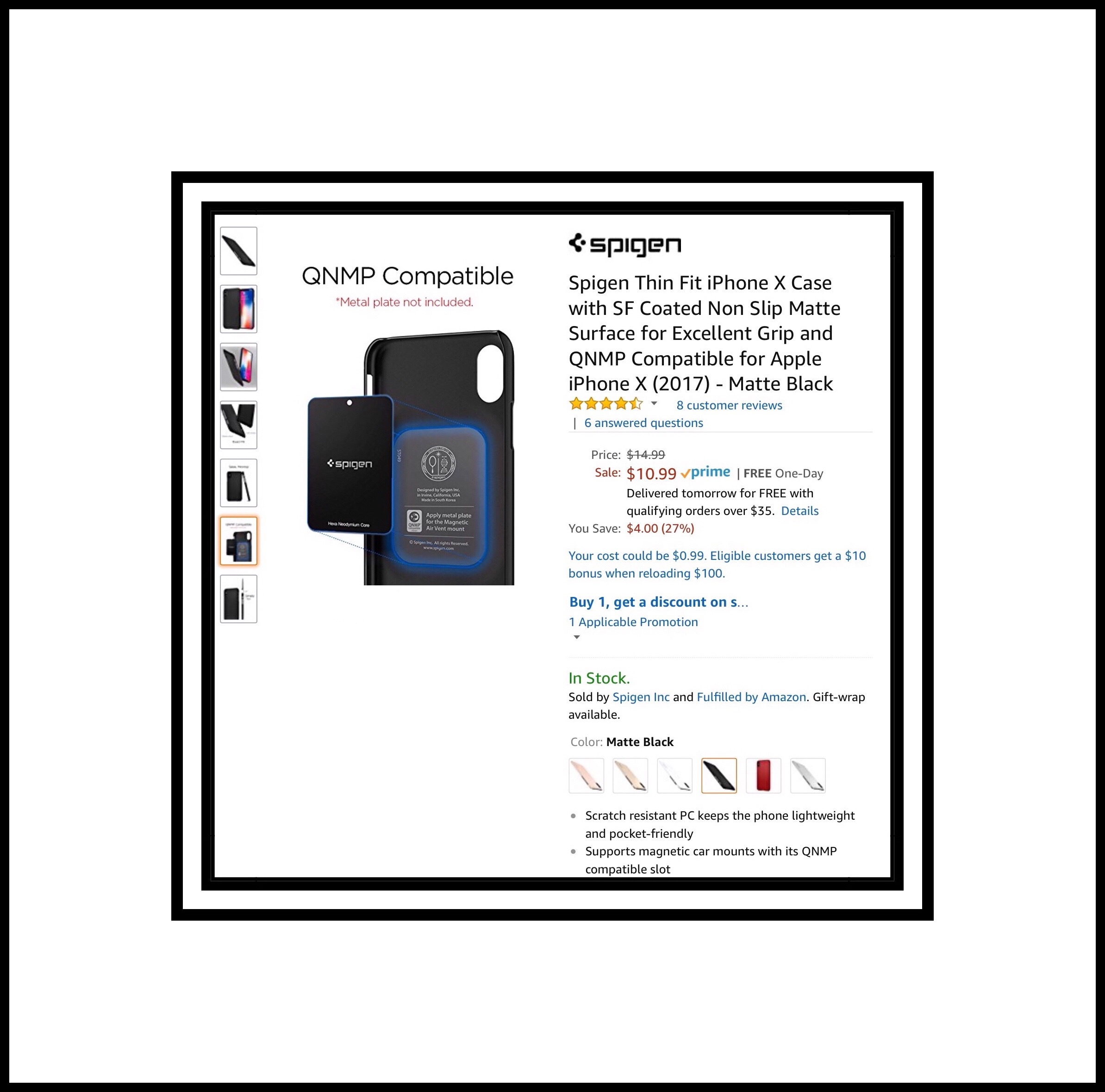
Spigen Thin Fit iPhone X Case QNMP Compaitble
The iPhone X replacement case I got in December 2018
iPhone Upgrade Program Problems
Some if you may remember that I joined the iPhone Upgrade program when I got the iPhone X. Theoretically I should be getting a new phone right about now (because I got my iPhone X late due to upgrade program enrollment problems.) Sadly, I’m not getting an upgrade it appears. The main reason is because of a problem I encountered when I went to upgrade my iPhone X. There are 2 main problems that will prevent Apple users from upgrading their iPhones via Apple’s Upgrade Program. The first has to do with AT&T, and the second with the Equifax hack. I will address the Equifax one first just because it shorter and easier. Apparently if you froze your credit history with Equifax, or any of the credit bureau’s, back when Equifax was hacked, you will not be able to purchase a phone using the upgrade program. The reason is because the upgrade program is really just a loan program, and your credit history needs to be available to Apple. There is a really simple fix however. Simply go to your account that’s frozen and unfreeze it. You can freeze it again right after you’ve successfully purchased the new iPhone.AT&T Business Customers are Excluded from the Upgrade Program
My problem was due entirely to AT&T’s policies. About a week before I went to get my new iPhone, which would have been the XS Max, my husband called AT&T to see about combining our bills. We have our residential an business landline accounts as well as our family plan. AT&T was happy to oblige. They even sent me a text confirming the change…which apparently required them to move our account from residential to Business. We didn’t see any downside to this…although it wasn’t really mentioned in my husband’s phone conversation either. He really found out after-the fact when I received a text message notifying us that we could now use AT&T’s VPN service that they call Private WiFi. This ended up being a bit of a fiasco because we couldn’t actually find any information about Private WiFi…so I wrote a post about it after I finally managed to cobble some information together. While the Private WiFi app was pretty cool…it was not cheap! We were surprised to decide ver that here was a $1.50 per month, per device charge for it! What was much less cool was that I was informed by an Apple employee, upon trying to complete the Upgrade Plan paperwork, that I could no longer utilize the program because AT&T bans its use by their Business customers!!!The Reason? Apparently the Upgrade program has been so wildly successful that cell phone carriers have lost a big chunk of their cell phone hardware sales revenue. This s is AT&T’s way of trying to recapture that lost cellphone hardware sales revenue!
Of course…AT&T won’t tell you that! What we were told by an AR &T rep on the phone was that Apple dictated this ban…not AT&T. But if you think about…what possible motivation would Apple have for doing that? Whereas AT&T has a huge incentive to do exactly that!What We Did to Remedy the Situation
There was no course of action open to us other than switching our account back to residential…so that’s what we did. But it wasn’t easy! Well, OK, it was easy in terms of AT&T not giving us a hassle about it. But it was very time consuming to actually to do all of the the ‘paperwork.’ How do I know this? Because the AT&T rep that helped my husband s and worried with required that he remain on the line while he moved things back…one device at a time!iPhone Upgrade Program Problems
This is not how it was done on the front end when our account was transferred ‘en masse’ with all the cellphones and tablets being done in one simple transaction.Our Final Result
A day after our account was switched back we went back to the Apple store to once again get then new XS Max. But once again we ere unable to do so!!! It seems our account had not yet updated on AT&T’s server. In the end it took several more days for this to occur, at which point I no longer had any time to me left for me to make a third trip to the Apple Store. Each time previously I prepared my ‘old’ iPhone X by signing out of my Apple ID. I discovered that this is a huge pain if you decide to add it back on again! My iPhone X has yet to reload all of my Apple Notes…despite the fact that its been a few weeks! Since we are leaving to go to Cuba for Xmas…I’m now thinking that by the time we get back I may end up deciding to keep my iPhone X.The One Advantage of Being Banned from Apple’s Upgrade Program
My main rationale is because by the time I would get my new XS Max, it would be so late that next year when the new iPhones hit the stores I’d have to wait for months in order to get one without incurring a financial penalty. I know me and I know that will bother me. There’s another HUGE incentive for me to NOT UPGRADE. It is that is in less the 12 months I’ll own my iPhone X outright! Conversely, if I got the Phone XS Max now or in January, I’d still to return the iPhone X as part of the process of applying for the new loan, ‘i.e., the new upgrade program loan.’ The advantage of owning the iPhone X outright of course, is that it still has very high residual value..because it’s so new! So I think that’s the route I will end up taking. There’s one other problem with my not upgrading…I need a new iPhone case!iPhone X Cases Also Fit the iPhone XS
That’s how I discovered for absolute certainty that iPhone X cases also fit iPhone XS and vice versa. That’s the real reason for this update. Because, while I absolutely love the iPhone case that I got last year for my iPhone X… the one that appears at the very end of this post…it barely made it a year before it started to fall apart on me. I knew that it would be dangerous to bring my iPhone on the trip without getting a good case to protect it.That’s What This Update Is Really All About
Below is the case that I got last year. It was $11.99 from YF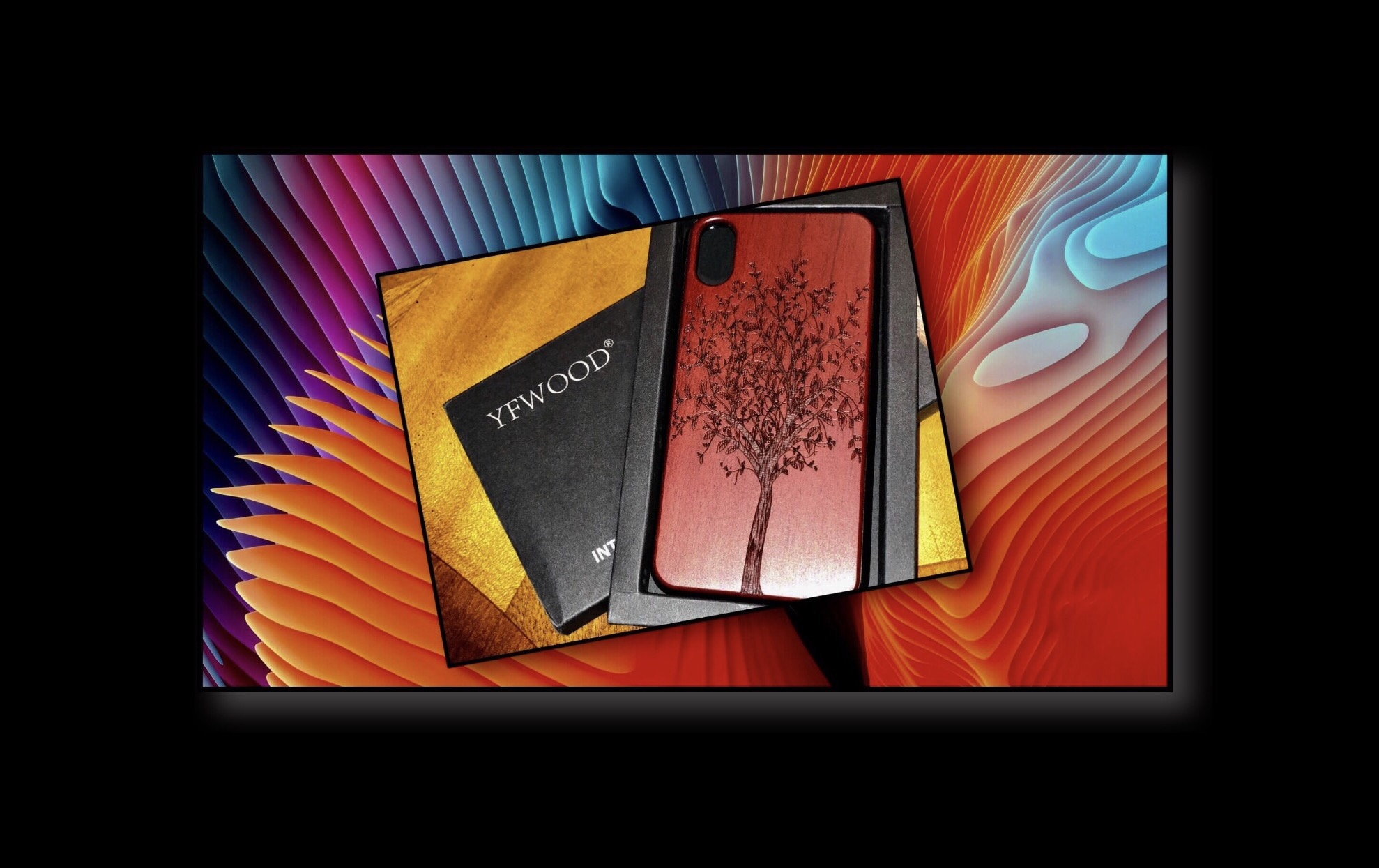
Beginning of the Original Post
Introduction
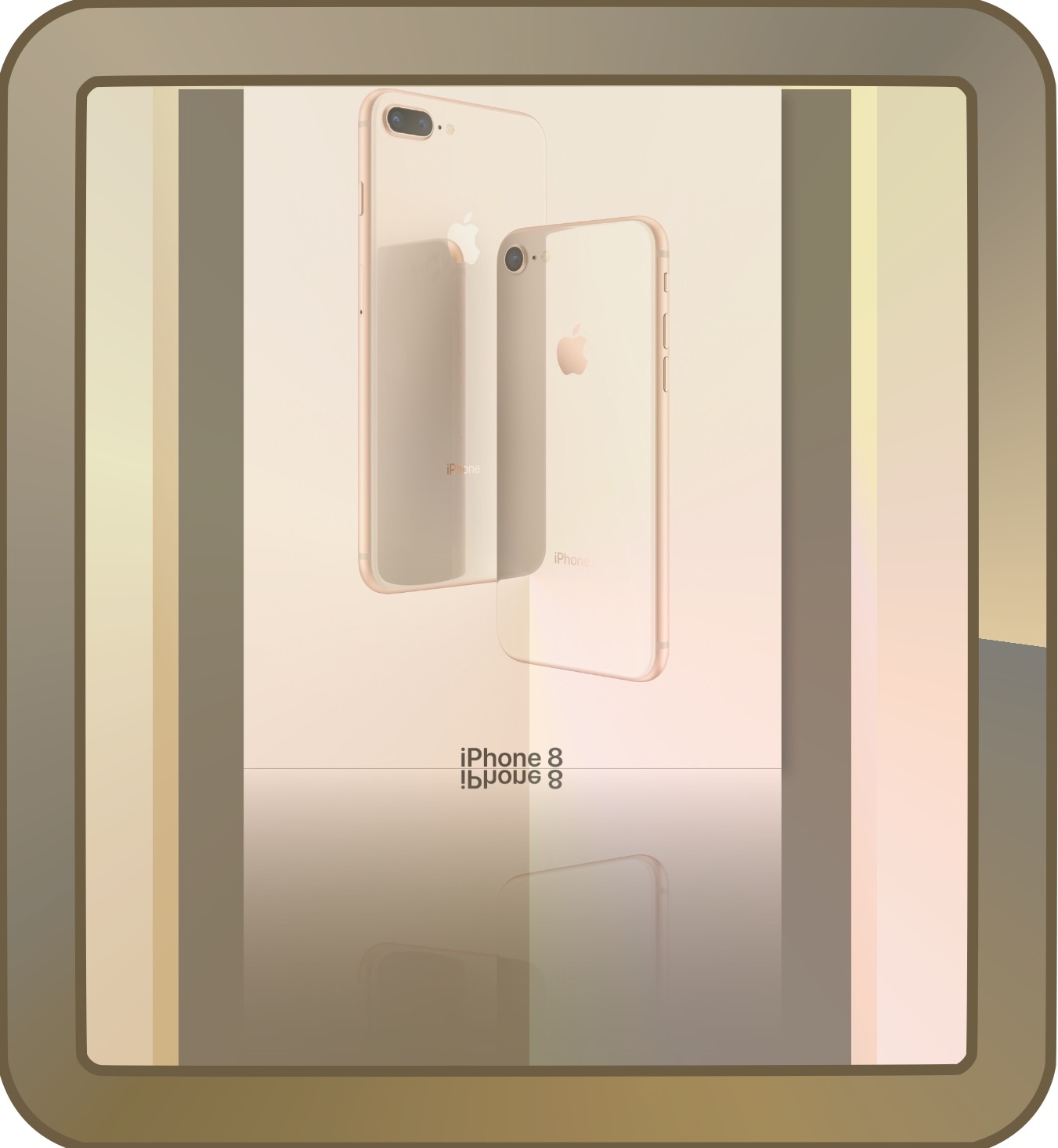
My iPhone X finally arrived! I decided despite the learning curve that it’s pretty great and I kept it. (I’d returned the 8+ due to the lack of a personal ‘wow’ factor after testing it out for a few days.) If you’d asked me my intentions about keeping it a few weeks ago however, I don’t know that my answer would have been so affirmative. Why I didn’t anticipate the learning curve of ‘no home button’ is beyond me. But you know what they say…time heals all wounds…and I am rapidly forgetting those awful first days. So I’ve been scoping out some possible new cases for it. This was actually a resumption of a more extensive search begun before Thanksgiving. My kids would tell you that I’m obsessed with iPhone cases. While I don’t think that’s true, I do have a tendency to get more cases than most people, and I have no compunction about abandoning one in favor of another. Usually because I don’t generally buy ultra expensive cases. Which means if I don’t end up loving one I don’t feel guilty about ditching it. One might think I’m hard to please, but after reading hundreds if not thousands of reviews in the last few weeks as I wrote this, I really don’t believe that I’m very different from the rest of the world. An iPhone case has to meet a lot of high expectations because it accompanies you for an intense, if not brief portion of your journey through life…much more so than almost any other possession you might own. I’ve always had a strong sense of design…perhaps the result of being surrounded by an artistic family? Whatever the reason, I usually seek out less popular cases that I’ve stumbled across randomly, that tend to bring something new to case design or sometimes I just go with what I believe to be is the ‘best in class’ for a specific function. But I’ve grown cheaper as I age…frivolous, outrageous spending patterns are definitely a thing of the past for me. Thus one reason for my heavy reliance upon Amazon! With all that said, the premium feel of the new iPhone X seems to me to warrant more careful consideration than ever. So I’ve been working on this off and on for the better part of a month. But really I began it in earnest before our 12 day Thanksgiving Day trek out west to visit family. My fluctuating needs have definitely played a role too since Apple hasn’t made my life easy in my most recent acquisition of the iPhone X. After several failed attempts at online ordering…failed due to my desire to join the upgrade program this year which is another long story. I finally ended up surprising everyone by finding the exact model I wanted available on Black Friday in an Apple Store in Dallas TX.Below: My (returned) iPhone 8+
 This post has grown overtime as I keep remembering and adding more cool resources that I’d forgotten about. So it may not be truly finished yet and I may add more as I remember them. As it stands right now…it includes my favorites from my recent research along with some notes about pluses and minuses of various alternatives when available. While this may seem fairly long, remember its mostly a lot of pictures combined with much less text on what I know about each case designer’s background. Because for some reason this has always been important to me, so I decided to include it in case any one else likes that kind of information too.
Without further adieu, here’s my list of iPhone case designers and some other accessory resources too. If you’re interested in what I ended up getting…scroll to the very end of this post and you’ll see my new iPhone case in all its glory!
This post has grown overtime as I keep remembering and adding more cool resources that I’d forgotten about. So it may not be truly finished yet and I may add more as I remember them. As it stands right now…it includes my favorites from my recent research along with some notes about pluses and minuses of various alternatives when available. While this may seem fairly long, remember its mostly a lot of pictures combined with much less text on what I know about each case designer’s background. Because for some reason this has always been important to me, so I decided to include it in case any one else likes that kind of information too.
Without further adieu, here’s my list of iPhone case designers and some other accessory resources too. If you’re interested in what I ended up getting…scroll to the very end of this post and you’ll see my new iPhone case in all its glory!
Roxxlyn
Stone. follows. function.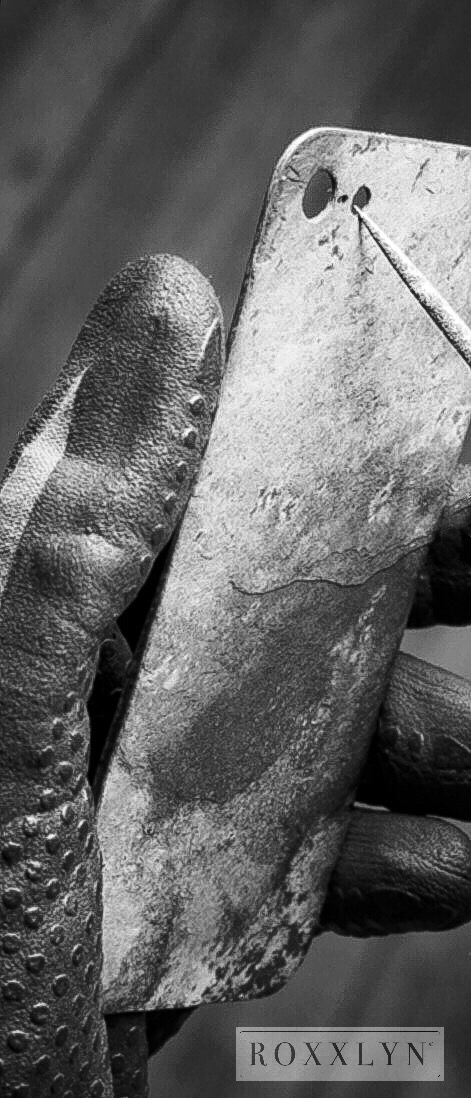 Roxxlyn is a German company whose home is in the Berlin Mitte district, tucked away between old factory buildings and modern coffee shops. A small team of dedicated artisans and engineers are there to devote themselves to create outstanding and unique products with minimalist aesthetics and high quality materials.
The inspiration behind Roxxlyn is million-year-old stone. Founder Andreas Plassmann and a team of uniquely gifted artisans employ technology they painstakingly developed over many years which allows them to extract incredibly thin and flexible micro-slabs of ancient precious stone formations from the quarries of Antolini in Verona Italy. Using a combination of hand finishing and precision tooling to further refine each thin layer, the final outcome is a case which is custom-made when an order is placed.
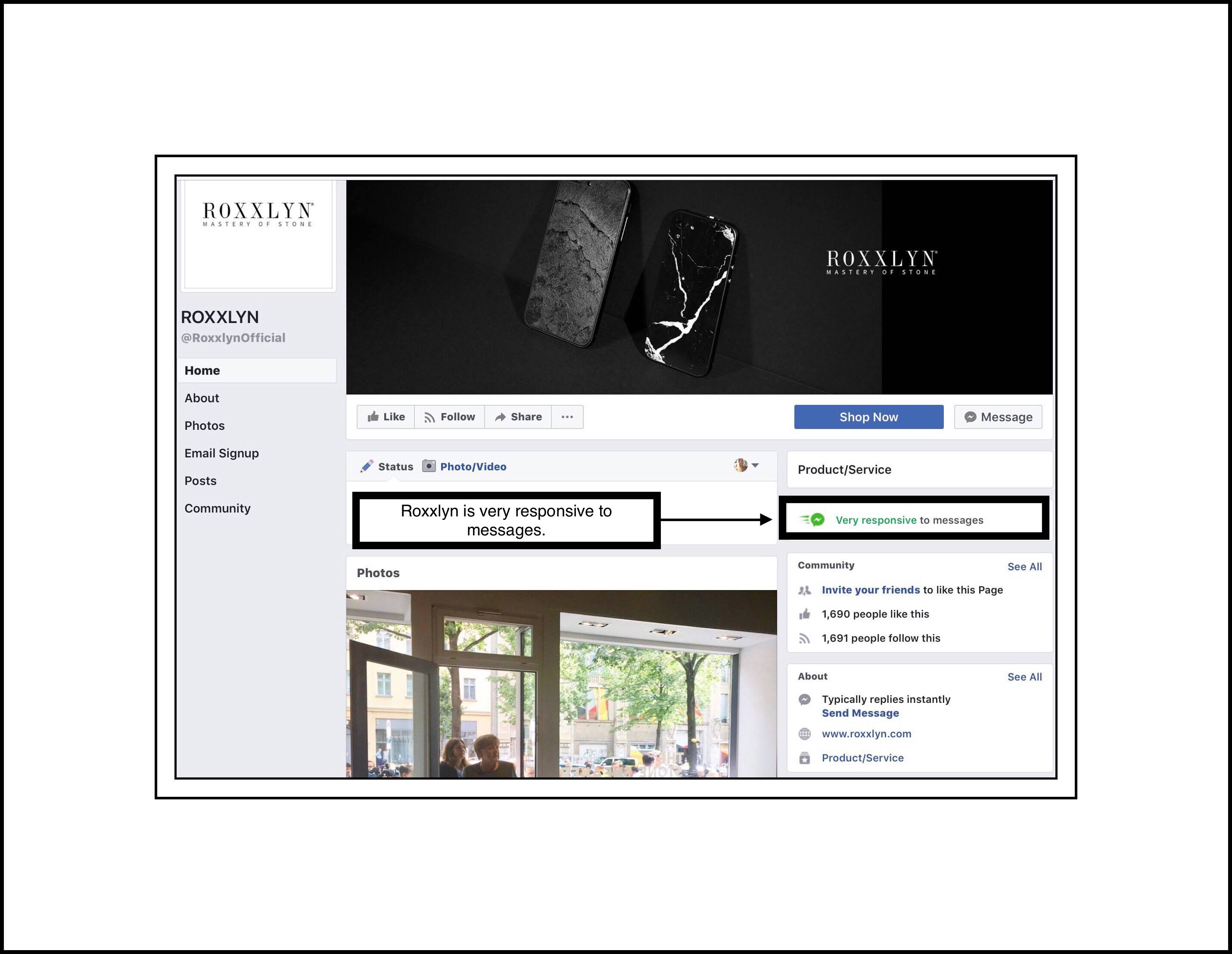
These incredibly unique cases which meld a dramatic contrast of modern material with stunning rustic stone each represent a unique work of art. Whenever you are considering getting something from a company abroad, you need to do a little due diligence to make sure you aren’t taking too much of a risk. I’ve tried to do some of that for my readers. I found that Roxxlyn has a Facebook page. A visit to Roxxlyn’s Facebook page shows me that the company actively maintains it and has good customer service.
Roxxlyn is a German company whose home is in the Berlin Mitte district, tucked away between old factory buildings and modern coffee shops. A small team of dedicated artisans and engineers are there to devote themselves to create outstanding and unique products with minimalist aesthetics and high quality materials.
The inspiration behind Roxxlyn is million-year-old stone. Founder Andreas Plassmann and a team of uniquely gifted artisans employ technology they painstakingly developed over many years which allows them to extract incredibly thin and flexible micro-slabs of ancient precious stone formations from the quarries of Antolini in Verona Italy. Using a combination of hand finishing and precision tooling to further refine each thin layer, the final outcome is a case which is custom-made when an order is placed.
These incredibly unique cases which meld a dramatic contrast of modern material with stunning rustic stone each represent a unique work of art. Whenever you are considering getting something from a company abroad, you need to do a little due diligence to make sure you aren’t taking too much of a risk. I’ve tried to do some of that for my readers. I found that Roxxlyn has a Facebook page. A visit to Roxxlyn’s Facebook page shows me that the company actively maintains it and has good customer service.
“We are constantly seeking new ways to use the world’s exclusive stone materials. After years of research, we harnessed the incredible powers of slate stone to create a feel like no other.”
This video shows several options of their popular Mineral Case…
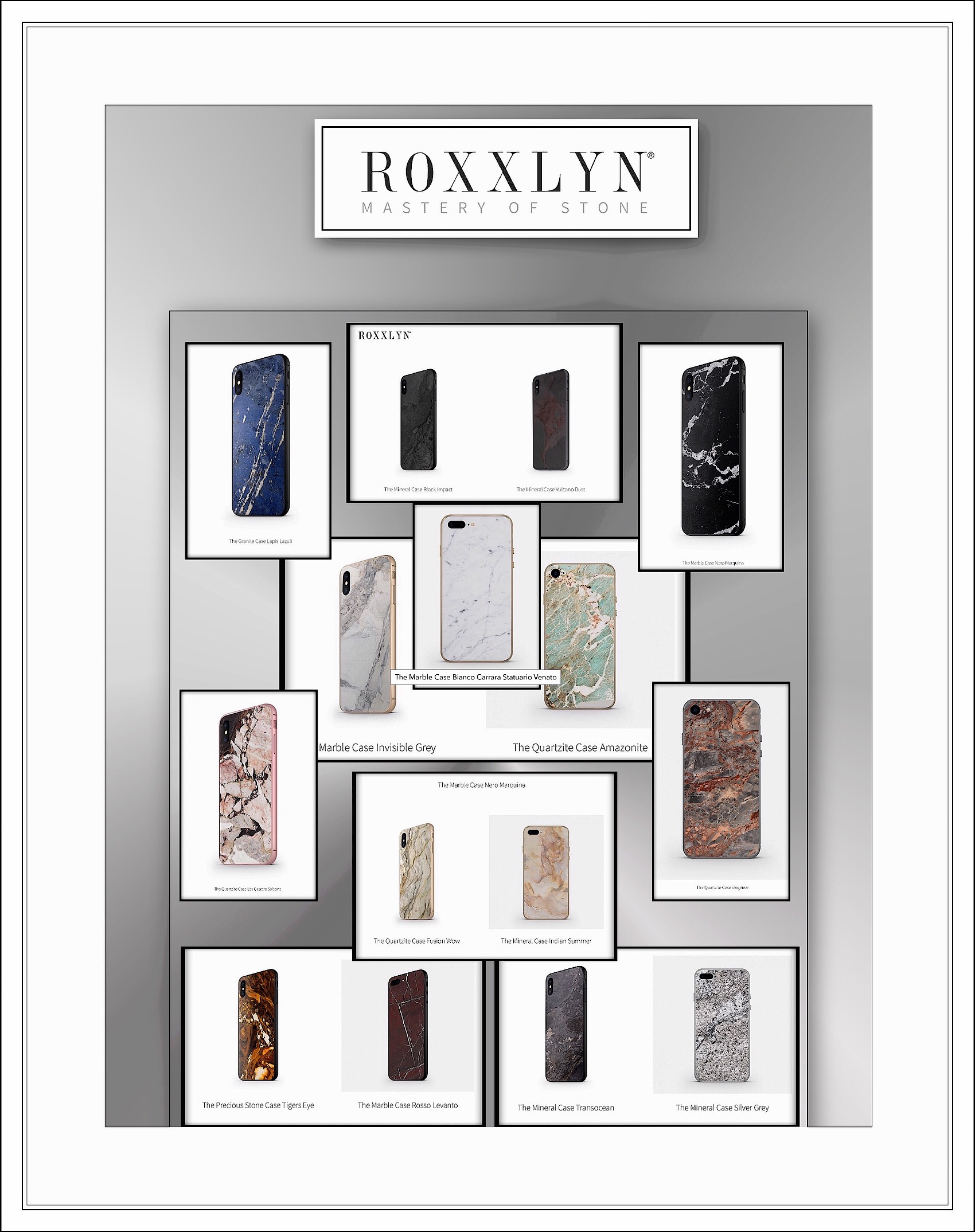
But it doesn’t show my favorite Mineral Case which is below. The Mineral Case Silver Grey $87.89 (shown below) Below is the full lineup of Roxxlyn iPhone X Cases
 Here’s one more video which introduces Roxxlyn’s Marble Case
Ringke
Ringke cases are made by Rearth, which is an interesting company that aims to win customers with their high-end designs and quality products. I really love their Flex S Advanced Series for its unique combination of retro-modern styling, and it was an early front-runner for me in either brown, silver or rose pink. They offer 3 leather looks. Flex S Advanced Series Leather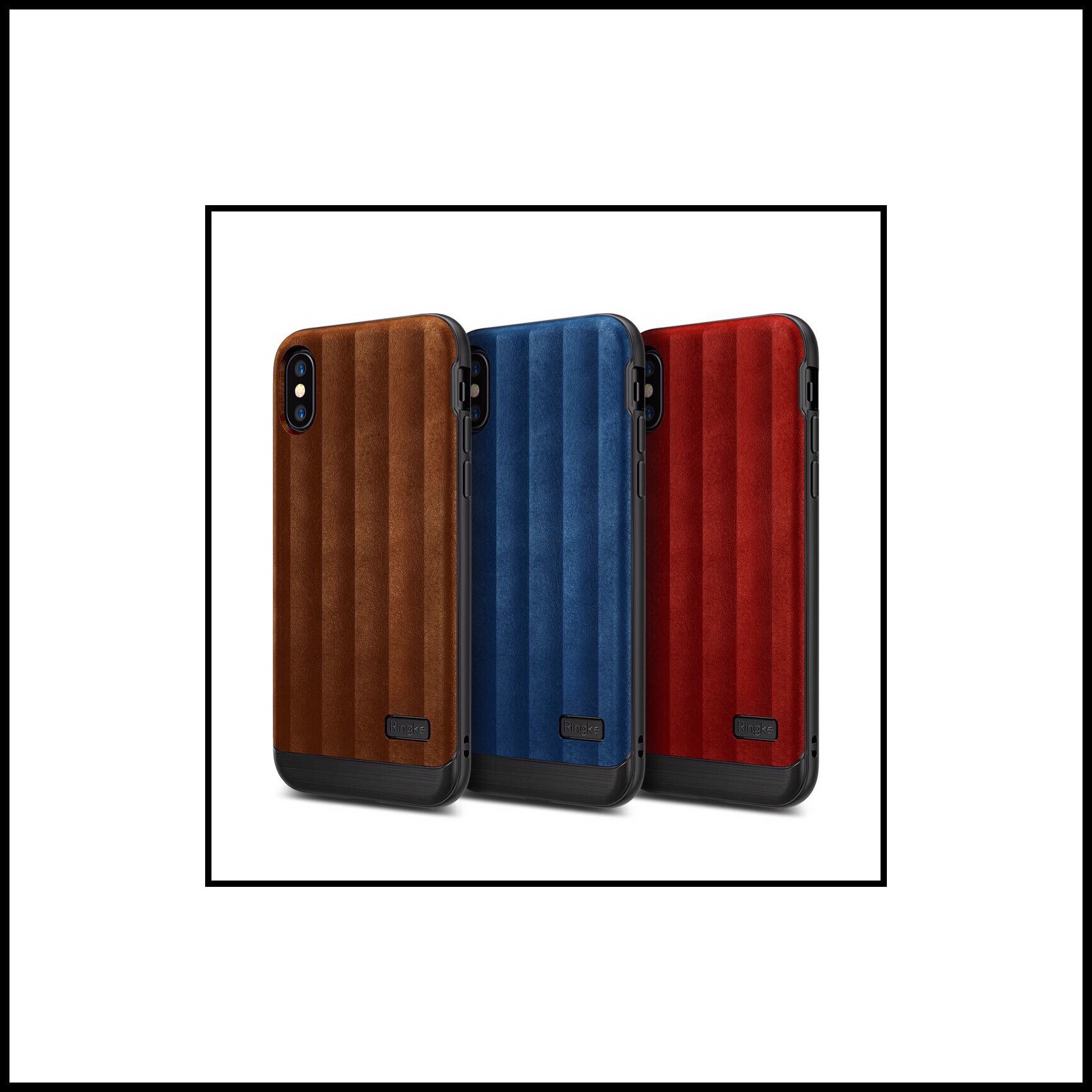 And 3 metallic looks.
Flex S Advanced Series Metallic
And 3 metallic looks.
Flex S Advanced Series Metallic
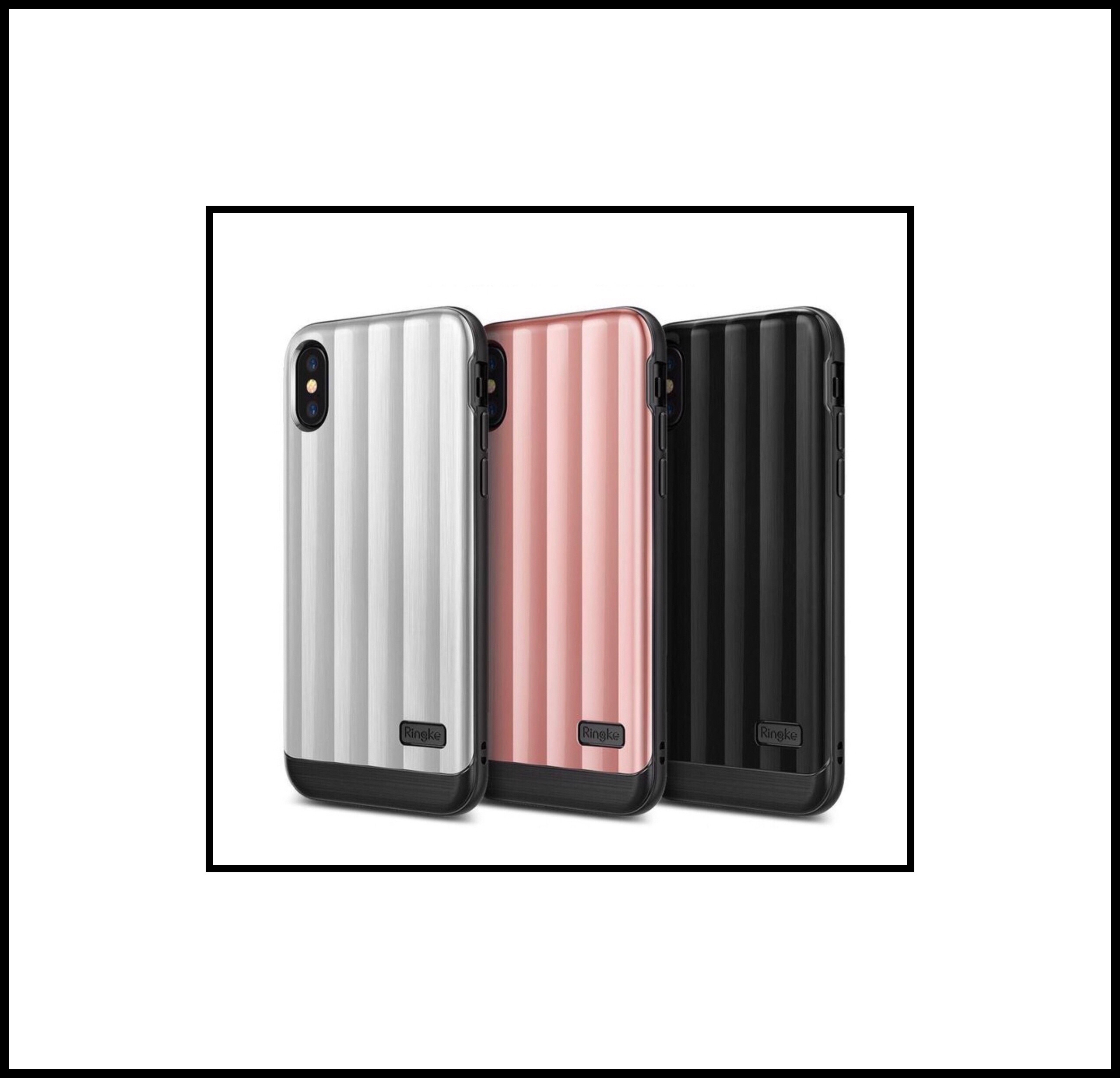 The case appears to be quite solid, and offer protective construction.

Some of the construction details include:
Ringke Flex S Pro equips the Apple iPhone X in an advanced resilient and elite look with durable TPU protection crafted in a modern metallic or retro leather design with either a premium glossy finish or a tactile leather aesthetic. In both cases:- The tough and flexible sleek dual material construction is specially layered and designed to cushion and provide better protection against accidental drops, slips, bumps, and scratches.
- Advanced ergonomic grip securely lets you carry the Apple iPhone X with confidence and comfort in newly metallic color design with reliable drop protection to refine the size and hold without compromising the natural shape of your device.
- Improved usability with precise laser cutouts provide easy access to all Ports, Buttons, Features, Speakers, Dual Cameras in a tailored protective fit.
- Superior tactile slim hold and exact fit featuring responsive buttons with Active Touch Technology allowing for a natural feel when pushing the power, and volume buttons
My iPhone X
Apple’s Classic Leather Cases
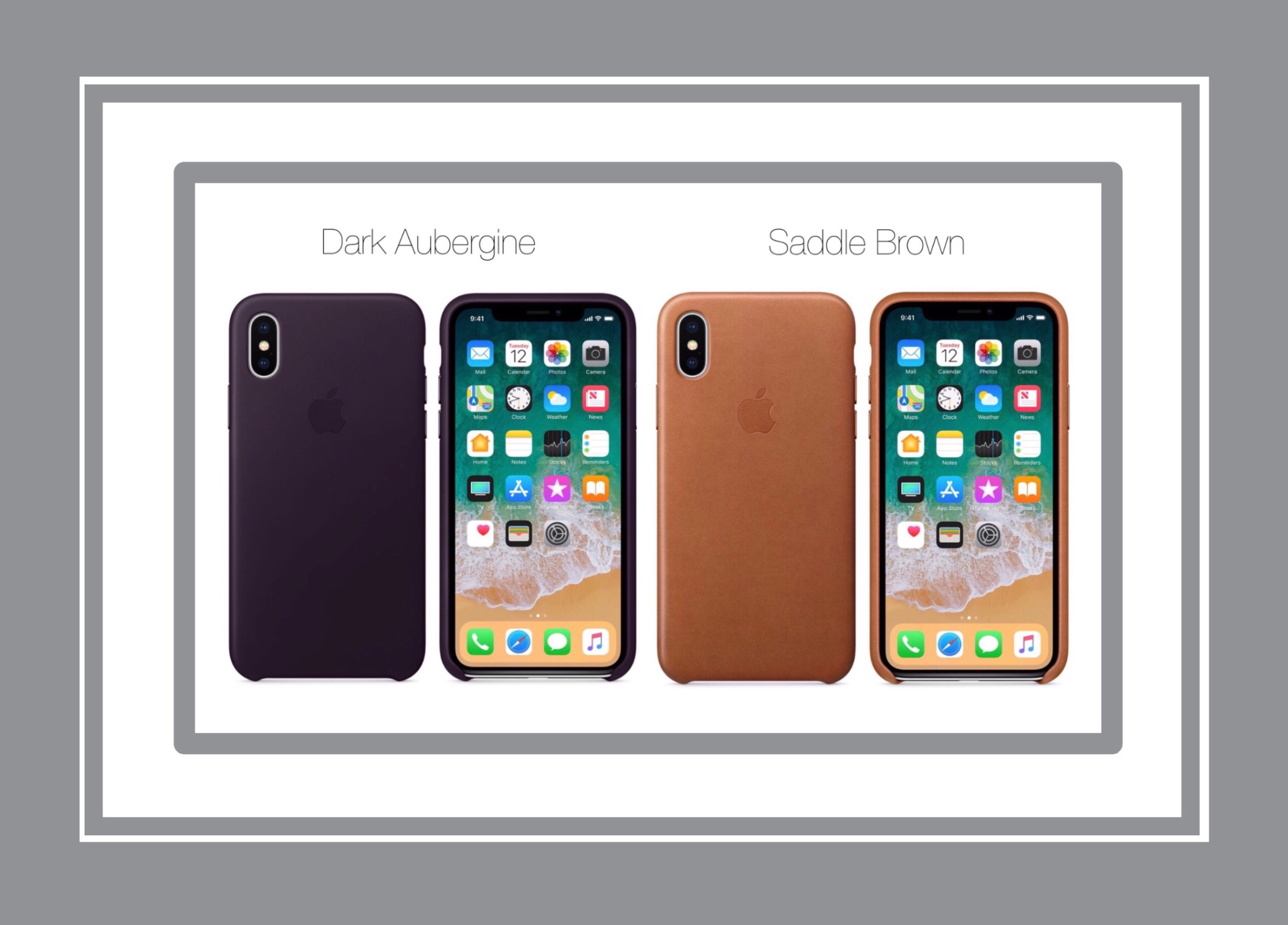
Apple makes a leather case for iPhones that they are also offering for the iPhone X too. It comes in a wide variety of colors ranging from taupe, to black with almost every neutral shade in between. My favorite is the Dark Aubergine or Saddle Brown. It’s also available in their Product (RED) color in which Apple makes a donation to Aids research for every purchase.I’ve put together a little summary of the colors, features and user reviews in the screen shot below.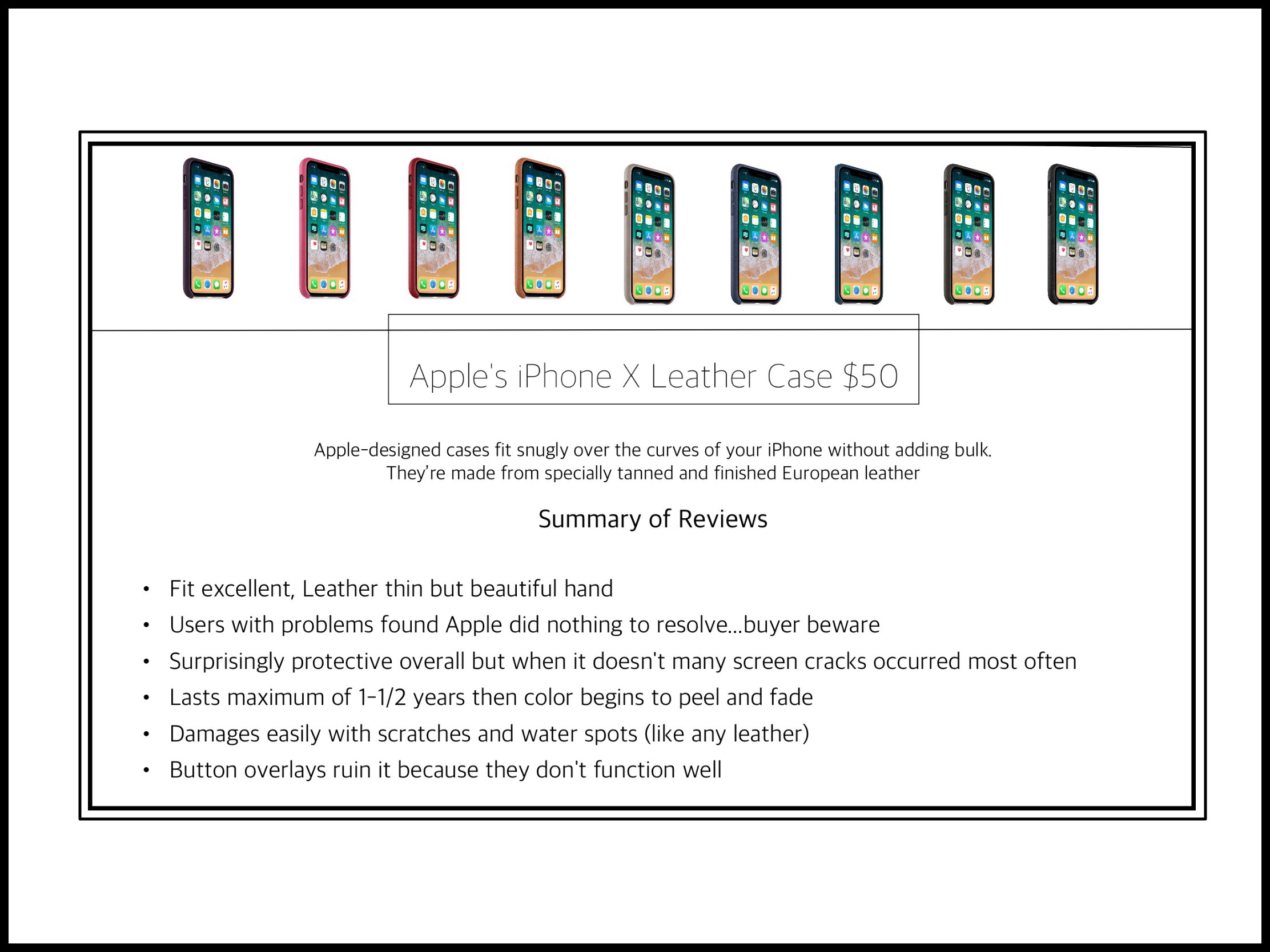 While Apple’s case appears to be of nice quality, I discovered in reading many user reviews that they don’t appear to stand behind them, which, coupled with their high price and how poorly users report this case holds up with usage, makes me feel it’s simply not worth the premium price Apple charges for it.
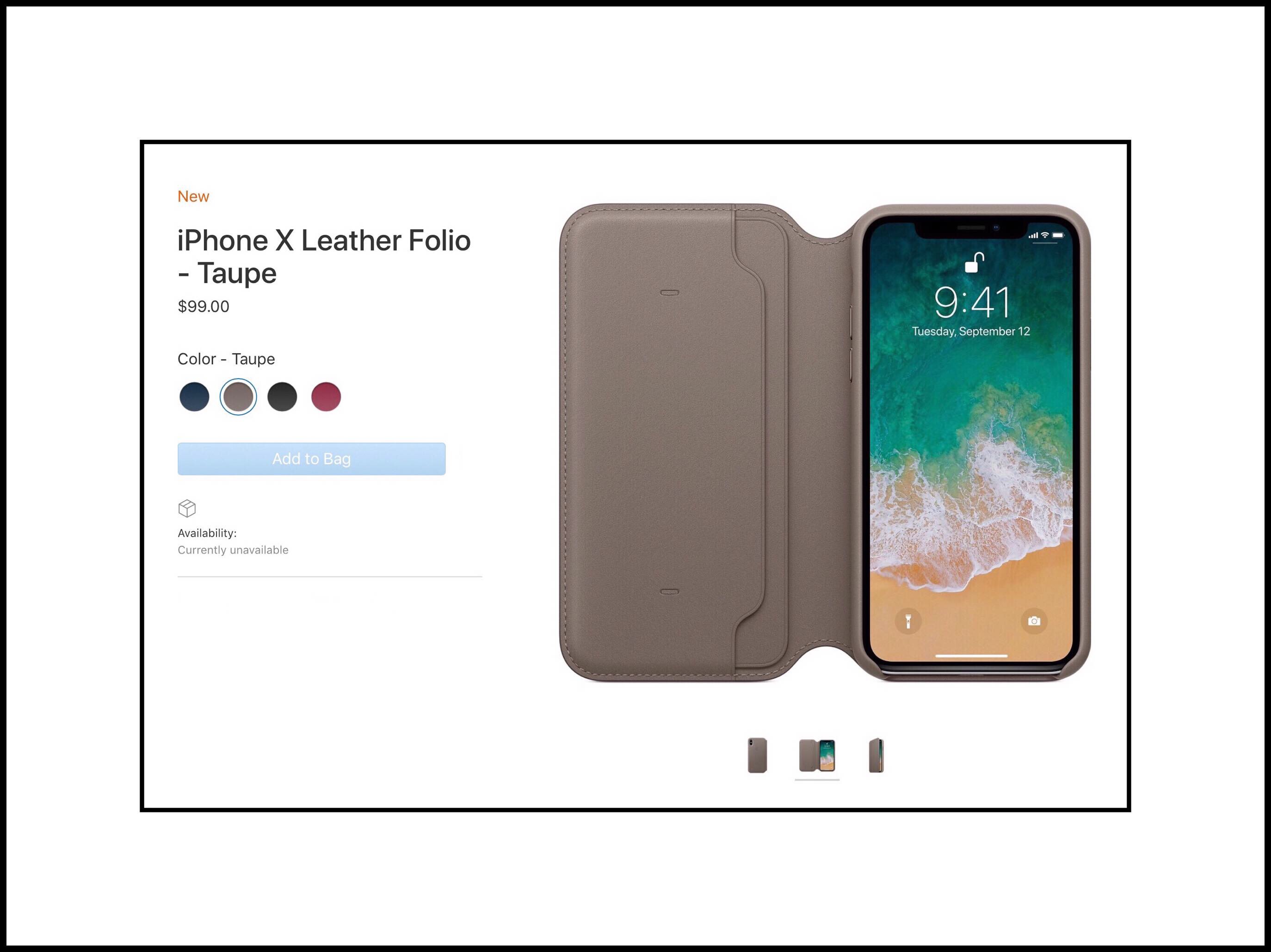
 The second case Apple sells for iPhone X is their Leather Folio case. This case is $100 (really $99.) But once again I have to admit…I’m not wowed! The price is awful, the colors aren’t inspired (it comes in 4 of the main Leather Case’s shades including Berry, Cosmos Blue – a slightly teal shade, Charcoal grey and Black.) I usually love taupe shades but the exact shade Apple chose (pictured below) makes me think of my old Texas Instruments business calculator from college every time I see it. While I loved my calculator and it served me well through 7 years of undergraduate and graduate programs…I always thought the case color was somewhat repugnant.
Cases When Money Is No Object
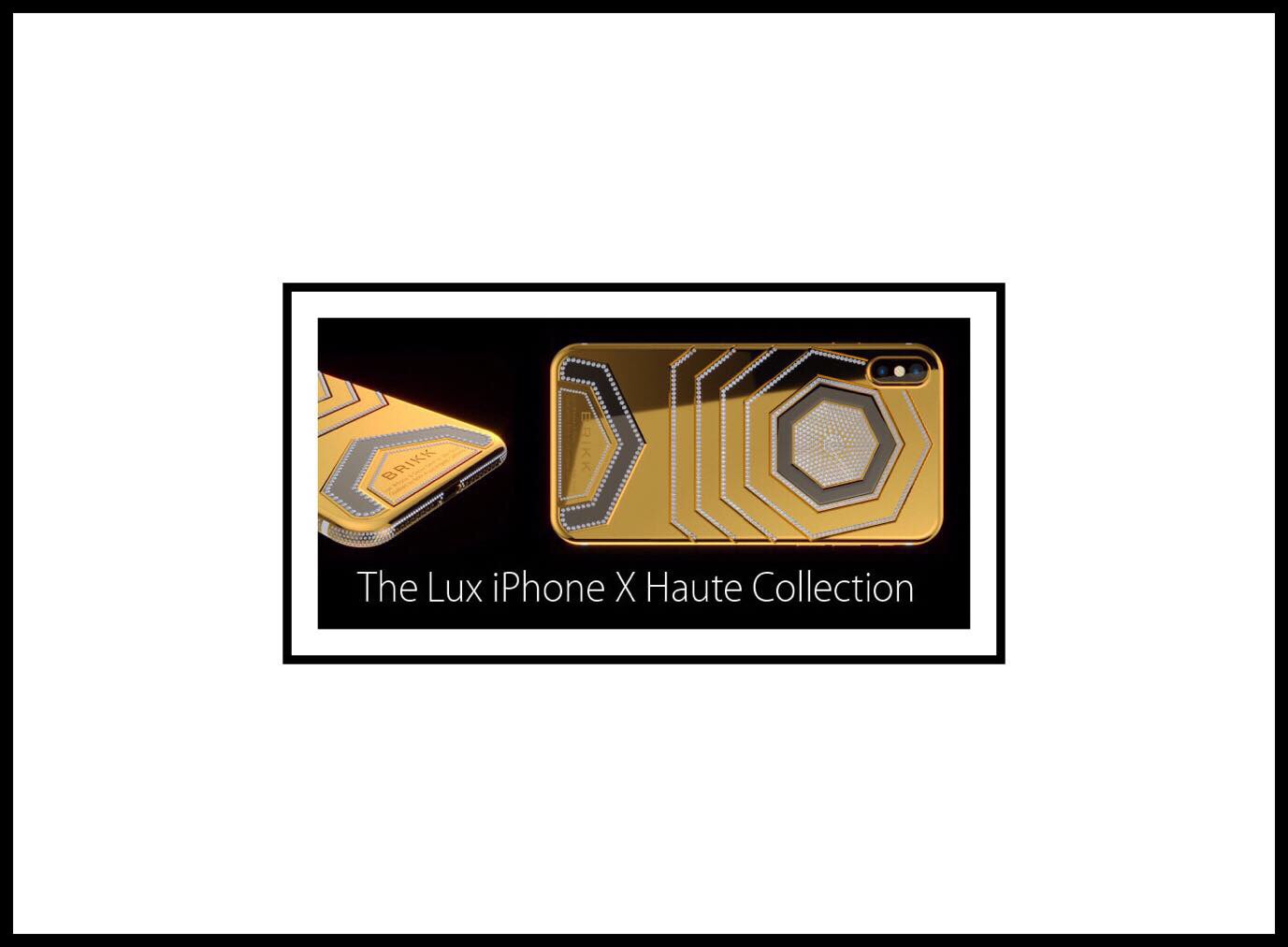
I’m including this next line of cases purely for their entertainment value! 9 to 5 Mac’s Toy’s division recently wrote about an extravagant line of new iPhone cases by BRIKK. The company, based out of Los Angeles is taking preorders for their LUX Line of iPhone X Cases which begin t around $7995 for their simple but elegantly designed glass and precious metal cases, like the white one shown here: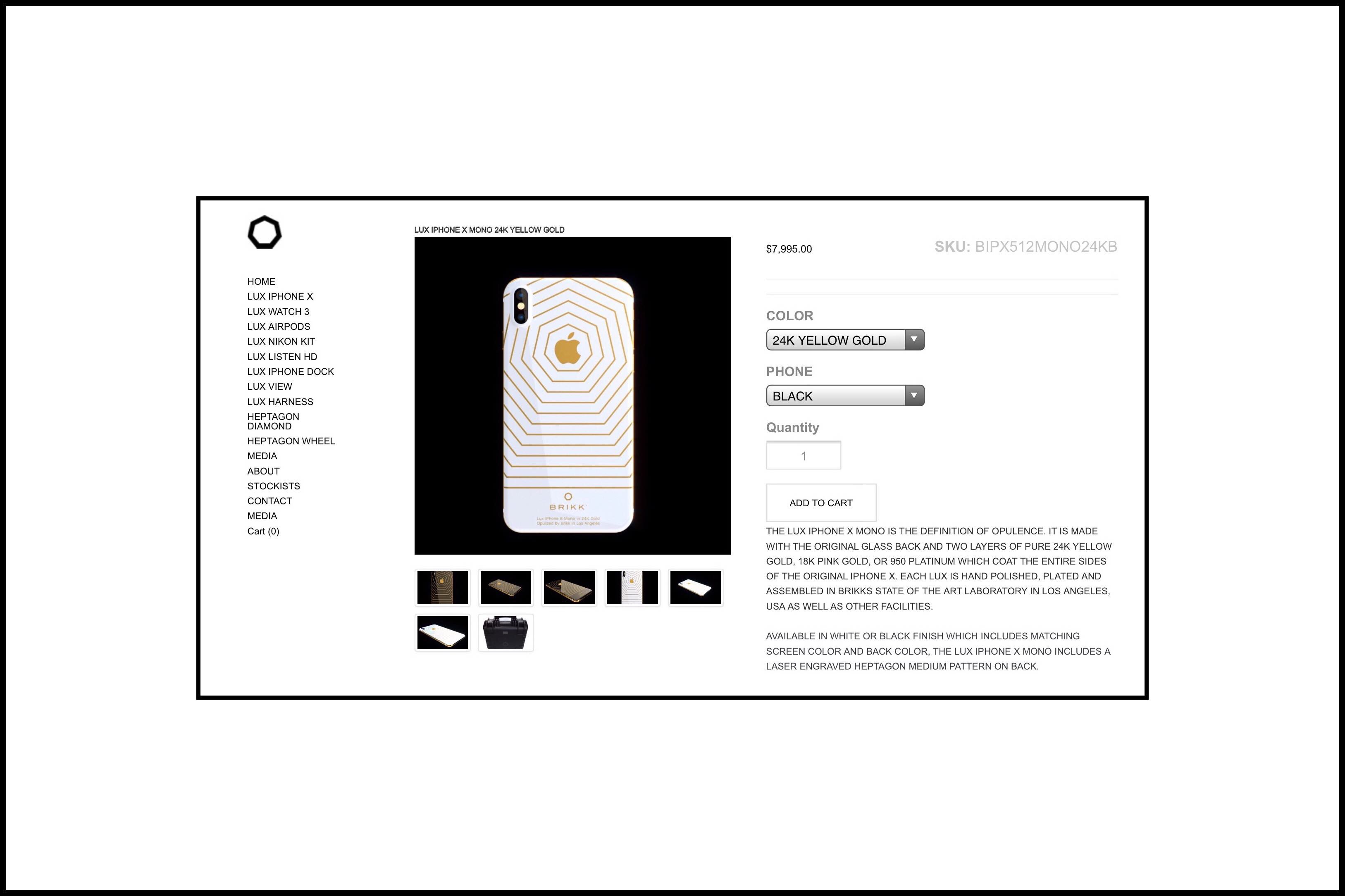 BRIKK cases continue going up in price until you reach their truly opulent ones in the Haute Collection like this $49,995 model shown below, which is fabricated in 24 K gold and includes diamond encrustations:
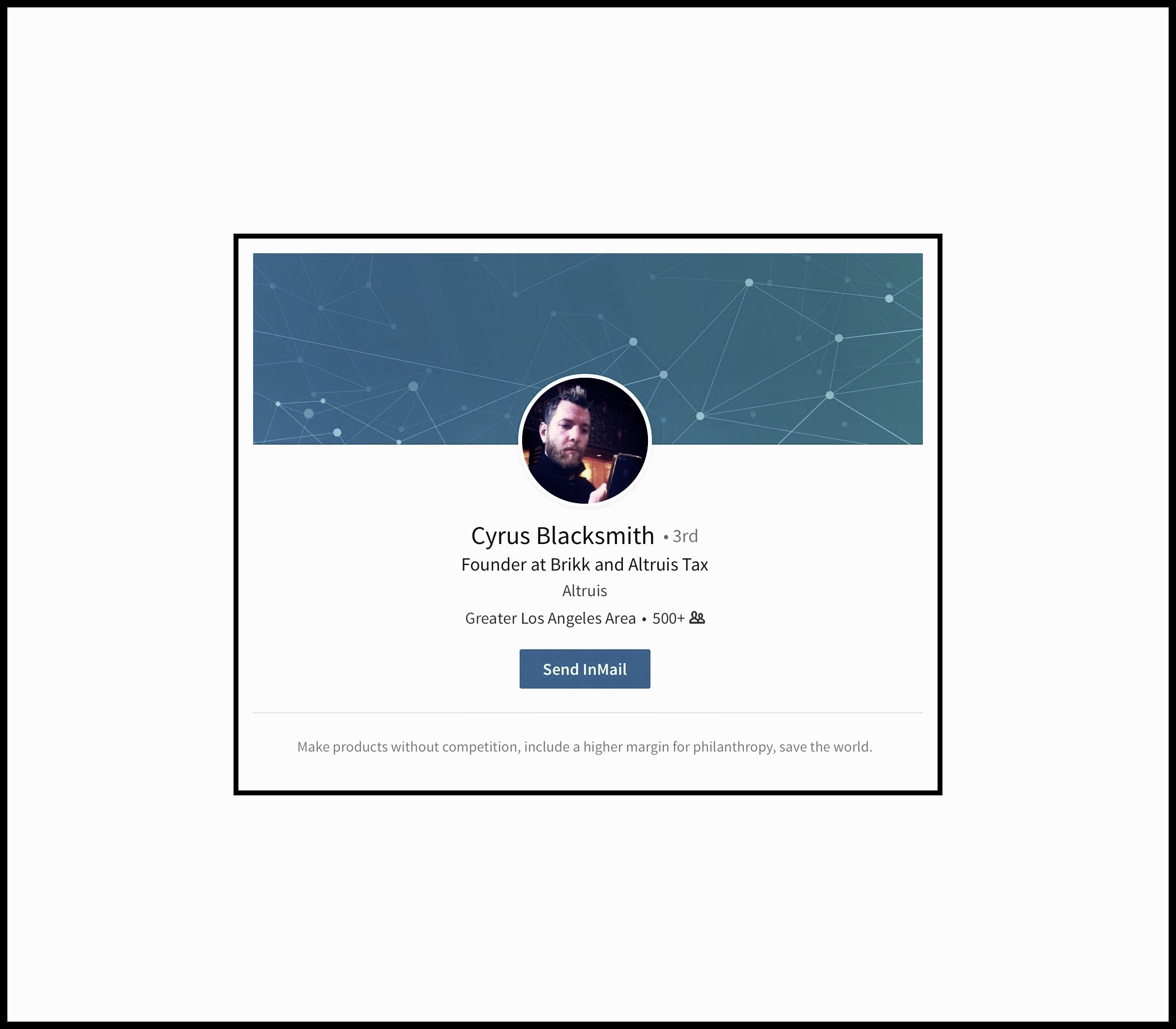
Below: BRIKK is the brainchild of CEO Cyrus Blacksmith, a former computer designer with a penchant for pushing the limits of design. You can visit his LinkedIn profile here.
If Your Interested in a Protective Extremely Thin & Stylish Case You Can’t Go Wrong with a Spigen
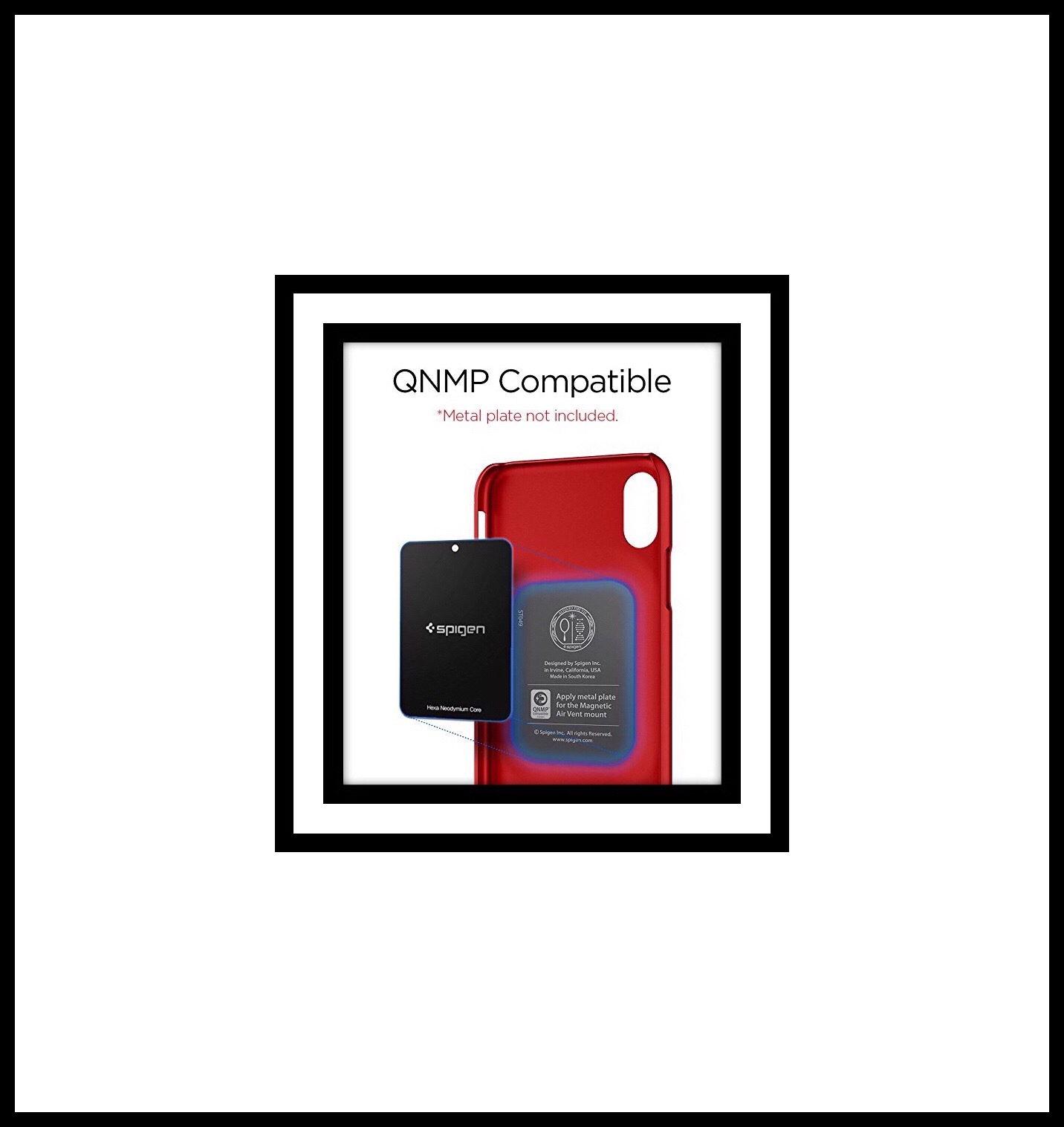
This is the next case I’m seriously considering.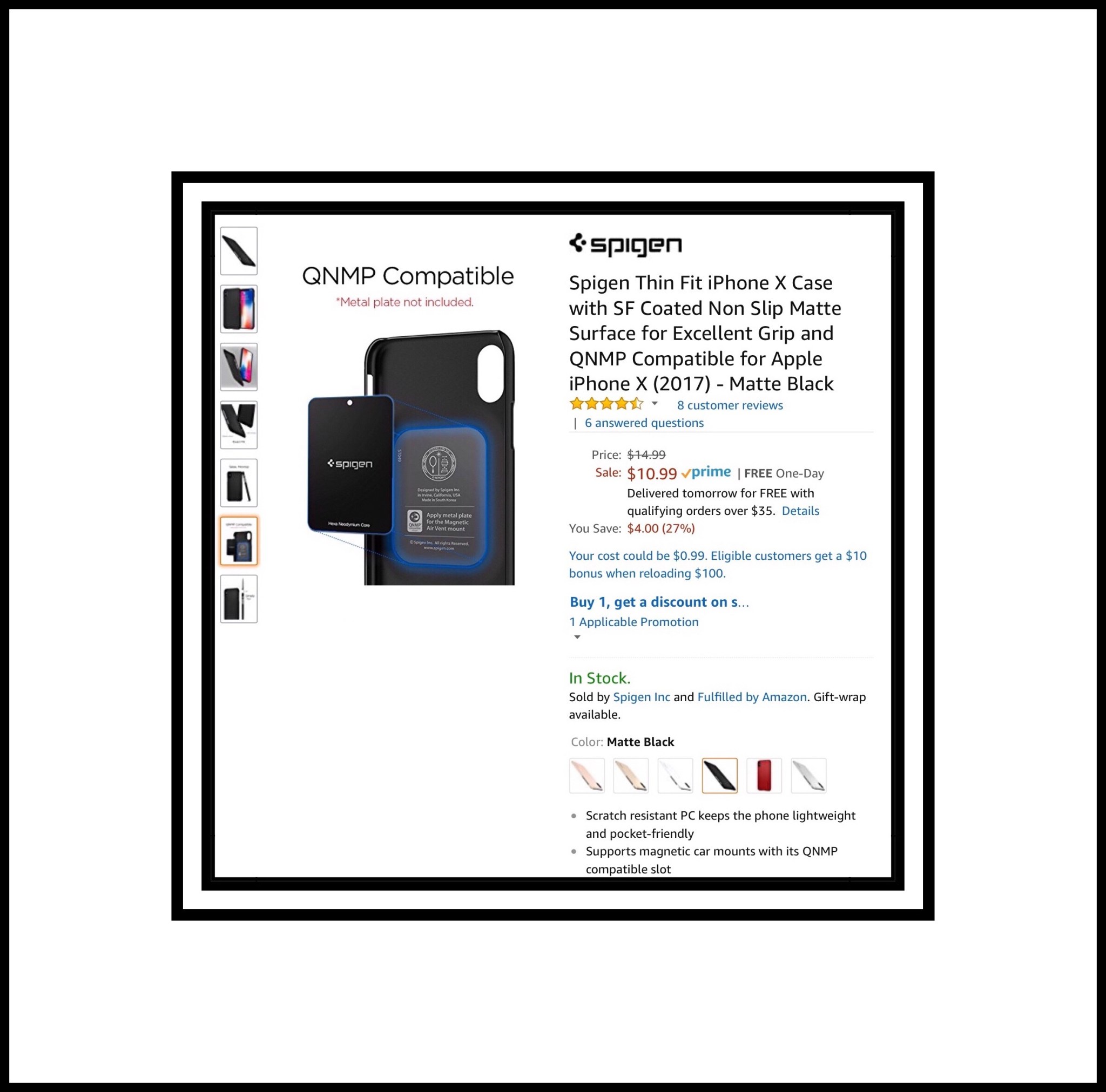 It’s an amazingly thin Spigen case which already gets great reviews on Amazon from several people who’ve bought it…their reports are exceedingly good. Spigen is known world-wide for their combination of sleek minimalist designs which offer unparalleled protection. The Thin Fit Case I love is QNMP Compatible, even with an optional metal disk that’s inserted between the case and the phone to be used with Spigen’s magnetic air vent mount in your car.
Here are the full details for the Spigen minimalist case I’m considering:
It’s an amazingly thin Spigen case which already gets great reviews on Amazon from several people who’ve bought it…their reports are exceedingly good. Spigen is known world-wide for their combination of sleek minimalist designs which offer unparalleled protection. The Thin Fit Case I love is QNMP Compatible, even with an optional metal disk that’s inserted between the case and the phone to be used with Spigen’s magnetic air vent mount in your car.
Here are the full details for the Spigen minimalist case I’m considering:
Spigen Thin Fit iPhone X Case | Matte Finish Coating | QNMP Compatible | $10.99 for Black | All other colors are $12.99 |
Part of my problem with this Spigen case is deciding which color to get because each one looks amazing and uniquely different from all the others…and I love them all! I got the Space Grey (really black) model iPhone X which is shown with all these colors…and it looks good with all of them too. While the matte black case costs the least, my current iPhone 6+ case is almost identical…so a different color would be nice. I’m including individual photos of each color because each color has its own unique look. Matte Black $10.99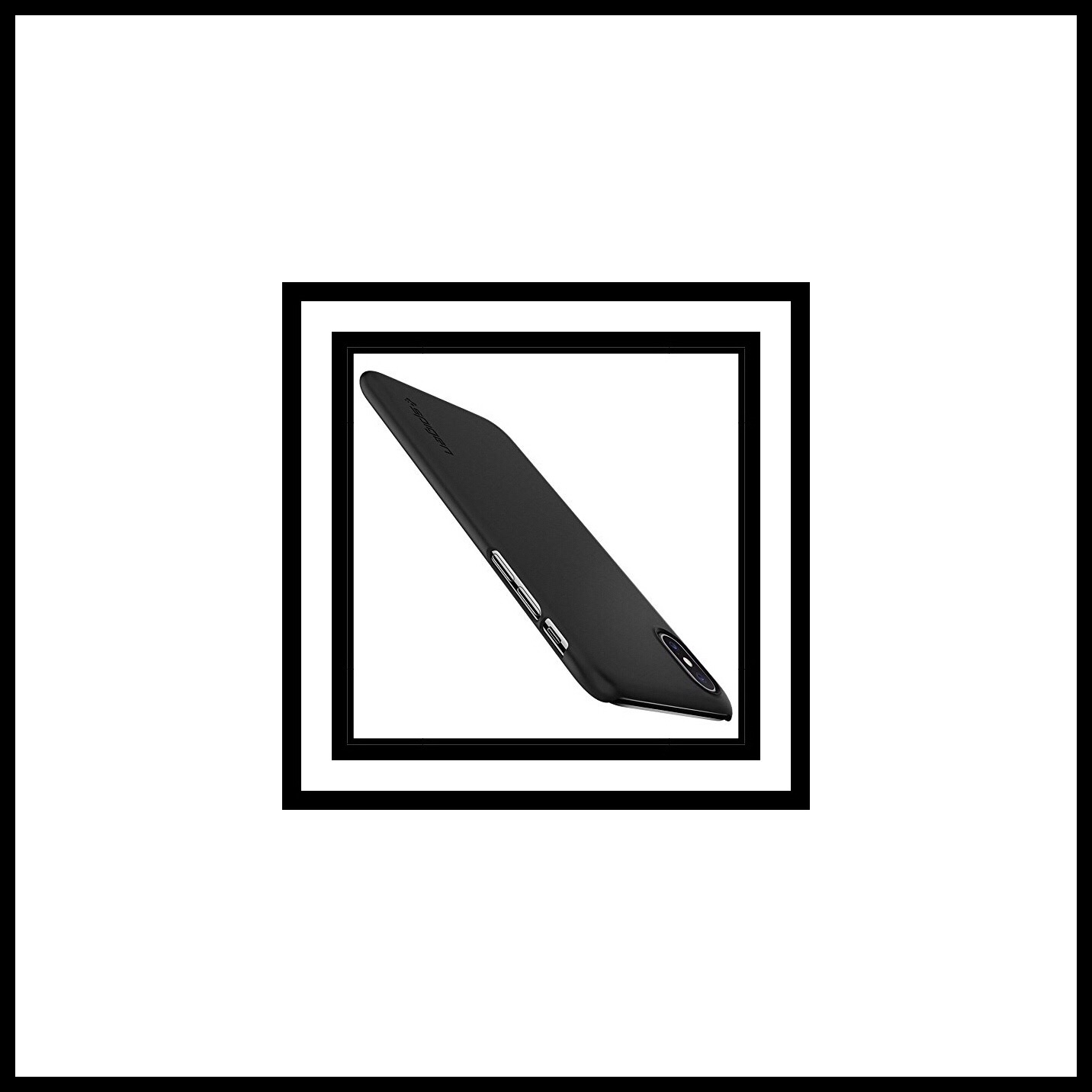 Blush Gold $12.99
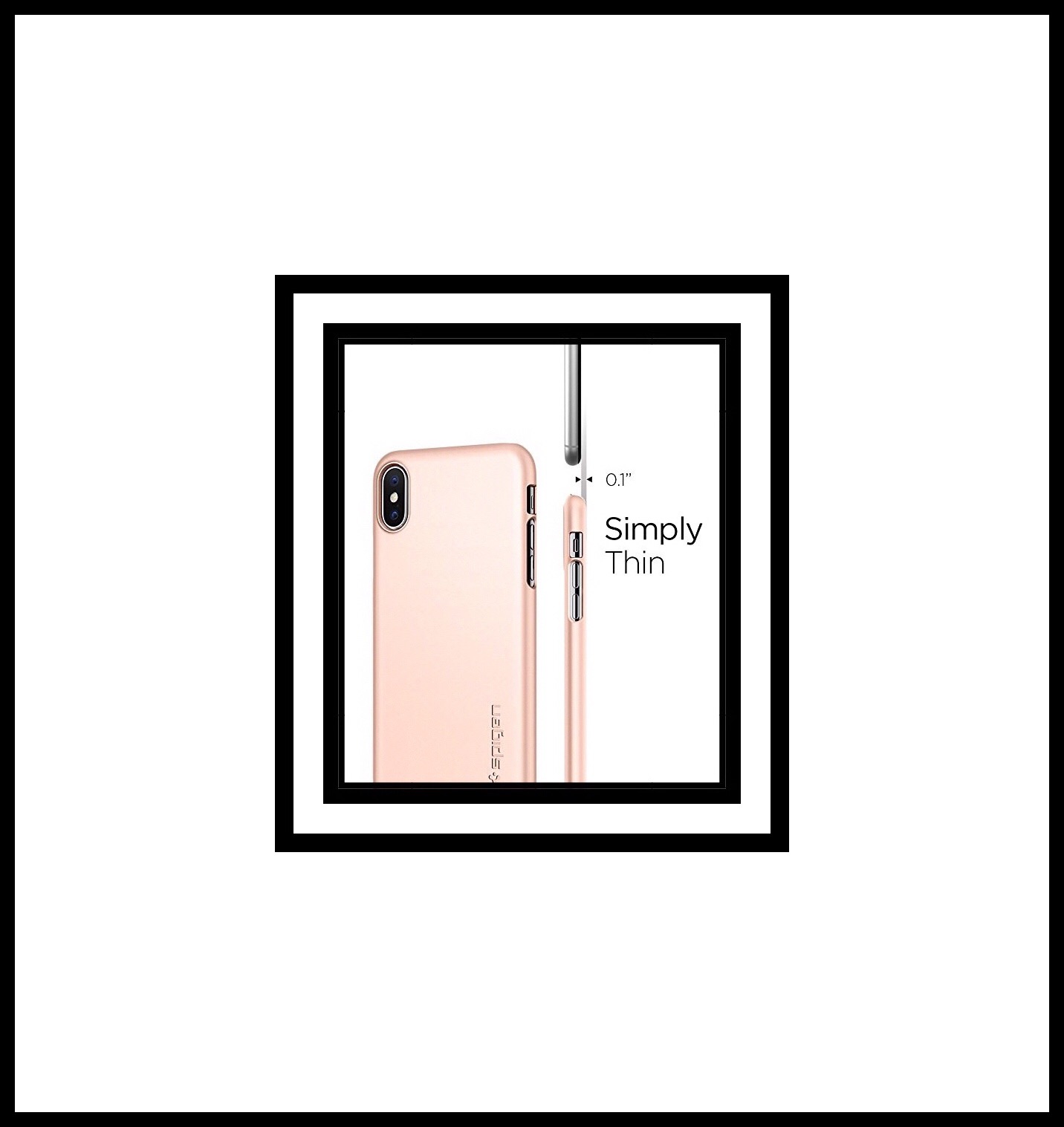 Champagne Gold $12.99
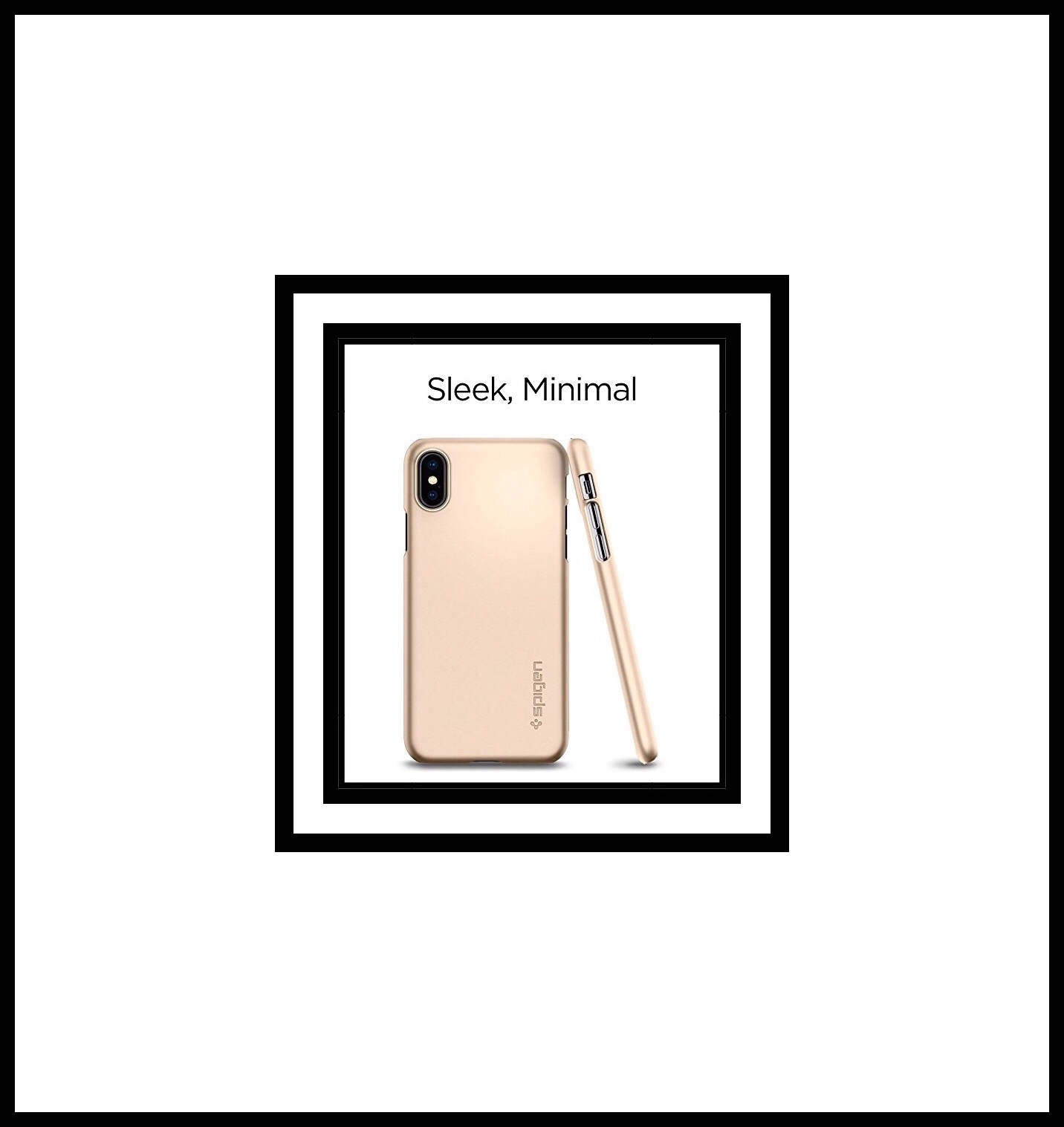 Jet White $12.99
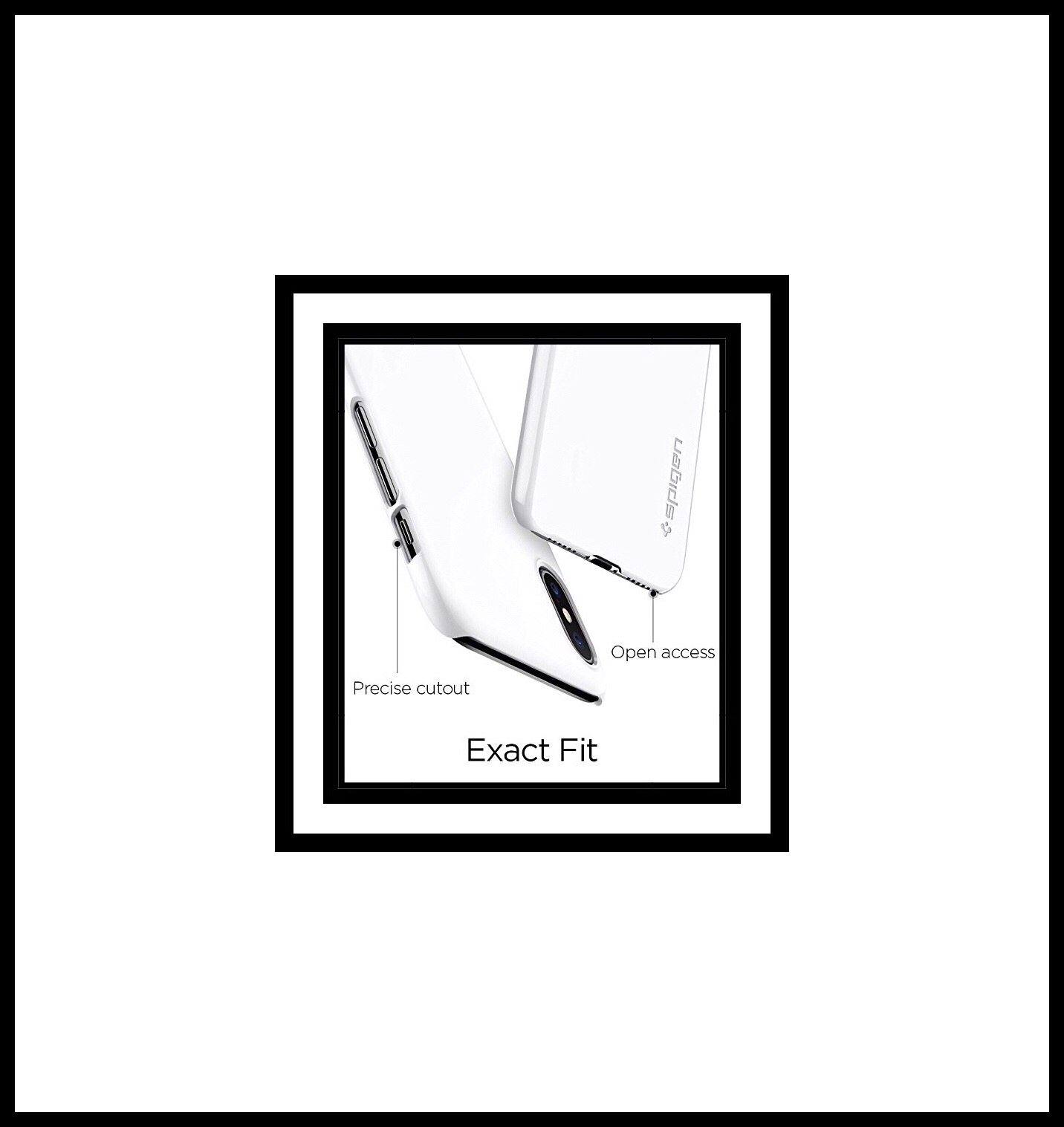 Metallic Red $12.99
 Satin Silver $12.99
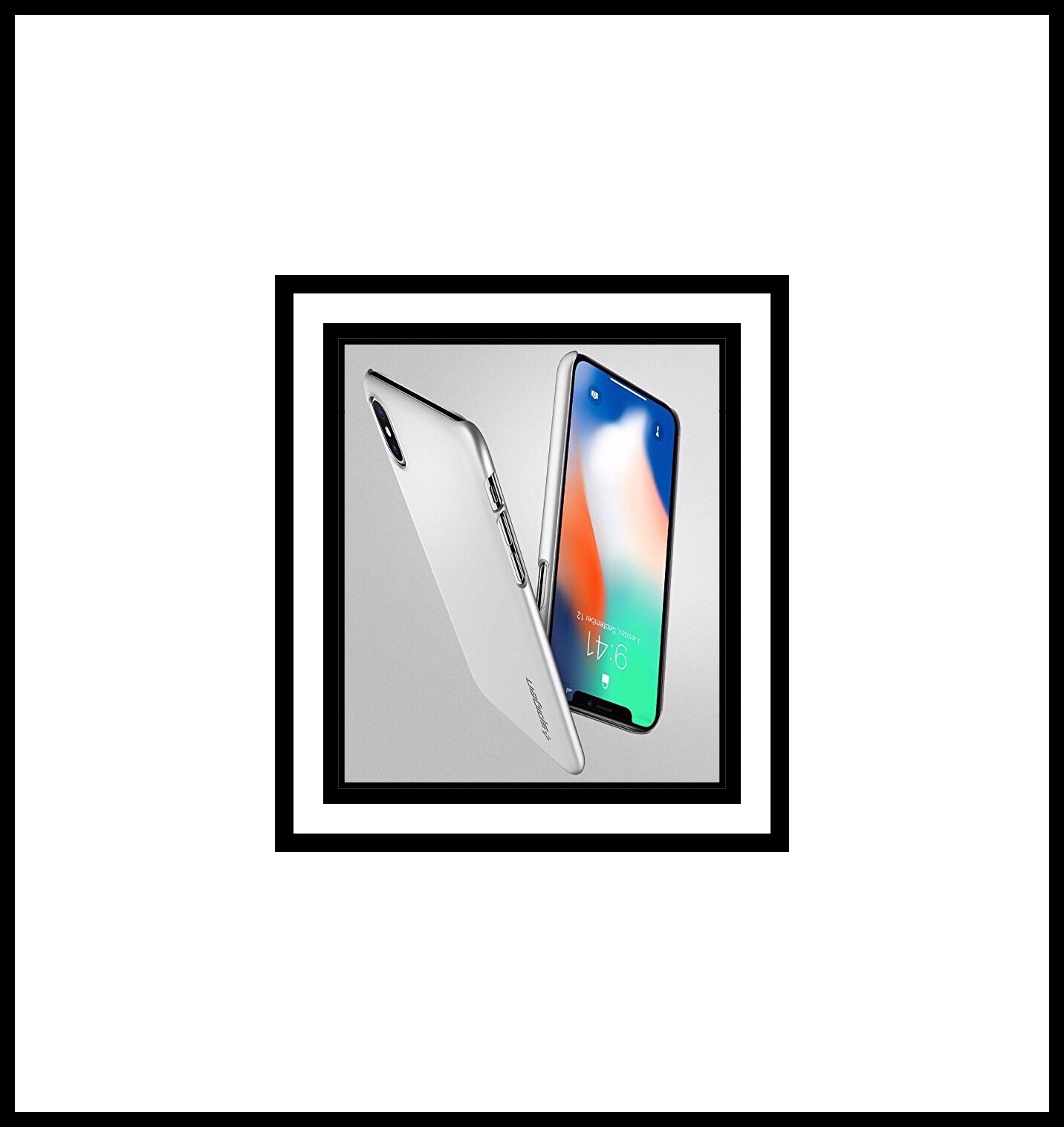 Here’s some more information about the Spigen iPhone X Thin Fit case’s construction.
- Solid, reliable protection for the minimalist
- Lightweight but durable PC material perfect for the on-the-go lifestyle
- Form-fitting and pocket-friendly shape achieve optimal slimness
- Precise cutouts and tactile buttons ensure quick access and feedback
Other Spigen Accessories
2 Spigen Tempered Glass Screen Protectors $7.99
An advantage of the Ringke case I covered first is that it’s bulkier overall. This extra bulkiness tends to protect the glass screen better…by protruding out beyond it. When getting a minimalist case I always get a tempered glass screen protector too, which does bring the price up but 2 are usually included as is the case here.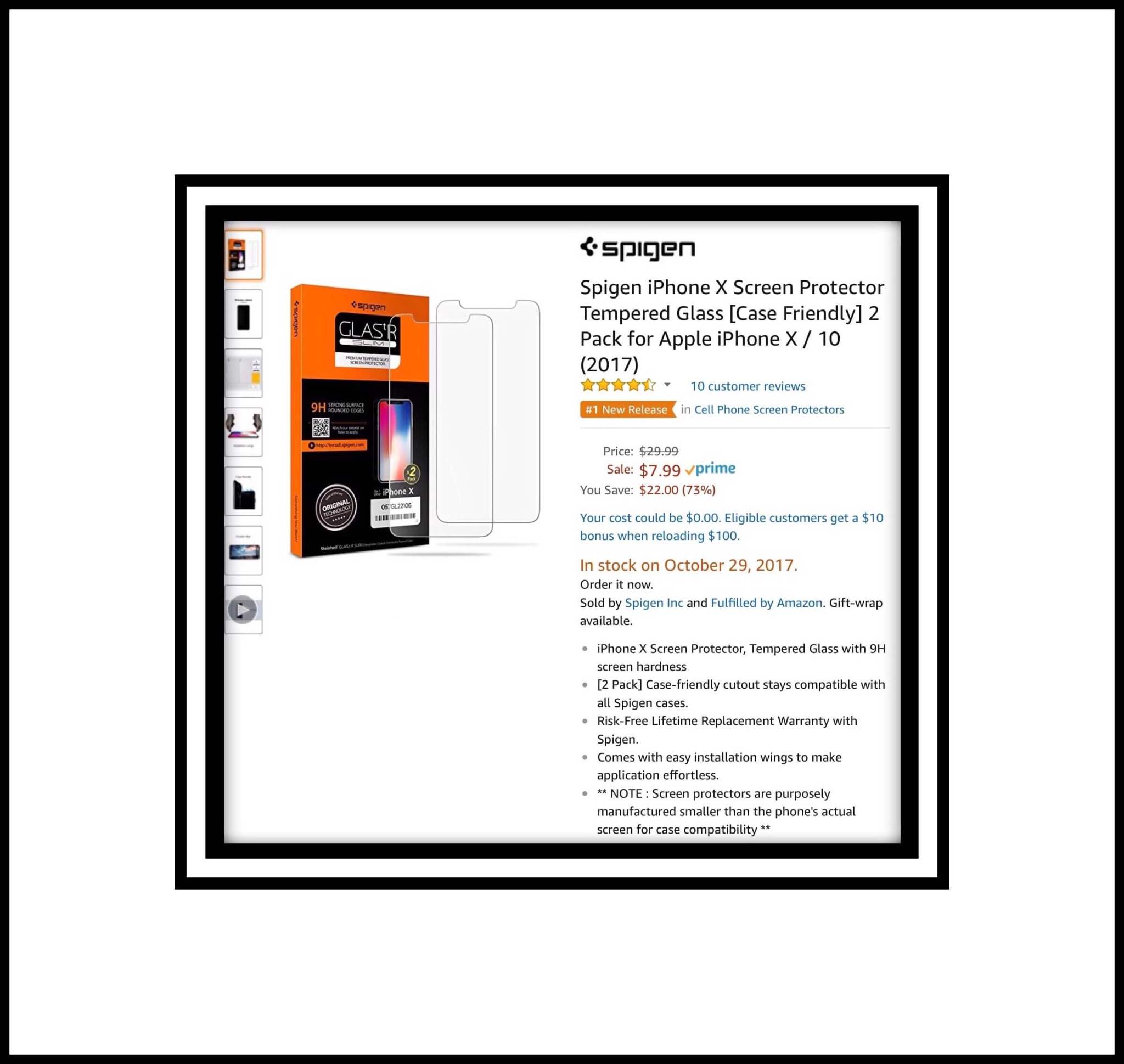
Spigen Kuel A210 Metal Plates for Magnetic Car Mount Phone Holder | QNMP Compatible | 4 Pack – 2 Round, 2 Rectangle
A feature weighing in Spigen’s favor is this unique car mount system they’ve developed which works well with the Thin Fit Case I’m interested in.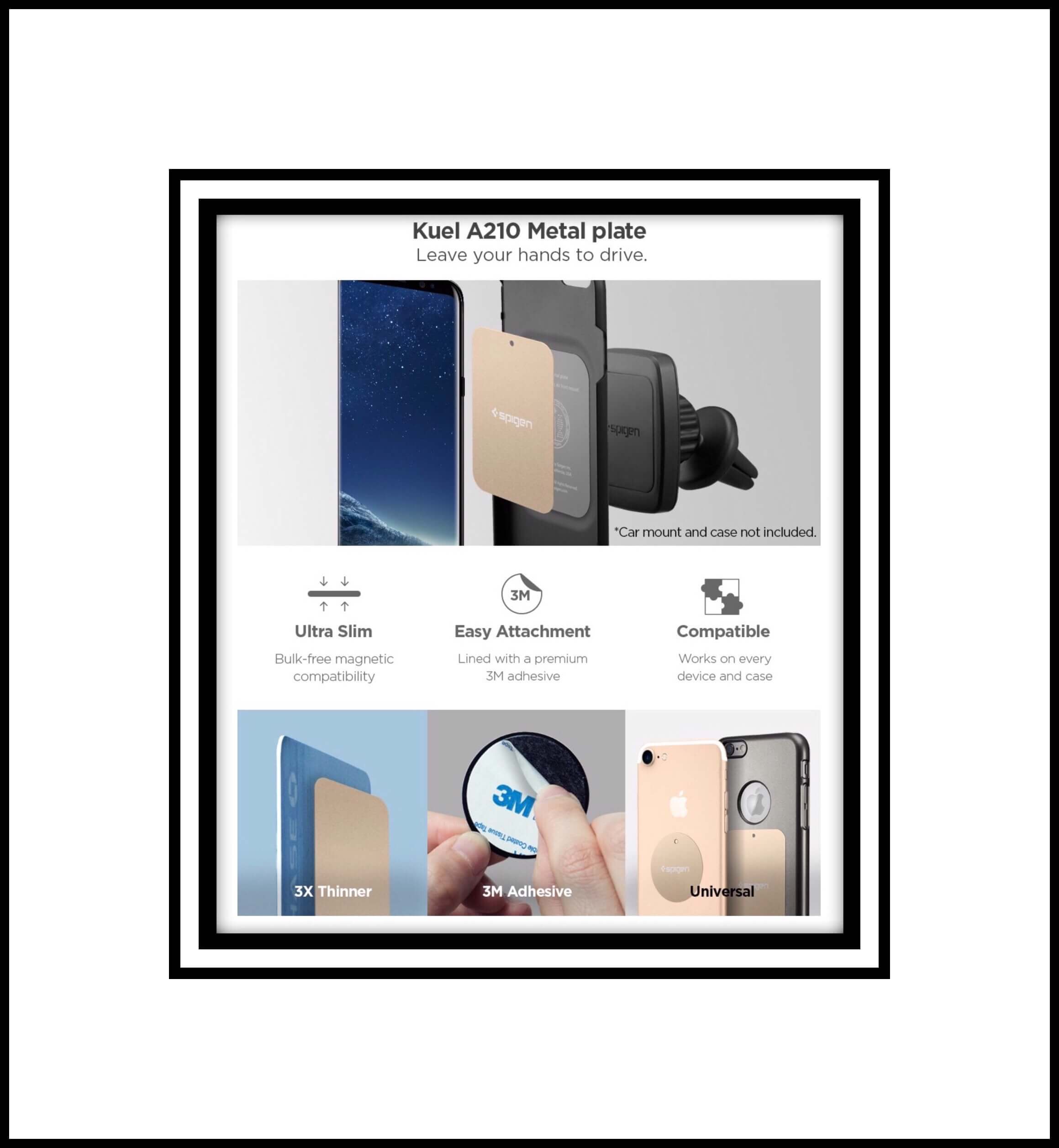
 Spigen’s Kuel A210 Metal Plate comes in 4 colors…Black $6.99, Gold $7.99, Rose Gold $7.99 and Silver $7.99.

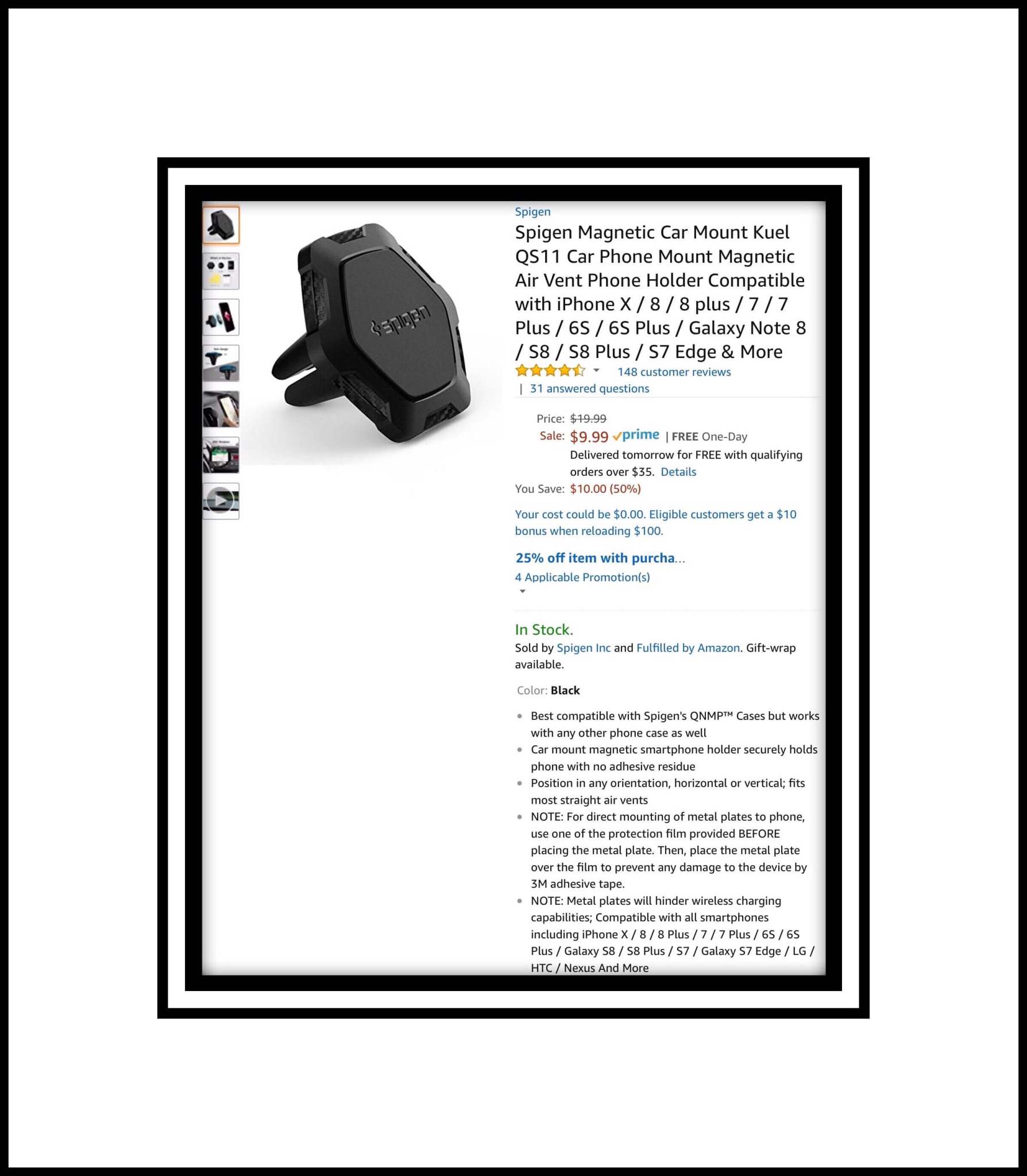
Spigen’s Magnetic Car Mount Kuel QS11 is a cell phone magnetic mount that attaches to the air vents in your car and gets great user reviews on Amazon.
A Few Other Unique and Cool Looking Cases from Amazon I Found
Since I’ll probably get my case from Amazon I spent a long time analyzing all of their options. Here are some of the most interesting cases I found on Amazon. This next grouping includes several wood or wood-look cases because I have a wooden (or wood-look…I forget which and it’s impossible to tell) case on my iPhone 6s that I got from Hong Kong. I love the case and it has served me really well in terms of both protection and style.
CaseYard
Information About The CaseYard Company
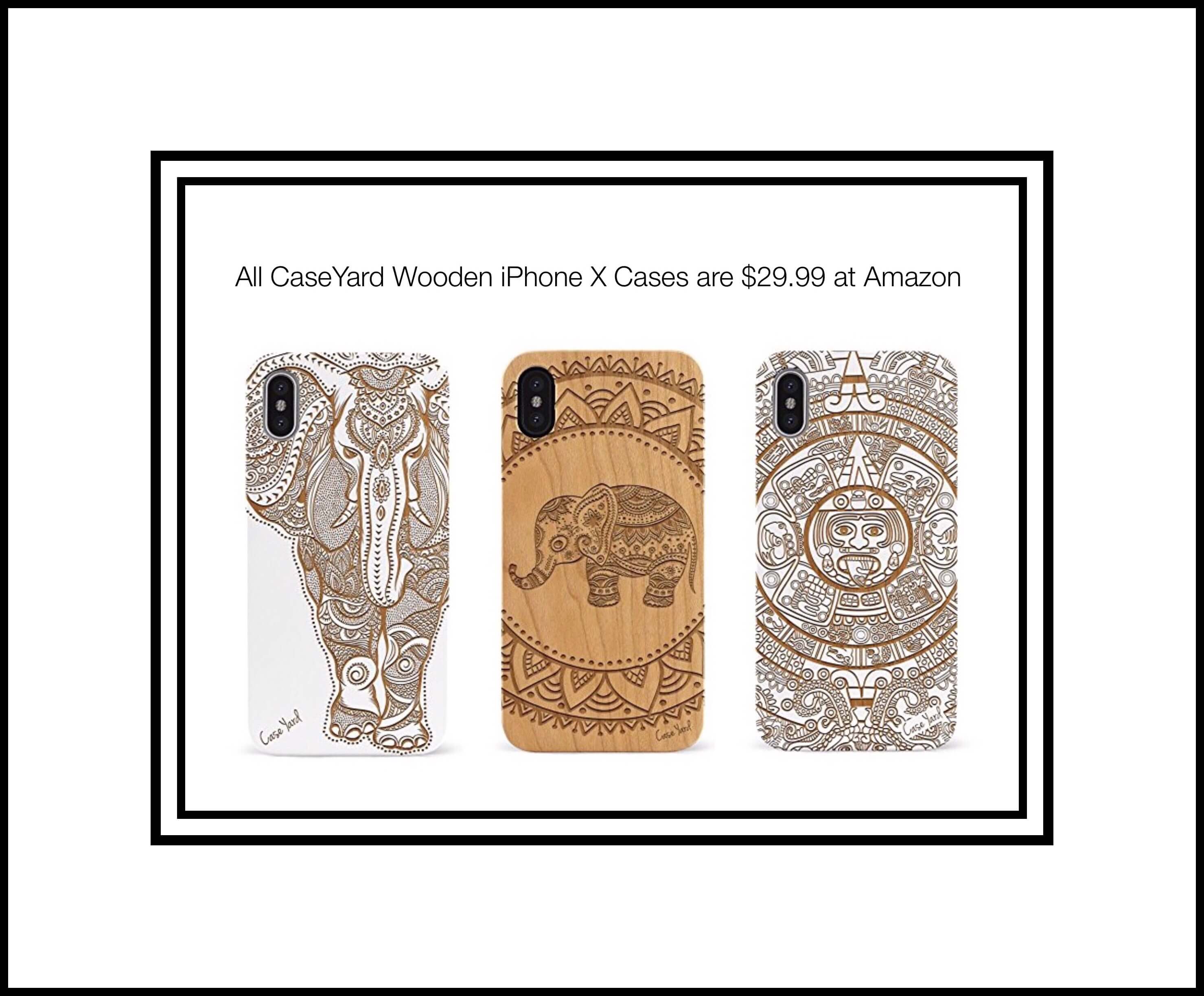
Based in Orange County, California. CaseYard is founded and operated by a collective group of creative and passionate people with deep roots in the retail and design industries. In a sea of tech accessories. CaseYard strives to differentiate itself by offering unique designs and innovative products. We endlessly scour the fashion world for inspiration, sketching and compiling mood boards for our next line, ensuring that our customers have the very latest fashion on their cell phones. Our designs are original, artist illustrated and truly unique. Each case is made by us in our studio in Rancho Santa Margarita, California.CaseYard makes more than wooden cases…buts it’s their intricately designed wooden ones that I love. What’s somewhat a concern for me is no user reviews on Amazon. But I found some glowing ones on Etsy.
CaseYards Black Wind Flowers [Wood Series] SlimFit Hybrid Case for Apple iPhone X Lightweight Premium Made in California (iPhone X) (Black) Wind Flowers $29.99 CaseYard’s White American Flag [Wood Series] SlimFit Hybrid Case for Apple iPhone X Lightweight Premium Made in California $29.99
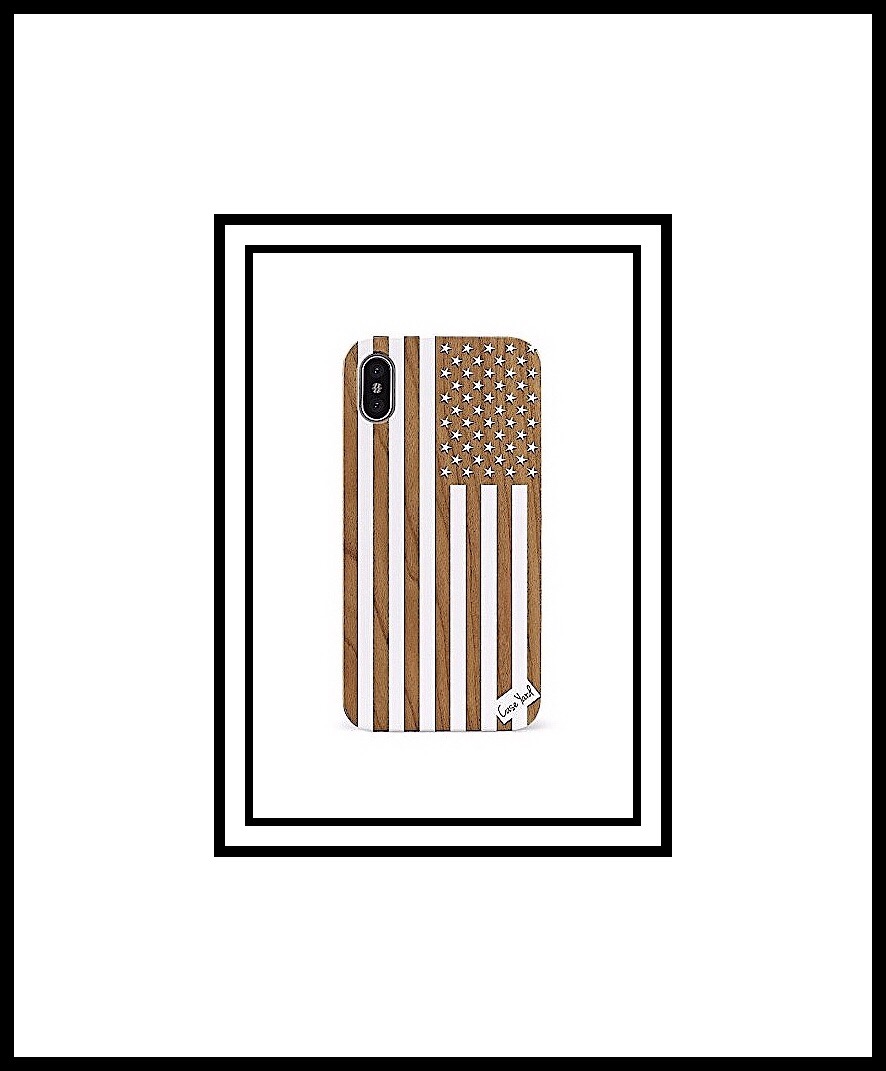
Above & Below: A few other designs that I like from CaseYard.
Below: A screenshot of some of the customer reviews at Etsy

Innosub
INNOSUB is also a West Coast company. They manufacture sublimation products of the highest quality and consider themselves to be the best sublimation wholesaler and manufacturer on the West Coast. They’ve been in the sublimation printing industry since 2009 and have won many awards for the products that they create. They pride themselves on the excellent customer service that they provide to each and every client. Features: Their cases are made from the highest grade materials available and are both durable and lightweight. Most cases will protect all four corners and the sides of your phone from scratches and general wear and tear. They also offer a custom design product in which you can print anything you like on a case. Material: They use European metal with double layer of coating, which gets very high quality results after pressing. Each case has an insert made of aluminum plate with a very durable adhesive film on the outside. There are 2 main styles I like a lot and am seriously considering. The first is their minimalist, Ultra-slim, Lightweight cases which are form-fitting and made from either hard plastic or soft rubber. These run $11.50 regardless of the material or design. Their second alternative is the Flip Wallet case which is $13.50 and includes the following features:
- Features adjustable viewing angles to watch videos or read e-book
- Comes with 3 credit card holders
- Vivid Graphics and Colors
- Drop and Shock Resistance
- Easy, Snap-On Design
- Unrestricted access to front and rear cameras, volume buttons, and your charging port.
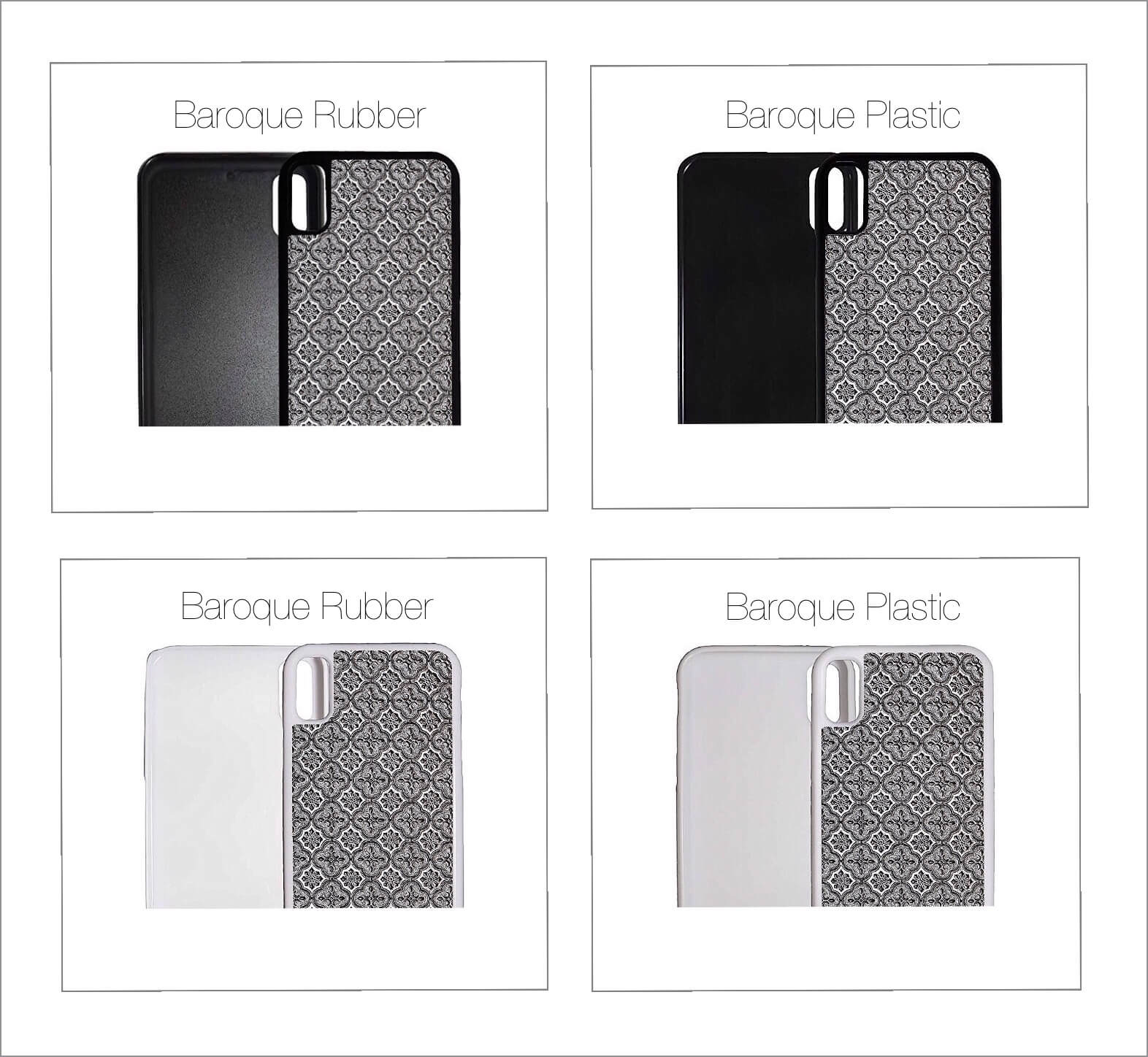
Baroque Black and White Pattern on Soft Rubber or Hard Plastic $11.50
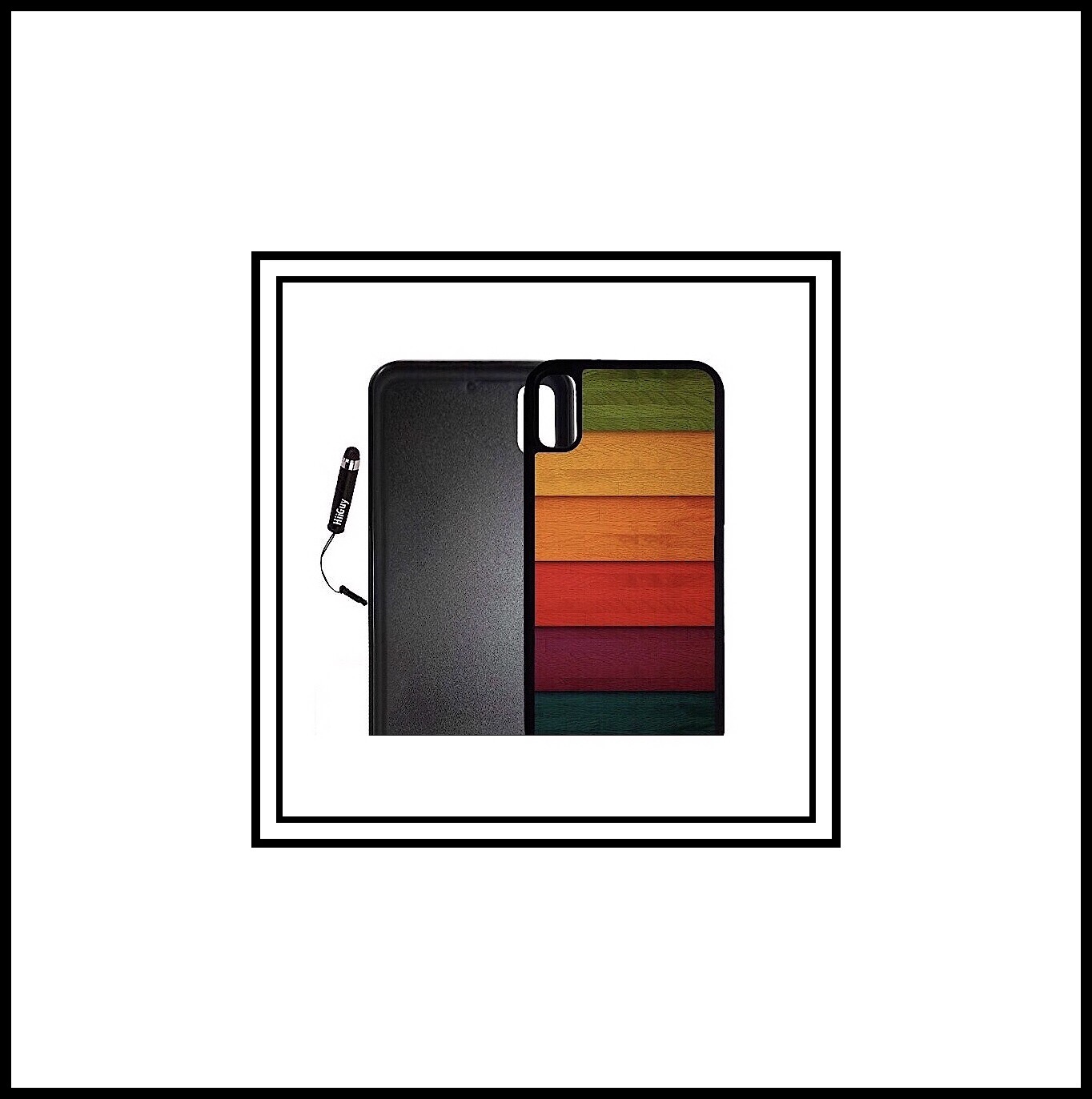
 Custom iPhone X Case (Wood Chevron on Color) Edge-to-Edge Plastic White Cover with Shock and Scratch Protection | Lightweight, Ultra-Slim | Includes Stylus Pen by INNOSUB $9.95
 Custom iPhone X Case (Retro Wood) Edge-to-Edge Rubber Black Cover with Shock and Scratch Protection | Lightweight, Ultra-Slim | Includes Stylus Pen by INNOSUB $9.95
Wallet and Folio Cases
In addition to many of the slim cases I’ve always used in the last I’m also considering a wallet or folio type of case. I narrowed my search down to the three that follow.iPulse
iPulse Leather Wallet Case $34.99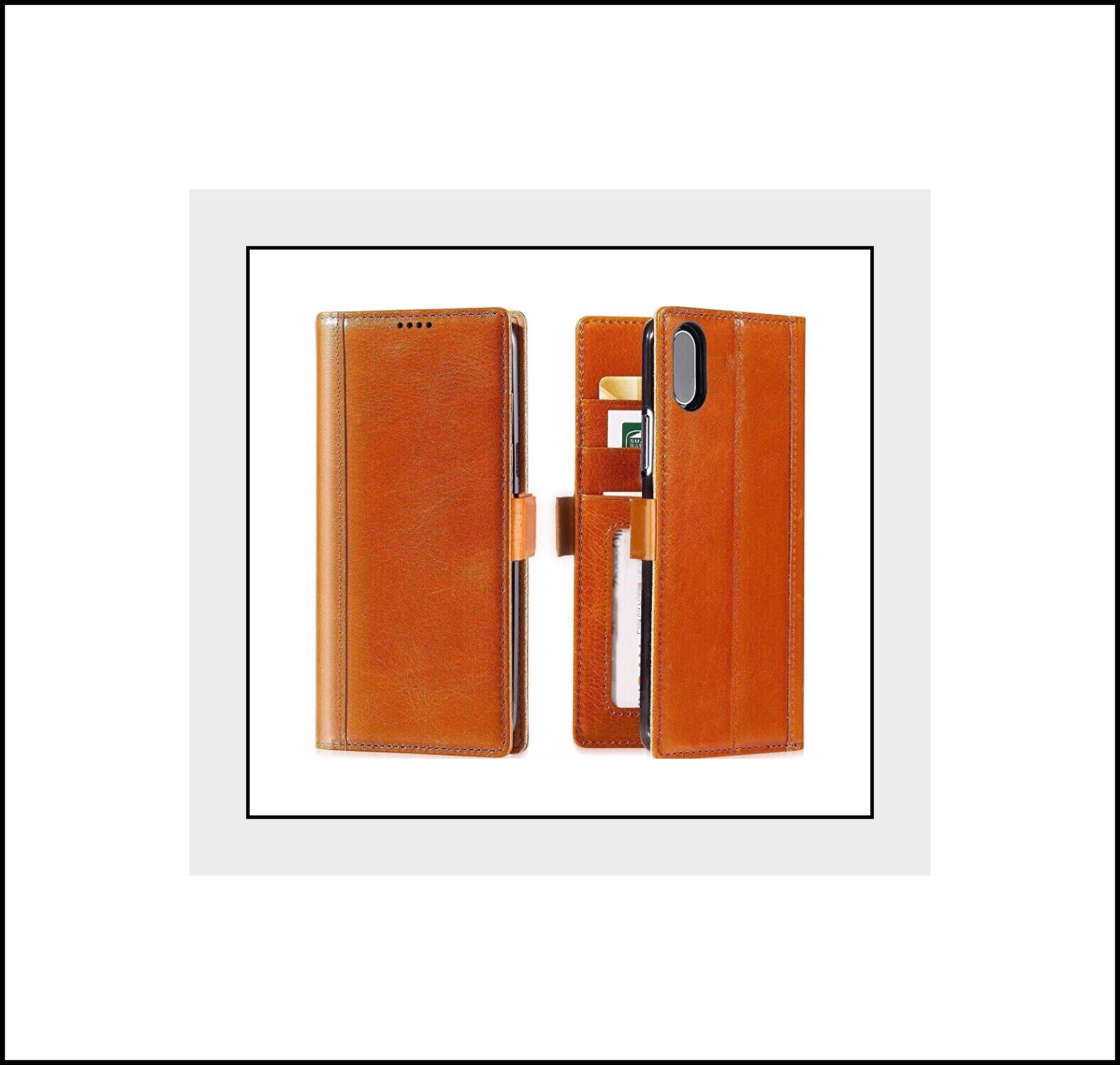 Available colors are cognac, vintage black, vintage brown, black with red & green stripe, and wine red.
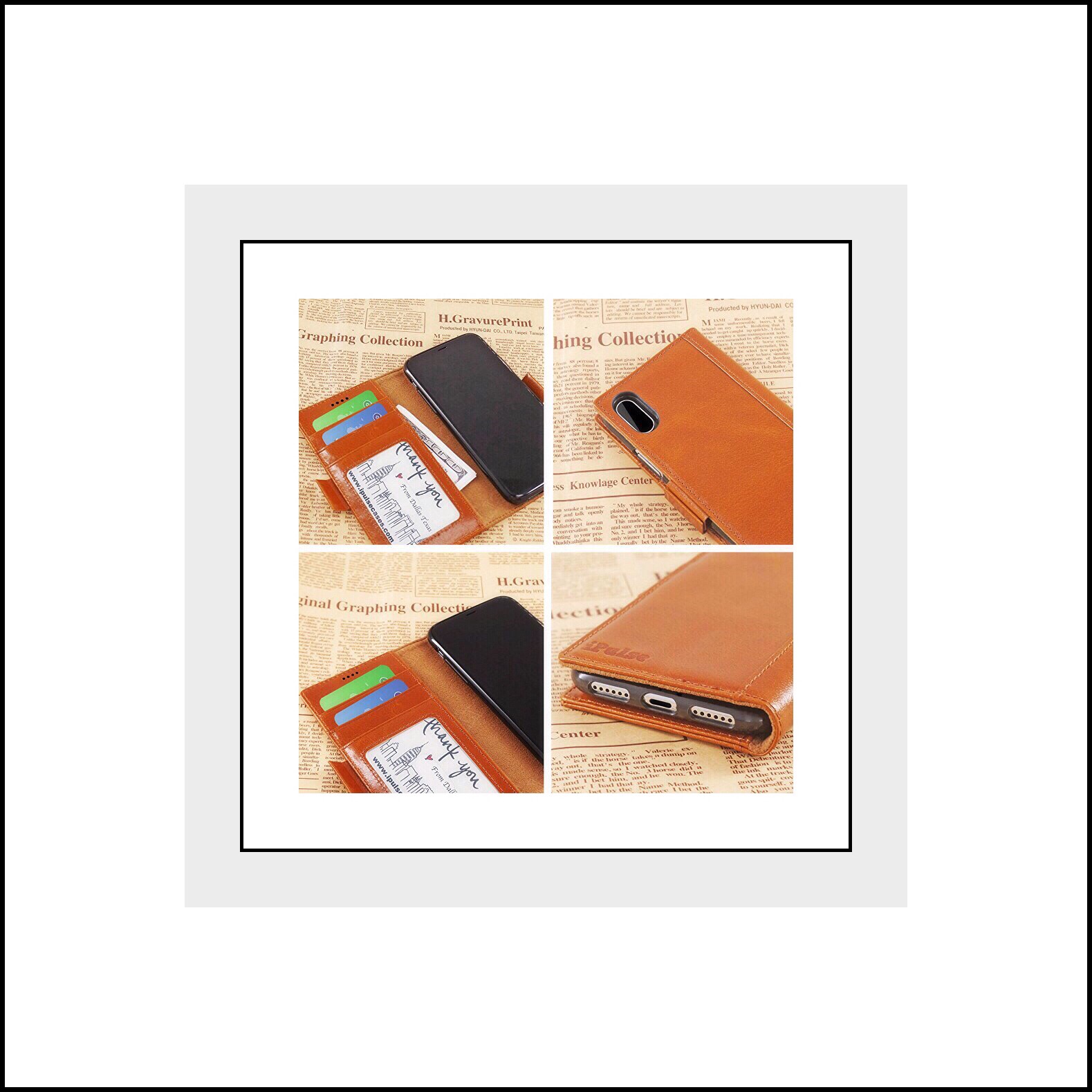
iPulse makes their Journal Series of Wallet Cases which are crafted from Italian full grain leather and are each handmade. This is the one I love in cognac with a magnetic closure. iPulse is a relatively new company based in Texas. Their cases are made from an ultra premium leather that’s so smooth a reviewer criticized it as being fake. But the company owners wrote back in several comments pointing out ways the reviewer could prove it was in fact real leather. Many reviewers praised the kickstand feature and the amazing magnetic closure. Others liked the small holes that allow the phone’s microphone to function well.
The cases are made in China but the company claims they hand inspect each one before sending them out and their diligence in answering concerns by reviewers seems to back that up. In several instances they offered customers a full refund without returning the case as well as a new case at no cost…that’s customer service!
My only problem with the case is the fact that the volume buttons are covered by the TPU inner case that holds the phone in place….making them difficult to press. The owners said they chose that design detail on purpose because the iPhone X volume buttons are too easily accidentally pressed. They say that they will get easier with use, but I don’t have great finger strength and I know this would be a problem for me.
Available colors are cognac, vintage black, vintage brown, black with red & green stripe, and wine red.
iPulse makes their Journal Series of Wallet Cases which are crafted from Italian full grain leather and are each handmade. This is the one I love in cognac with a magnetic closure. iPulse is a relatively new company based in Texas. Their cases are made from an ultra premium leather that’s so smooth a reviewer criticized it as being fake. But the company owners wrote back in several comments pointing out ways the reviewer could prove it was in fact real leather. Many reviewers praised the kickstand feature and the amazing magnetic closure. Others liked the small holes that allow the phone’s microphone to function well.
The cases are made in China but the company claims they hand inspect each one before sending them out and their diligence in answering concerns by reviewers seems to back that up. In several instances they offered customers a full refund without returning the case as well as a new case at no cost…that’s customer service!
My only problem with the case is the fact that the volume buttons are covered by the TPU inner case that holds the phone in place….making them difficult to press. The owners said they chose that design detail on purpose because the iPhone X volume buttons are too easily accidentally pressed. They say that they will get easier with use, but I don’t have great finger strength and I know this would be a problem for me.
 Features Praised
The double magnetic closure, kickstand, wireless charging, great sound from microphone holes and exquisite leather quality.
Problem
The only problem appears to be the volume keys are covered by the TPU lining phone holder. Some reviewers felt that their iPhones might not be protected well but the company refuted those concerns and even offered full refunds without requiring a return to a few who questioned that aspect.
Features Praised
The double magnetic closure, kickstand, wireless charging, great sound from microphone holes and exquisite leather quality.
Problem
The only problem appears to be the volume keys are covered by the TPU lining phone holder. Some reviewers felt that their iPhones might not be protected well but the company refuted those concerns and even offered full refunds without requiring a return to a few who questioned that aspect.
ProCase
ProCase Vintage Wallet & Folding Flip Case with Kickstand in brown. $27.99 Available colors are red, black and brown.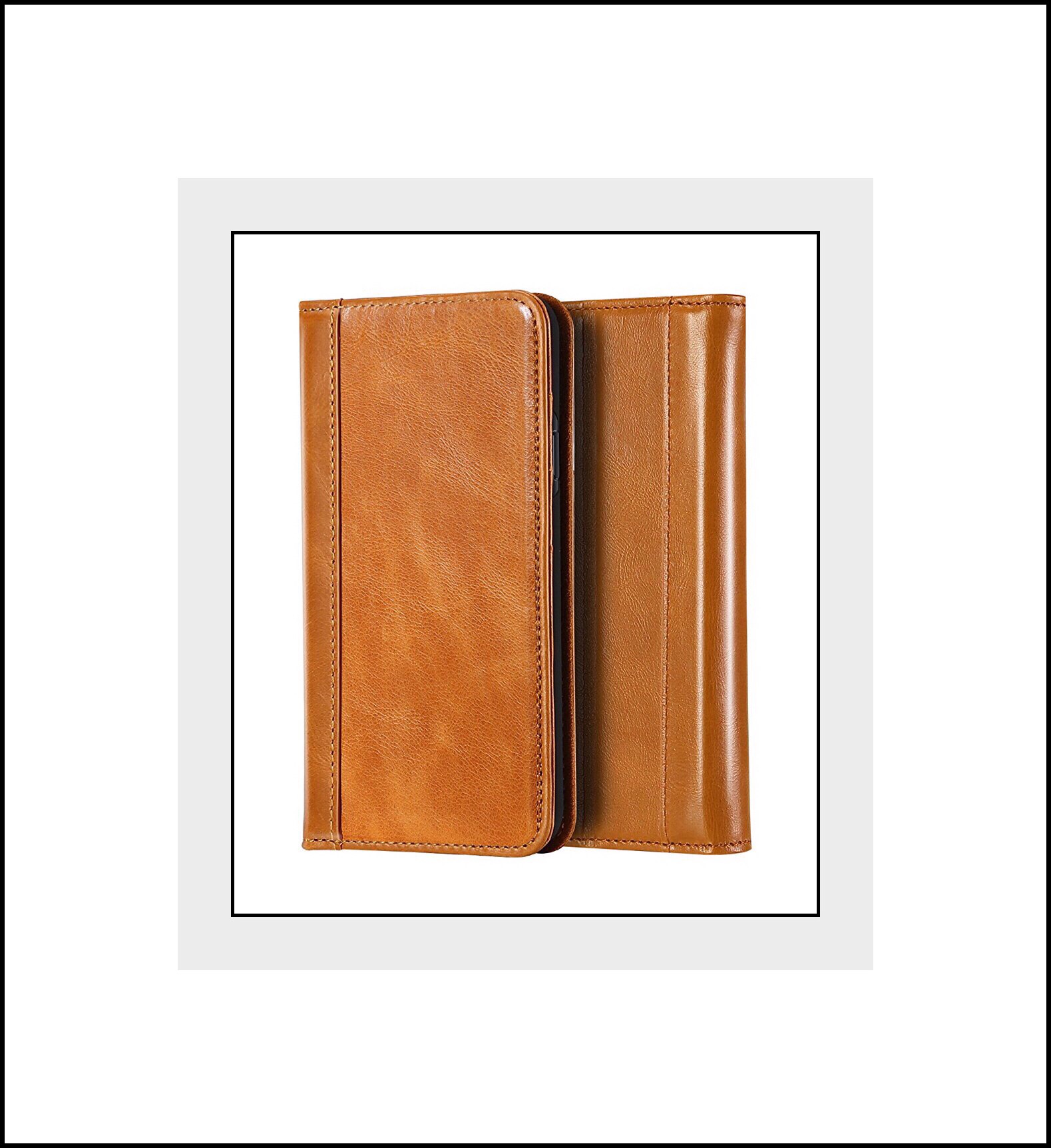 Features:
Magnetic Closure
The magnetic closure secures your phone and other personal belongings in the case using a folio book case design. Simply close the cover to guard the screen against scratches and drops.
Precise Cutouts
Precision design allows full access to all buttons, ports, camera and speakers; you can use all functions easily without removing the case.
Build-in Kickstand
The adjustable kickstand supports multiple horizontal positions, helping you find the most comfortable angle for reading or streaming.
All-Around Protection
The form-fitting inner hard shell case securely grasps your phone in place and offers durable, shock resistant protection especially for corners and edges which protect from shocks and bumps.
Features:
Magnetic Closure
The magnetic closure secures your phone and other personal belongings in the case using a folio book case design. Simply close the cover to guard the screen against scratches and drops.
Precise Cutouts
Precision design allows full access to all buttons, ports, camera and speakers; you can use all functions easily without removing the case.
Build-in Kickstand
The adjustable kickstand supports multiple horizontal positions, helping you find the most comfortable angle for reading or streaming.
All-Around Protection
The form-fitting inner hard shell case securely grasps your phone in place and offers durable, shock resistant protection especially for corners and edges which protect from shocks and bumps.
 Handmade Craftsmanship
Exquisite craftmanship using premium genuine vintage leather which offers a soft nature feel.
Wallet Design
Has 3 card slots for your credit cards and IDs and also features a cash money pocket.
Problems
No wireless charging, muffled sound and magnetic closure doesn’t work well when several credit cards and money is being held within their designated slots.
Handmade Craftsmanship
Exquisite craftmanship using premium genuine vintage leather which offers a soft nature feel.
Wallet Design
Has 3 card slots for your credit cards and IDs and also features a cash money pocket.
Problems
No wireless charging, muffled sound and magnetic closure doesn’t work well when several credit cards and money is being held within their designated slots.
Dreem
dreem | Make. Life. Beautiful Dreem Wallet Case with Detachable SlimCase $34.99 Dreams’ Fibonacci Line of 2 Part Wallet iPhone Cases in Premium Vegan Leather…a consciously chosen faux leather with their really beautiful corporate loge embossment.
Dreem is a socially conscious young company based in Oregon. Their website is refreshing and inspiring. Instead of being engulfed in product offers you’re instead met with some fascinating science and research studies having little to do with cellphones. In fact you’d be hard pressed to actually find any of their products on their website other than the opening page which displays this:
Dreams’ Fibonacci Line of 2 Part Wallet iPhone Cases in Premium Vegan Leather…a consciously chosen faux leather with their really beautiful corporate loge embossment.
Dreem is a socially conscious young company based in Oregon. Their website is refreshing and inspiring. Instead of being engulfed in product offers you’re instead met with some fascinating science and research studies having little to do with cellphones. In fact you’d be hard pressed to actually find any of their products on their website other than the opening page which displays this:
 About Dreem iPhone Cases
The success of their 2 part wallet case appears to rely greatly upon the use of very strong magnets which both keep the iPhone attached to its outer case as well as keep the wallet closed using a 2nd magnet for the clasp. The main magnet is so strong that the case can easily attach to a magnetic car mount with no additional hardware needed!
Dreem offers their Wallet Case with Detachable SlimCase as part of their Fibonacci Luxury Series. The case comes in a lot of beautiful colors and seems to cover all the major bases in terms of features. Because this case is actually 2 cases in one it has the only multi-directional kickstand that I was able to find. Upon examining their Amazon page in great detail I’m impressed with their 2 part system. The only negative seems to be that their case isn’t currently compatible with wireless charging…but it’s something they are working on adding soon.
In terms of customer service, they offer a 30 day money back guarantee like iPulse does as well as a one year warranty in general. Their customer service appears to be as exemplary as iPulses too. While I didn’t find as many incidents of their offering reviewers credits with no returns and free replacement cases…that was partially due to the fact that there just aren’t very many negative reviews of this case. Because almost all their 5300+ Amazon reviewers seemed to have fallen in love with their Dreem cases.
About Dreem iPhone Cases
The success of their 2 part wallet case appears to rely greatly upon the use of very strong magnets which both keep the iPhone attached to its outer case as well as keep the wallet closed using a 2nd magnet for the clasp. The main magnet is so strong that the case can easily attach to a magnetic car mount with no additional hardware needed!
Dreem offers their Wallet Case with Detachable SlimCase as part of their Fibonacci Luxury Series. The case comes in a lot of beautiful colors and seems to cover all the major bases in terms of features. Because this case is actually 2 cases in one it has the only multi-directional kickstand that I was able to find. Upon examining their Amazon page in great detail I’m impressed with their 2 part system. The only negative seems to be that their case isn’t currently compatible with wireless charging…but it’s something they are working on adding soon.
In terms of customer service, they offer a 30 day money back guarantee like iPulse does as well as a one year warranty in general. Their customer service appears to be as exemplary as iPulses too. While I didn’t find as many incidents of their offering reviewers credits with no returns and free replacement cases…that was partially due to the fact that there just aren’t very many negative reviews of this case. Because almost all their 5300+ Amazon reviewers seemed to have fallen in love with their Dreem cases.
 Features
- RFID theft protection in three pockets
- Easy-Open Clasp – simply open and close your wallet in a snap, no need to touch the clasp
- Horizontal + Vertical stand, fully adjustable for hands-free video calls, reading, or movies anywhere. Sounds were versatile and they call it a 4 in 1 hybrid due to the flexibility of this kickstand.
- Comfortably carry 3-6 cards plus 5-10 bills
- Faux Leather aka Premium Vegan Leather is made from polyurethane instead of cowhide)
- No wireless charging
- Works great with most/all magnetic (car) mounts.
- Reinforced clasp with elegant stitching around the magnet, will not tear, come apart or interfere with NFC or Apple Pay.
Conclusion | The Case I Finally Chose
After thoroughly examining the entire field of iPhone X cases over several days, I’ve finally decided which one I thought I’d really order. I’ve always purchased very form-fitting, slim cases previously but was really intrigued by the wallet styles. Yet each one had at least one negative too. I’d finally decided to try out the Dreem case because the only negative is the lack of wireless charging…which wouldn’t have been be a great loss for me since I’ve never had it to begin with. Also, I liked that their design is basically 2 cases in one…so I could still have my slim case too. But then I happened upon this last case made by YFWood.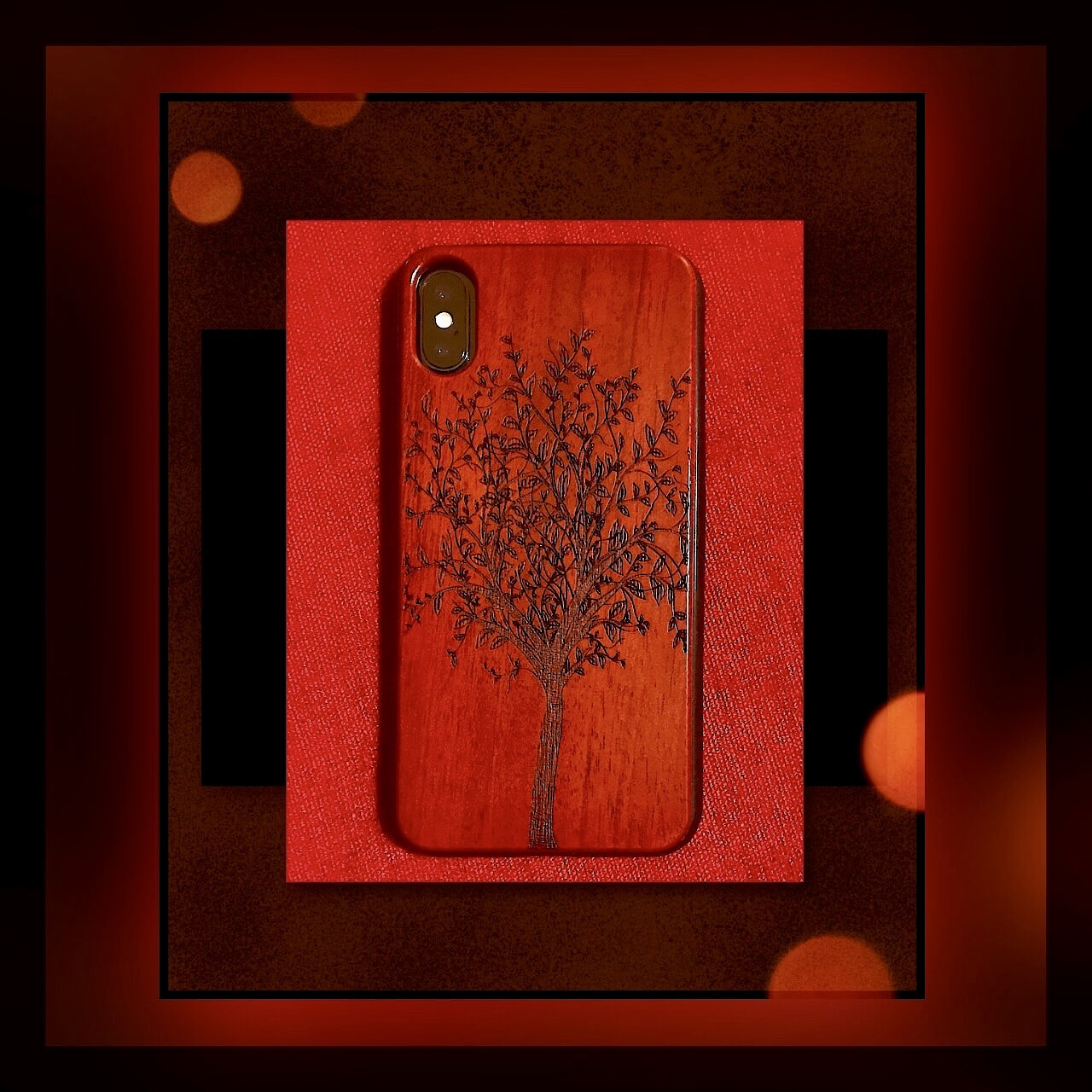 I couldn’t seem to find out much about the company. One thing I ran across online was that their cases are made using a patented design that’s shockproof and heavy duty…but I couldn’t find that again to reference here. What I could find was what was listed on Amazon as features:
1. A premium actual texture of soft wood, it is easy to grip and touch comfortable.
2. Rubber and Real wood reinforcement Bumper covers all 4 corners and includes raised edges and thicker lip offers perfectly protection for the screen and camera.
3. The Heavy Duty Drop Protection case inner is integrally formed soft interior silicone layer; Easily to install and remove, without damaging or scratching the phone body.
4. Pronounced buttons are easy to feel and press, while large cutouts fit most cables.
5. Made with natural wood so it was healthy and had no weird chemical smells.
6. Heavy duty drop protection box can offer best resistance possible against drops in your device dropped.
And…all the reviewers on Amazon seemed to love YFWood’s cases…as well as TechRadar. Clearly the seller isn’t an English native speaker and these are probably made in China…but it just so happens that we took a family vacation to China a few years back and I was extremely impressed with a lot of their merchandise…so that’s not a negative for me. I decided to take a chance (although not much of one at $13.99.) Probably my biggest risk was that we were leaving in a few days for another international trip and I would have to bring my old phone just in case I happened to hate the case. But that didn’t happen. I got it the day before we left and it was super easy to put on. More importantly though…I really, really love it! It’s thin enough to feel nice in my hand yet thick enough to really feel protective. While it doesn’t protect the screen…what case does really? I’ve always relied on a screen protector for that…although from what I’ve read and seen on YouTube the iPhone X is surprisingly durable! The edges are rubber with extra reinforced corners. The phone’s buttons are covered with rubber. I usually hate covered buttons and even have been known to meticulously cut out the openings with a razor blade. But in this instant these button covers are really well made. They’re the first button covers I can tolerate because the buttons still really work! My only complaint would be that they aren’t pronounced enough for me to easily feel the button without actually looking to see that my finger is placed on the right one. In general however, there is nothing not to love about this case! I’ve used my phone constantly for about week and I’ve even dropped it a few times too. The case looks like the day it arrived which you can see for yourself in my photo above (taken on the couch cushion of our hotel room in Lisbon.) I’ve had to take the case on and off a few times to switch SIMS and it’s super easy to get off too. This may be my most favorite case ever! Just in case anyone is interested, YFWood has several other designs which I picture below. Since my own photo isn’t great here’s another one of the design I purchased from Amazon…it’s really a beautiful case!
Problems with My First Case





 vsatips