Update November 2015
1 Year + 1 Month Later
I’m as surprised as anyone to be writing an update to this again so soon. But I just read an article about Messenger that helped me realize that the Messenger app is really becoming great…and it isn’t just me thinking so.
I was helping my 89 year old Dad with his iPad today by phone…landline phone that is. He does have a cell phone but it’s one of the flip prepaid Walmart types that he carries in his car primarily for emergencies. The point being it isn’t a smart phone (and he rarely uses it.)
But he does have a Windows 7 computer and an iPad. He uses both to publish articles on his website, (he was my inspiration.) So, in the process of helping him today I found the need to demonstrate something for him and wanted to use FaceTime…but guess what? You can’t FaceTime someone who doesn’t have a cell phone # apparently that’s tied to their Apple ID…which seems pretty ludicrous to me…but then, that’s why Apple drives so many people crazy. This limitation seems to be purely Apple’s choice because there are plenty of other services that do allow video calls over the internet…just not FaceTime…go figure.
Ultimately we Skyped and solved his problem. After we hung up I decided to check out the FaceTime situation a little further and from all that I can see, I was correct. Also, I ran across this great article entitled something like 10 FaceTime Alternatives for Android Users. It’s well written and concise, unlike mine :-). In it, Messenger is ranked 3 for video calling…Skype is #1 and Google Hangouts is #2.

A long time ago, before Messenger was a separate app, Facebook implemented video chatting but they never really publicized it. It worked well when it worked…but plenty of times it didn’t work at all. That’s perhaps one huge reason (in hindsight,) why Facebook went with the standalone app. Because their earlier video calling feature was right within the Chat feature of the Facebook app. At the time I thought that I was one of the only people in the world who actually used it…well, me and of course the people I talked to too. It just showed up one day as an option next to my Chat box, and then a few months later it just as mysteriously disappeared again.
But it’s back now apparently, and apparently it works quite well. Unfortunately, it is not available on mobile platforms yet…so the article I link to above is wrong in regard by stating the that this is currently a viable alternative for video calling on Androids…but hopefully soon it will be.
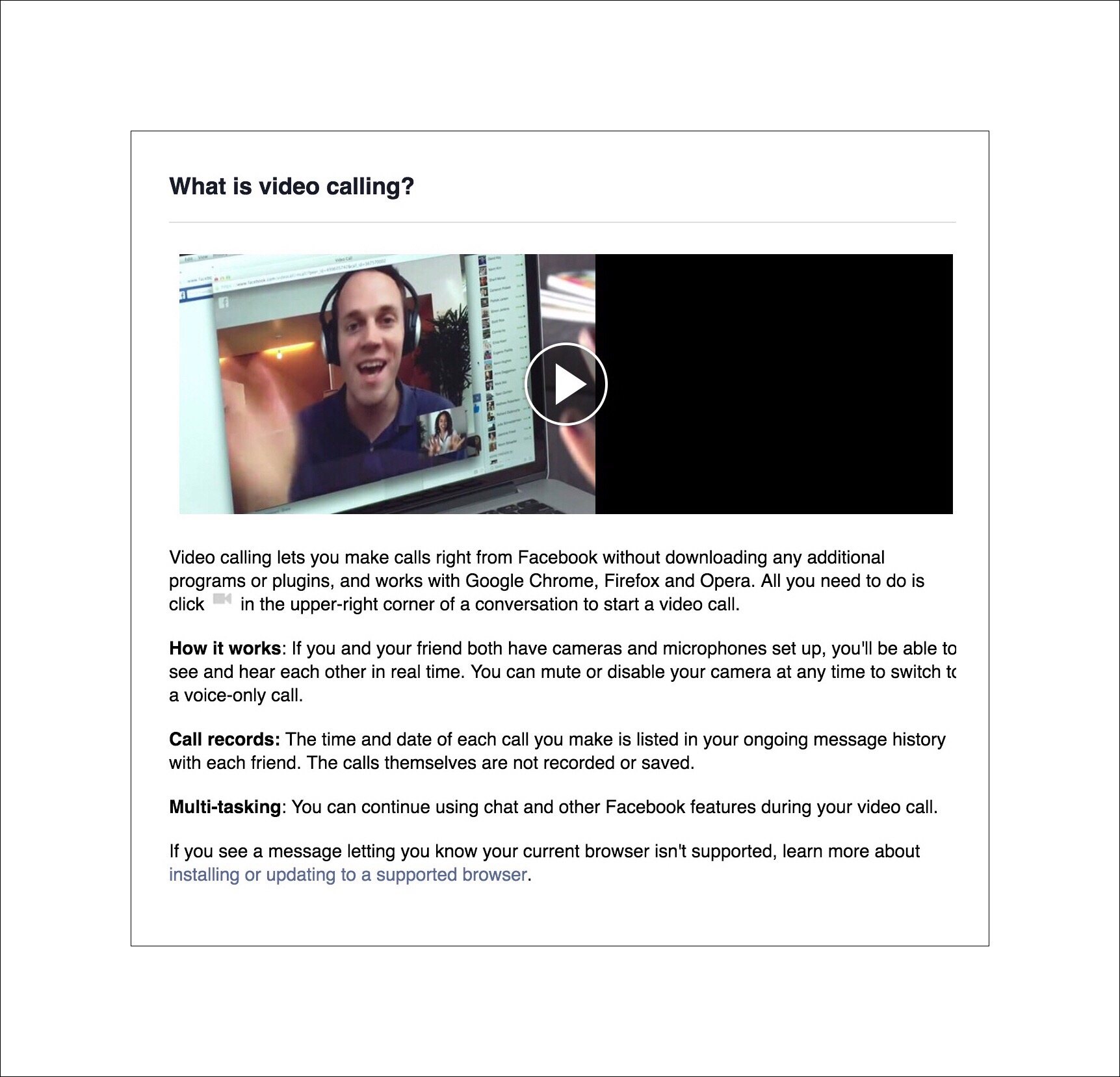
Here’s a link to everything that you might want to know about video calling on Facebook Messenger right now…as well as an introductory video about it.
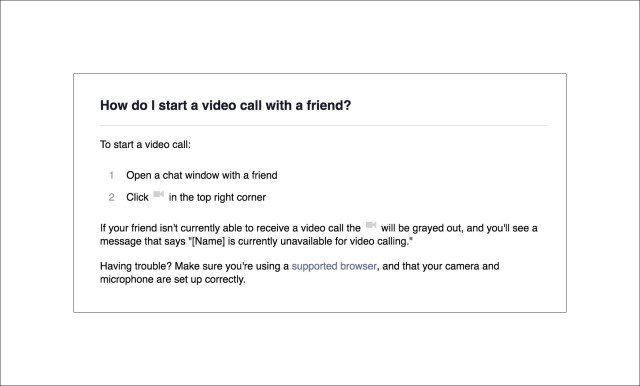
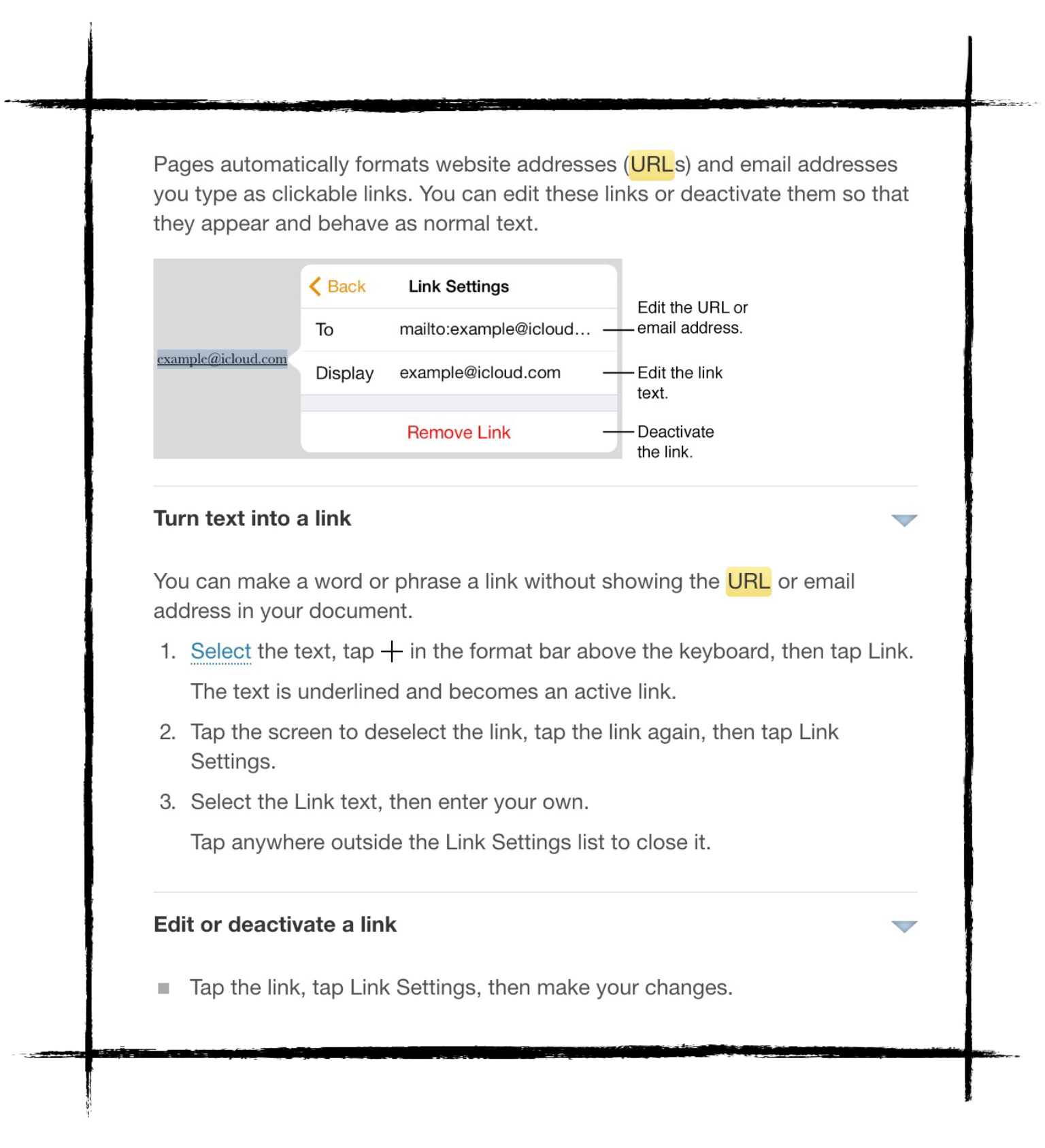
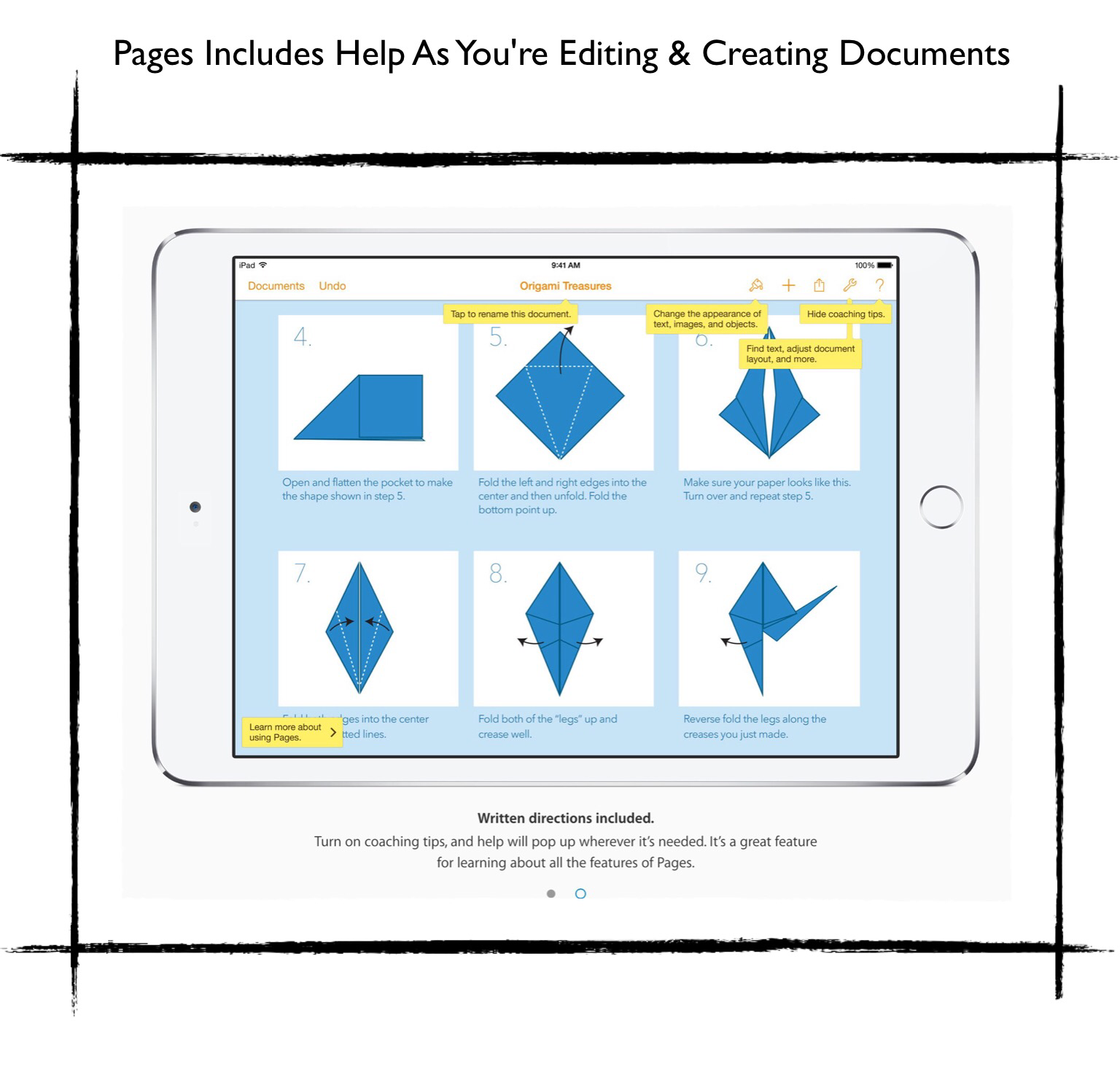
You can do it with just an email address, but you need to register the email address with FaceTime first. Use the above I Was Wrong link to go to Apple’s instructions about how to do this and learn how to initiate FaceTime calls. Once you’re at the link from above scroll down to the screenshot below and follow the instructions shown.
Why FaceTime is so Great for Video Calling
FaceTime video calls are probably one of the best reasons to own an Apple device. You don’t need to have a cell phone or even a computer to make easy, seamless video calls. You can do it with most any iPad or even with just an iPod touch. You just need to have an email address to activate FaceTime calling with and a WiFi connection during the duration of your call. It’s faster and easier than Skype and in my experience the video resolution can be superior.
Here’s another good article giving you step-by-step instructions for making FaceTime videos calls. This article also includes great coverage of Skype and Google hangouts and discusses their group video calling capabilities too. Currently group video calls are not a feature available with FaceTime, but here’s another article which shows evidence that Apple may begin including group calls in the very near future.

Update October 2015
1 Year Later
Well, it’s been quite while since I wrote this and my opinion regarding the usefulness of Facebook’s separate Messenger app has improved slowly but surely. I just found myself recommending this app to a family member! Which tells me Facebook has improved the app enough for the benefits to outweigh the minuses. So I thought I’d write a quick update here.
What’s Changed from My Earlier Review Below?
There are really only two things I can think of:
- It’s easier now to find current messages because they appear at the top of the list of messages and the font is bold so that they stand out. It’s a simple but extremely important change that improves the utility of the app drastically!
- There’s a ‘real time‘ aspect to messages using the app, that’s unlike any other messaging app I’ve used, and which makes it fun to use! For example, if someone sends me a link, the link can be opened right within the message itself. It’s a pretty cool feature but hard to explain, so it’s best to just try it out for yourself!
Around July 2014 Facebook disabled the ability to send messages (or Chats) while using their mobile apps, thereby forcing users to download the separate Messenger app if they wanted to continue using this feature. This was done after almost a year of warning people and sometimes sort of tricking people into thinking that they had to download the app sooner than they really needed to.
Clearly, Facebook massively bungled this transition in a big way! Now that it’s in the past and everything is running smoothly, it makes me wonder why they couldn’t have come up with better plan for launching the app. There had to have been a way to get people excited about using it instead of dreading it and feeling forced into it.
Maybe Facebook should take a look at how Google has launched new software recently. When Google launched their new ios Gmail app called Inbox, they created a few great marketing videos showing how much people loved using it, then they made the initial launch available by ‘invitation only’. People had to request an invitation in writing and if accepted, they were put on a waiting list. At the time this was pretty annoying to me too. But I gotta say, I was pretty excited when I finally got the email invite. So much so that I even wrote a blog post about it. So essentially Google created a huge amount of positive ‘buzz’ throughout the launch which was really all just artificial buzz.
Google’s Inbox launch demonstrates how, with a little forethought user perceptions can be artificially manipulated quite easily. Perhaps something in the middle between these 2 diametrically opposed launches would have been the better approach, because I doubt that Facebook intended to create the huge controversy they did with such a negative spin.

My Original Article Written September 2014:
2014 Year End Review | Looking Back at Facebook’s Failure To Gain User Acceptance Of The New Facebook Messenger App
I’ve been using the new Facebook Messenger app for a few months now, and overall I think it’s just ‘so so’ in my opinion. I have a lot of problems finding current messages that I’ve received notifications for, and some other random annoyances pop up or occur as I’m trying to draft or send messages sometimes.
Here are A Few Facebook Messenger App
Features That I Like
One awesome feature is that you can edit messages that have already been sent
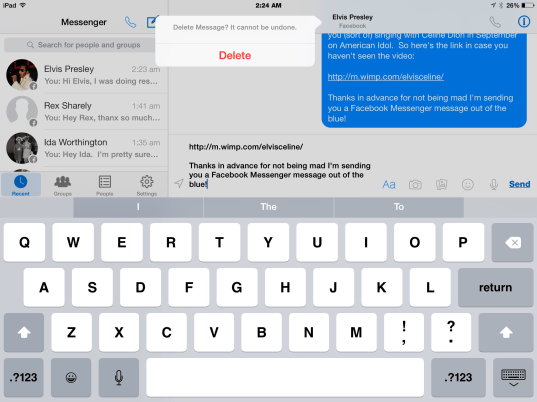
I recently discovered that you can rewrite and edit messages after they’ve been sent. Here’s how to do it.
- Long press on a selection or message ‘bubble’ that you’ve already sent
- Tap ‘Copy’
- Move down to the usual text entry field and then paste that text into it. Edit what you’ve written and tap “Send’ to send it again.
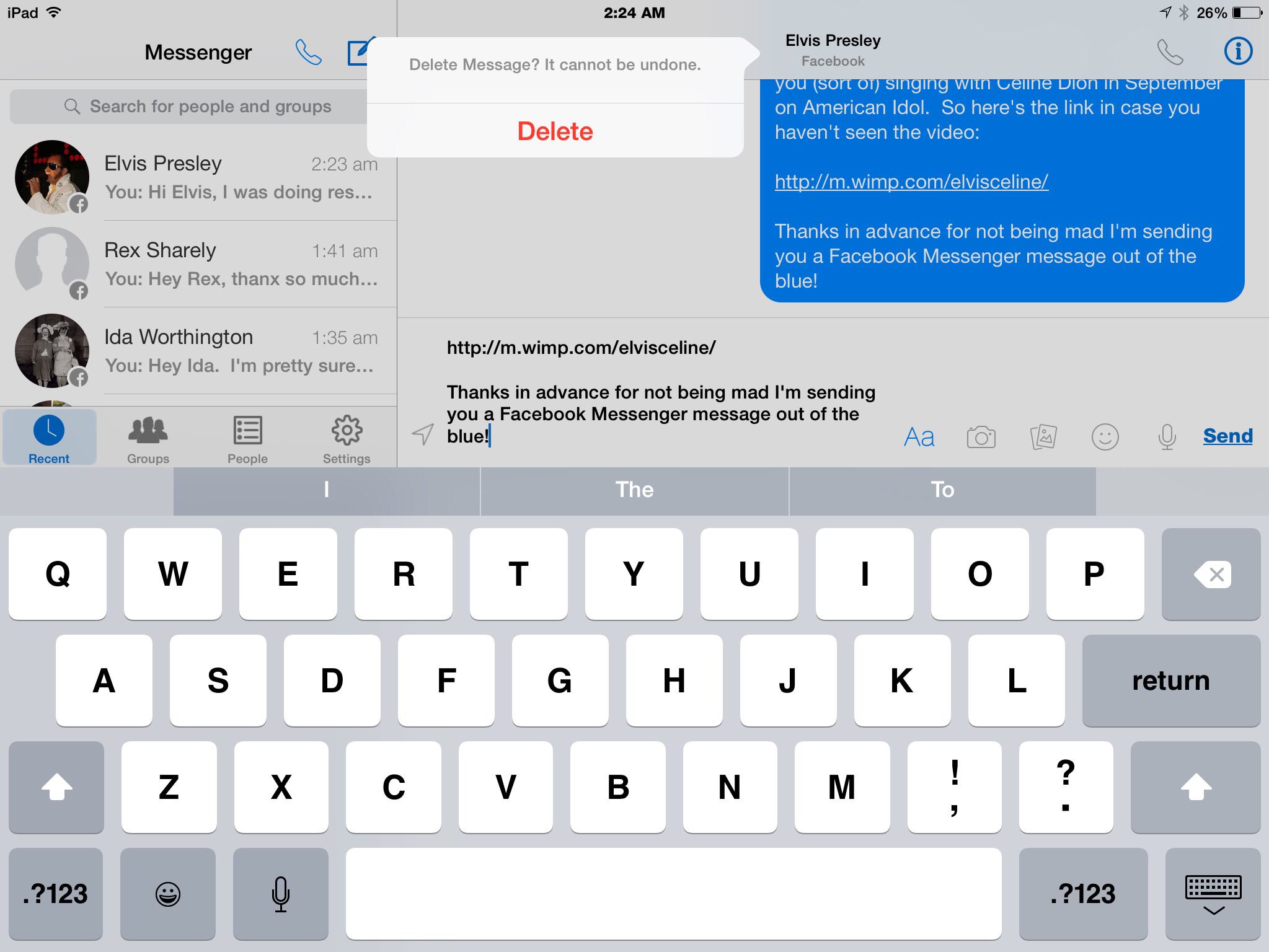
- Then long tap the original selection and this time choose ‘Delete’!
- It’s pretty cool!
This works well if you’ve just sent a message and realized immediately upon sending it that you either forgot something, or misspelled something. Therefore it works best for the last message or text bubble that you entered. However, it can be used on any test bubble really. The only problem is that the new text will appear as the last, or most recent text, so if you use it for earlier bubbles, things will be out of sequence.
Another feature I recently discovered is that you can search for people and even send a message to someone from right within the Messenger app…even if you’re not friends with them!
I was trying to find a way to take screenshots using my iPad from within the Messenger app (for illustration purposes for this WordPress post) but I needed to find friends who wouldn’t mind that their names were being shared publicly on a website.
I randomly decided to try and search for someone I wasn’t actually friends with but who may be a celebrity, yet not such a huge celebrity that they’d have a Facebook persona that I couldn’t both befriend and then send a message to. I knew that a really famous celebrity wouldn’t friend me and wouldn’t allow me to send them Facebook messages, so in a moment of inspiration I decided to search for Elvis Presley.
Guess what? Someone really named Elvis Presley actually does exist today, and he has a Facebook account! That’s his REAL NAME too! Although he apparently changed it to that many years ago. He’s a bit of a local celebrity in a small rural town in northern Wisconsin. He runs a bar called Blooms Bar and he ran for mayor in 2000. I didn’t think he’d mind my messaging me him with this link to a cool video I’d found of Celion Dion singing with the real Elvis in the USA’s version of American Idol in September 2014.
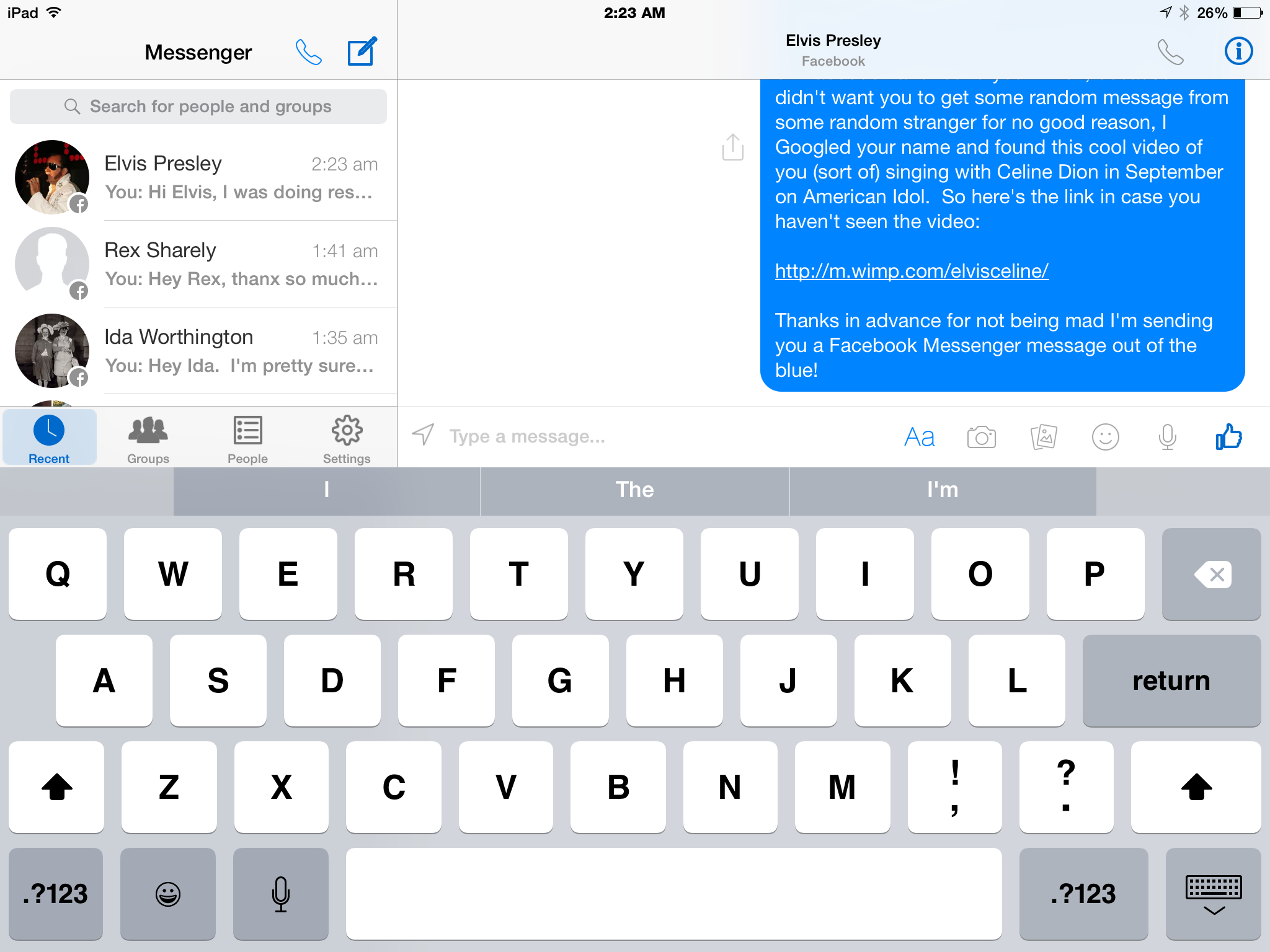
So here are 2 screenshots of me sending Elvis a message, and then editing (and actually deleting) the message…just so he wouldn’t think I was too crazy!

A Few Insights About User Acceptance & the Facebook Messenger App Controversy
I’ve asked a lot of my friends how they feel about using the app and I culled the internet to learn more about the current status of the whole ‘Facebook Messenger app controversy’. I was especially curious to see if users were getting acclimated to it, after being forced into using it.
I wasn’t surprised to discover that there is still mass hatred directed towards the new app and towards Facebook for forcing its use upon everyone. I too hated the concept and I only switched when I was absolutely forced to. Forced use of the app is certainly the root cause for much of the anger. But too, it seems there are some other really valid reasons for mass dislike of the app.
Here are some of the top reasons I learned for why the app remains so disliked:
Some Privacy Concerns May Be Warranted
People began fearing the worst when Face Book implemented their new Graph Search features in late 2012. The rollout was slow and was seen as a blatant move by Face Book to capitalize upon (or exploit from users’ perspectives) their vast data base of personal data they’d collected through the years in the course of operating their free social network.
Essentially, the free ride appeared to be over. But because the rollout was so slow, and there were no real benefits to users, thus no major announcements by FB regarding features usage…for some inexplicable reason most people just chose to shut their eyes and forget about it. FB’s privacy information for users had already become so large and so complex, that virtually no one bothered to read it. I tried to a couple of times…but it’s like reading an entire paperback book of really boring terms and conditions…a real snoozer.
At was at least there for people to read and access if desired. Unfortunately it’s very vague now how much privacy and personal content are affected with the new app.
Yet rumors are rampant, and I’ve heard my share of them. One early one was compelling enough for me to delete the app. The rumor in question actually pertained to the Android version of the app. In around August of 2014 the Huffington Post reported that those users who were taking the time to read the permissions they were being asked to grant the app found them to be intrusive and excessive. Everything from accessing your old call logs to using pretty much all of your personal data without your knowledge and without having any real reason to (because the access wasn’t tied to the apps use), were reasons that were cited.
Here’s one article discussing the Android permissions controversy in more detail
But frankly, I think that privacy does not exist at all anymore ( if it ever really did!)…either within Face Book’s social network or while using any of the apps they’ve created for various devices.
My view is this:
Everything is accessible & available for a price if Face Book chooses. So Use at Your Own Risk! In a nutshell, anything that you don’t want to risk being shared with the world at large should not be shared on Face Book or sent through the Messenger app.
Messenger App Usage Was Forced
I’ve already mentioned this but a few more details are worth mentioning. A lot of people hate, make that HATE change. Yet they are constantly forced into it! The biggest offenders are new operating systems, new email software enhancements and new productivity suites of software like Microsoft Office.
Face Book has become a huge social networking system for many, many people! For some older people it’s their main method of social interaction. Because FB has garnered perhaps the largest user group ever known in the history of the Internet, it’s slowly gained acceptance by those who shunned it initially…namely businessmen and women who just don’t have the time to fit in a new way of interacting socially. Ultimately many of those people did finally embrace Face Book. Unfortunately, their initial reasons to shun it soon became realized with Graph Search and now the Messenger App.
I’m actually surprised that more people haven’t just left Face Book since these two events occurred. If FB doesn’t address the privacy issues adequately and new incidents start coming forward showing actual instances of personal data being ‘leaked’, I expect users to leave Face Book in droves. If you’re a betting person, things could get exciting!
A small, but significant complaint voiced by users is they don’t have the ‘extra space’ on their devices to actually install the app. I can sympathize because I just upgraded my cell phone, and everything about that experience was awful! The limited storage space available to me caused constant problems, yet I consider myself fortunate to have had both the time and money to actually upgrade my cell phone. There are many, many people who don’t have this luxury. To some of them it appears Facebook is forcing exclusivity. Does Facebook really want to be exclusively for people in higher income brackets? The answer remains to be seen!
The App is Buggy
It just doesn’t work very well yet. There are too many things that either don’t work as expected, work differently from before, or just constantly confuse users. Face Book should have created a little tutorial for users to run through upon installing the app. They seemed to take away and add features at will, and there was no good method to figure out how to use it other than the in-app Help screens, which are limited at best and frustratingly time consuming to use.
There’s poor integration with the main Facebook app. For me, I can see where they are going but they just haven’t arrived yet. Messaging and chatting in the Face Book apps was a pleasant, rewarding experience for users. Not so for the Messenger App. It’s tedious, cumbersome, and confusing, resulting in renewed use of instant messenger apps. People who never texted before are beginning to now…thanks to the new Messenger app and ios 8’s great new continuity and sharing features. As much as many people hate the annual ios upgrades, this last one couldn’t have come at a better time!
Resentment About Having To Use 2 Apps in Place of One
This is another huge reason people hate the app, myself included. We are trying to keep our daily lives simple! It’s not an easy task in today’s digital world. Information overload is a real and constant problem.
The Main Perception Is That Facebook Does Not Care One Iota About It’s Users
The overall impression by the masses, which was generated by the ‘forced usage’ nature of the app and the way it was introduced, is that Face Book, and those responsible for its administration could care less about their users.
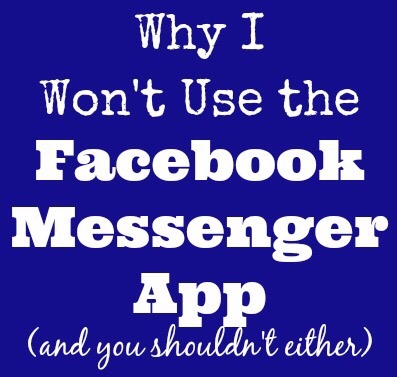
One blogger recently wrote an article expressing her dislike of the new app and telling her readers that this alone was the most compelling reason to end her involvement on the social forum. Below is a graphic she created to accompany her article.

Here’s a link to read her article stating her reasons for quitting Facebook.
Summary
Facebook not only implemented the Messenger app, but acquired WhatsApp, another self-contained app for messages. While users acceptance hasn’t appeared to be great so far, the statistics for overall app usage tell a different story. Both apps have gained significant user shares at the expense of the Facebook app in the last quarter of 2014. The popular myth-busting website Snopes has refuted the main privacy concerns voiced by so many users too. So, for those who really do dislike the new app, the future doesn’t look promising. Rumors about an Internet based messenger app for computer users as well as speculation about further ‘break-out’ apps from Facebook for things like videos and news stories are flooding the Internet. Some of the links at the end of this article will fill you in on more of the specifics for 2015 plans.
Trying To Figure Out The Ins and Outs of Messaging Capabilities
I went to the Help section of the ios app today to see if I could figure out if there’s an easy way to see immediately from within the app which recent messages you’ve not yet read. While I didn’t find an answer to my most immediate problem, I did find out some other interesting tidbits that I thought I’d post here to possibly save time for others. Using the help screens is somewhat tedious and can take way too long!
At the end of these screenshots I’m putting a few links to some other handy tips I found from other sites.
Overview of Facebook Messenger app Features and Permissions

These are the Permissions for Android App but ios 8’s are similar

How To Stop the App From Displaying Your Location

Who Can You Send Messages To
&
What Confirming Your Phone Number Does


Determining Who’s Seen Your Message

Leaving and Finding Group Conversations


Archiving and Deleting Messages and Conversations


Links
Forbes article about Facebook testing of a new voice-to-text feature for Messenger
MSN video showing the interview by Candianbusiness.com of Jordan Banks, Facebook Canada’s Managing Director
Gurufocus.com has written a good analysis of the future business opportunities Facebook will likely explore in 2015
Androidandme.com article about the big changes Facebook is planning for Messenger in 2015
Canadianbusiness.com article reporting their Facebook Canada’s plans to require more stand-alone-apps for Facebook in 2015
iMore article about new features for uploading photos to Face Book (not the Messenger App)












 vsatips
