I wrote this for vsatrends but wanted to share it here too because it’s an AMAZING opportunity to win a bunch of great hardware just be subscribing to a great newsletter, or liking Facebook page, or retweeting the contest!
Apple Has Kept Their iPhone 6s Battery Recall Program A Well Guarded Secret
I Know Because I Ended Up Buying One of the Faulty Models
I’m writing this post because of my experience upon discovering that my awful battery problem had a solution. Later on I discuss the faulty camera problem…but in much less depth because I have no personal experience with it.
I Discovered That My iPhone 6s Was Recalled Because of a Battery Issue the Day I Purchased the iPhone X
It was really ironic and so typicallooking back on it. I desperately needed a new phone because my battery life was AWFUL! Four hours at best, on a very good day.
I’d already gone to great lengths trying to resolve this problem…but my only proven solution was carrying around a battery backup literally everywhere I went. Even if it was just a quick trip to the grocery store!
Background
I tried the iPhone 8+ on the premise that everything I read seemed to indicate that it had the largest, therefore the least rapidly draining battery of the lot. Unfortunately I wasn’timpressed. I thought the phone was nice…but my needs were very specific! And in the battery department the 8+ didn’t shine the way I hoped it would. It didn’t even compare favorably to my 6+…which I kept after replacing it with a 6s. I kept it for the extra loud speaker and the extra big light sensor in the camera. My 6+ photos are always noticeably better than the 6s photos…even though the phone is a year older!
The last feature that my 6+ shines in is battery life. The 6+ was and still is, a workhorse of a phone! The only reason I replaced it with that the 6s was that despite my long term desire to own a bigger iPhone…the 6+ was just a little toobig for my hands to handle! I’d dropped it so many times that I needed to have Apple Care replace it when it was just a few months old!!
After Apple replaced it once for me I knew that the handwriting was on the wall. I would drop and break it again before my Apple Care ran out. It was inevitable. Likely that would happen more than once. But once is all that I was contractually covered for. It was just too much of a risk to continue using the 6+ as my primary phone! So I kept it for limited use…and as a backup. Which mattered.
I’m certain that because I had a backup I never needed a backup!
Buying iPhone X Online as a First Time Upgrade Member is a Nightmare
I have to say…trying to buy an iPhone from Apple using their online store, while at the same time tying to do so as a new upgrade program participant was an utter and complete nightmare!!
Don’t Do It!
Seriously…just don’t. Don’t make me write a post about everything that went wrong during this process…because I will! I have 2 or 3 rough drafts lying around on this exact topic. But that story was so long…so sad…so boring….and ultimately so depressing because I’d wasted so much time just trying to buy a new iPhone…that I decided to cut my losses and not waste even more time writing about it!
The Irony of Learning That My 6s Cellphone Battery was Recalled Immediately After Buying iPhone X
This irony isn’t lost on me…hopefully after reading the above it won’t be lost on you either! Hopefully too, it will explain why, when I discovered that my 6s Battery was recalled at the end of the exact same visit in which I purchased iPhone X you’ll understand whyIdidn’t immediately turn right around and return the iPhone X!
We still had a week to go before we’d head home. I really needed a working phone for that week, so I needed one right then and there. One thing that’s even more ironic still was that despite everything that occurred, I didn’t even really have a working phone after purchasing iPhone X! That’s because while I’m certain the iPhone X did work…I couldn’t seem to work it!
The Learning Curve for iPhone X Essentially Prevented Me From Using it For the First Day or 2
I didn’t anticipate that because I was beta testing ios 11 for a long time before the public release. But it wasn’t ios 11 that was the problem…at least not that problem anyway…you can read my soon to be published article on why ios 11 is AWFUL in a day or two. It was simply the NO HOME BUTTON problem! You’d think someone who does this for a living would be able to pick it up very quickly…right?
Think again. In fact I struggled so much with it that I even made a YouTube videofor one particularly annoying issue that I kept having!
Looking Back…I Probably Should Have Returned iPhone X!
Because when we finally arrived back home I did receive a brand new iPhone 6s from Apple. Although, that process wasn’t easy either. Apparently nothing about using Apple devices is easy for me.
But I did learn a lot in the process. So in the next few paragraphs I’ll give you all of my best advice regarding how to get Apple to replace your iPhone 6s if you are experiencing poor battery issues too.
How to Get a Brand New iPhone 6s From Apple Under the Recall Program
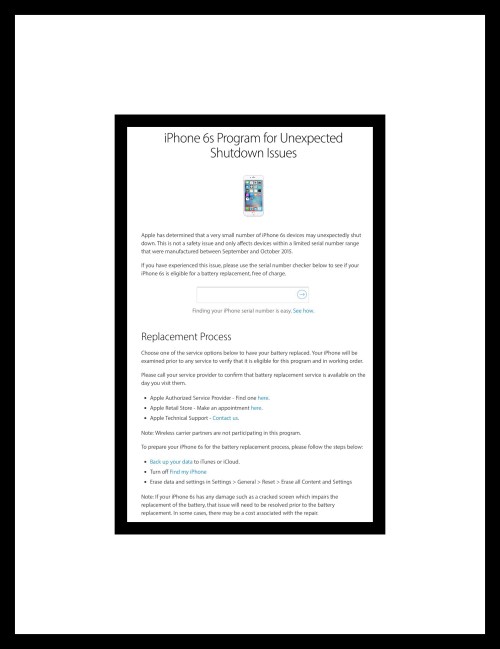
First, I need to say that I was pretty shocked to discover that this program even exists! Nowhere in all my research of the problem did I run across information about this recall program .
Maybe that’s because of the way that Apple has worded their headline. Not once do they ever use the word ‘battery.’ I don’t want to think this…but it’s hard, given recent events, not to think this may have been done intentionally.
While Apple’s website primarily discusses replacing the battery they do touch lightly upon possibly replacing your iPhone completely as well, which is what they did in my situation…although I don’t know why exactly.
Tim Cook states in the article shown way up at the top of this post that he had revealed news of the ‘hidden’ throttling program to the public previously.
But apparently others take exception with that. Apparently how or where this was published was not at all obvious to even less than casual readers like reporters looking for dirt to expose!
Seeing the headline for the recall program…I don’t doubt now that he did.
But that fact doesn’t give me the confidence I once had that Apple will…’do the right thing’ anymore. My confidence seems to be dwindling :-(
There’s a List that Apple Maintains with All of the Recalled 6s Serial #s
I was told that I needed to discover if my iPhone was on the list first. The only way this could be accomplished was by scheduling a Genius Bar appointment. No amount of pleading or begging could convince any Apple employee to let us just look at the list the day we were there buying my iPhone X. But when we made it clear that we weren’t going to drop this one of the Apple employees came up with the brilliant idea of scheduling a Genius Bar appointment for us right then and there. This was brilliant because it was kind of bending the rules. It was Black Friday you see. I highly doubt that there were any actual Genius Bar appointments available on that particular day…but they did make one available. So we were able to find out that yes, my phone was in fact on the list.
The next thing we were told was that we would need to set up a Genius Bar appointment at home to have the phone serviced. That actually made some sense to me but we didn’t get a lot more information about the process. It was only after I got home that I researched the whole topic again and that’s when I finally discovered the link that I’ve included here.
The day of the appointment to get a new phone finally arrived.
My iPhone 6s Order Confirmation
This day was a little shocking too..go figure. We already knew that my phone was on the list and so I assumed that I was going to be getting either a new battery or a new phone. So we were pretty shocked to discover that just being on that list wasn’t criteria enough to get either remedy! Apple had to run diagnostics on my phone as well.
This involved plugging my phone into one of their computers with a special cable. The outcome of that was they determined my phone had no battery problems!!! I shouldn’t have been surprised. My husband also had scheduled a Genius bar appointment that day for his iPhone 6 which was also having battery problems. His problems were different from mine. But they had just completed the diagnostic test on his phone too. His also tested as perfectly fine. This was completely mystifying to us both because his phone couldn’t keep a connection strong enough to charge it most of the time. And when it did, as the battery depleted it would drop from 40% to 0% in a minute or two!
But he didn’t have the assurance that his phone had been recalled…I did. Their solution for his phone was to wipe it and reinstall from backup. They also cleaned lint out of the port area. That did seem to solve his problems…at least initially. But I knew there was no way those would help mine. The port problem didn’t exist for me. And I’d recently done a wipe and reinstall on my own.
Yet, because Apple’s diagnostic didn’t indicate I had a problem they weren’t going to fix my phone! I wasn’t using it because the problem was so bad…and I couldn’t sell it for the same reason. So I managed to talk them into it by explaining that I had 3 cellphones that were running from the exact same backup. The iPhone X had no battery problem and it’s battery lasted about 8 hours. The iPhone 6+ had no battery problem and it’s battery lasted about 9 hours. The 6s battery couldn’t last much more than 4 hours…on a good day…2 seemed more the norm.
That was the argument that finally allowed them to reconsider. In the end they did accept my phone for the recall and I returned a day later to pickup a brand new phone.
9 to 5 Mac First Covered This Recall News in November 2016
While doing research for this post I discovered that 9 to 5 Mac covered this recall in an article they wrote in November 2016. Their article offers extensive information…in fact more than Apple’s website does, so if you’re 6s is having this problem it would be worthwhile to read their post.
You Can Find Out if Your 6s is Covered in This Article!
One really great aspect of 9 to 5 Mac’s article is they tell you how to find out if your’s is one of the recalled 6s’s without having to schedule a Genius Bar appointment!
Macworld’s Extensive Recall Coverage
Right before I published this I decided to see if there was a way to discover all of Apple’s recalls easily. Of course I was hoping that Apple themselves would maintain some kind of index or something for this. While I didn’t find that, I did find this great Macworld article from May 2017 which includes some that I was unaware of.
They also discuss the 6s battery program. In their coverage they showed a place on Apple’s webpage where you could enter your serial number to discover if your phone was included in the recall. This area on the webpage has been removed. So the only way that I know of to discover eligibility is by using 9 to 5 Mac’s method. There’s one other aspect of Macworld’s information that I really like. They include some experiential information from real users!
Apple’s iSight Camera Replacement for iPhone 6+
Another obscure Apple replacement program exists for the iPhone 6+ camera. One of the best things about my 6+ is the camera so I would definitely take advantage of this if my camera weren’t functioning properly. Luckily mine is!
Apparently some 6+’s have faulty cameras that render the photos they take blurry. If you’re experiencing this problem Apple will replace the camera for you. You can find out more about that recall program here.
My Really Short, Pretty Bad iPhone X Video
Conclusion
While I’m happy about getting my 6s replaced…I’m not happy about the way things transpired. I should not have had to find out the way that I did…right after I paid for the iPhone X. This information should be out there and available to the public! That it isn’t is a bit of a disgrace upon Apple. Especially when it appears that they’ve gone to some effort to hide the recall program from customers purposefully!
Second, this diagnostic test of theirs is a joke. Either your phone is recalled or it isn’t. Telling a customer that their phone has been recalled for the exact problem that the customer is experiencing, and then making them schedule an additional appointment just to find out if their phone is on the list, and ultimately telling them that they are mistaken…and the problems they are experiencing are nonexistent, is simply ludicrous. Sadly, Apple just seems to be sinking further and further into a hole that depicts them as being dishonest. Instead of appearing as the altruistic, kind and compassionate company that always seeks to do right.
Comments
Please leave me any comments way down towards the bottom of the page.
While Apple’s newest ios does include a screen recording utility, it has a few glitches which make it almost unusable for avid YouTubers. In addition, you can only use it if you’ve upgraded to ios 11. If, like me, you’re waiting until Apple has sorted out the biggest glitches in ios 11, you’re still using ios 10, which has no screen recording utility built-in.
That’s where AirShou enters the picture.
Before the holidays I had been using a side-loaded screen recording app called EveryCord on a few of my ios 10.3.3 devices. But when we returned from our holiday travels, EveryCord wasn’t working any longer because their certificate had been revoked. The official reason why is because Apple revokes certificates of trust for many of these free nonApple apps and app stores almost as quickly as they earn their trusted status. Every 2 to 3 weeks in general.
Why Apple does this isn’t entirely clear to me. They began allowing users to install apps from other sources with ios 9, but initially only side-loaded apps were possible which involved installing XCode on your Mac computer and then tethering your ios device to,it with a cable to install apps. Later app installation became possible without tethering using technology Apple designed for Enterprises.
My first effort to reinstall EveryCord failed. When that failed I spent time trying to find and install a similar recorder. That effort failed to yield results too. So, I dug in, determined to find a decent screen recorder despite indications that it might be impossible to do so currently. After hours of attempts, I finally came up with a method that works currently. I decided to publish it to save others the hours of frustration I encountered.
About AirShou
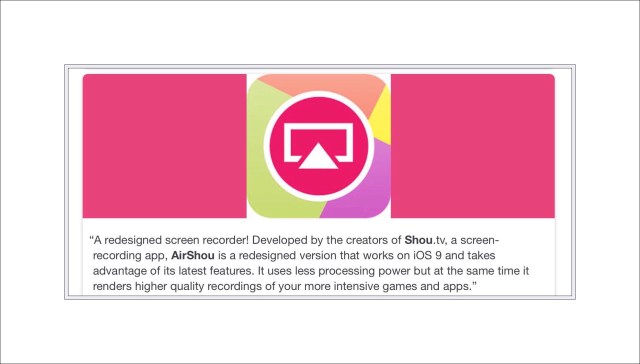
AirShou was originally a screen recording app that was created for the jailbreaking community. But around the time of ios 9, jailbreaking grew to be more and more difficult while simultaneously becoming less and less necessary. Apple took steps to open up ios a bit more to satisfy user needs, making jailbreaking almost a thing of the past.
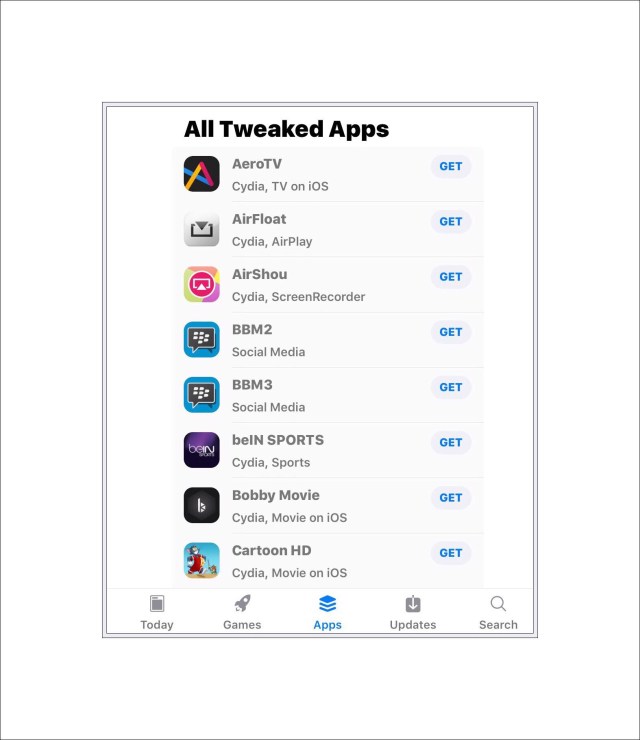
Tap on ‘See All‘ and you’ll see something like this:
Look for the AirShou icon and when you find it tap on the word ‘Get’ next to it.
If you don’t see ‘See All’ or things look a little different for you, no worries…the site changes daily with app updates and things. Just use the tabs down at the bottom, try ‘Apps‘ to search for AirShou. You should find it eventually if it’s currently available. If it’s not, a possible scenario too, look for another screen recorder to try instead. It’s a moving target with the constant certificate revocations.
Once you’ve found it and tapped on the word ‘Get’ AirShou will begin installing. Close Safari and go to the home page that it’s installing on. When it’s finished installing…you can tell by the fact that the app icon image is completed, head over to Settings to Trust the Profile so that you can begin using the app.
Trust AirShou Before Using
Go to:
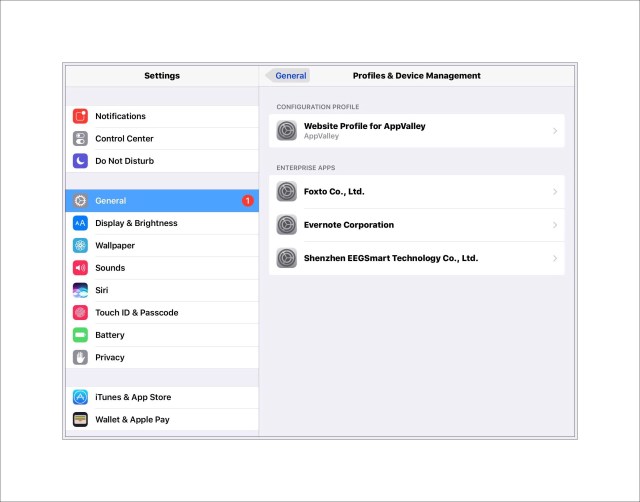
Settings – General – and in the right hand pane scroll down to the bottom to Profiles and Device Management…⇐︎Tap on that.
You should see something like this…but with fewer entries:
Tap on the line that says ‘Shenzhen EEGSmart Technology Co., Ltd.’
When you do you’ll see the screen below next.
Tap on the words ‘Trust “Shenzhen EEGSmart Technology Co., Ltd‘ and then on the red word ‘Trust‘ that shows up in the pop up…also depicted below.
♦️
What if a Different Name Appears in Settings? Not Shenzhen?
The 2nd time I tried this method a different name appeared in settings…NARI Group…as the profile that needed to be trusted. Don’t worry about whatever the name might be that shows up here…just tap on ‘Trust‘ if it’s obvious that the profile accompanies AirShou. Once again, because of the frequent certificate revocations this name changes frequently. It probably just means that Shenzhen was revoked and they created a new certificate credential.
Once that’s accomplished you should see something like the screen below which is your verification that AirShou is now trusted.
Then you can open the AirShou app and begin a screen recording!
How to Use AirShou
When you open the app you’ll see this:
Tap on the word ‘Record.’
Next you’ll see this pop-up asking about use of the microphone.
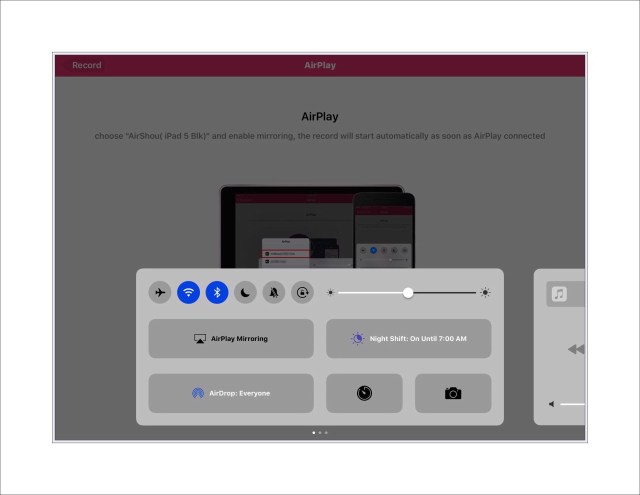
Answer it accordingly then swipe up from the bottom of your screen to open Control Center. You should see something like this:
Tap on AirPlay Mirroring.
When you do you’ll see another menu open…tap on your device to begin the recording process. Then just go and record whatever you want!
Download EveryCord Screen Recorder
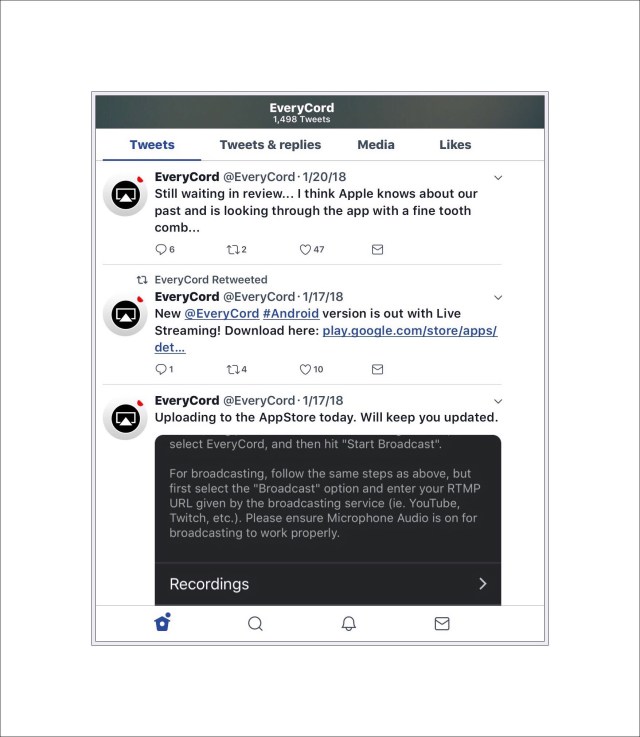
EveryCord is another free screen recorder that’s available via alternative methods. It’s the one I was using prior to AirShou. But currently their new certificate hasn’t been accepted by Apple. They’re waiting for that according to their recent Tweet (see below.)
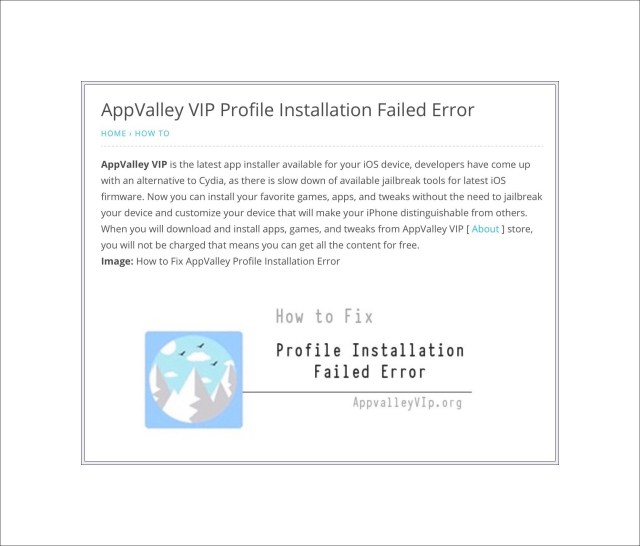
Install AppValley App Store on your device
Use this link to install the AppValley App Store on your device.
You’ll arrive at this screen:
If you click on ‘Install AppValley‘ you’ll see this pop up message:
Tap on ‘Install‘ and the App Store should be downloaded to your ios device. You can access it by tapping on the icon it places on your home screen.
Don’t forget to ‘trust’ any application you download first in settings.
Only Use One Alternate App Store at a Time
I’m not entirely sure why, but several sites I ran across while researching this mention that you should only use one of these alternate app stores at a time. So don’t try to install another one while one is already present on your device.
Conclusion
If you’re running ios 10 or an earlier version and you want to record your screen using the AppVally apps store is currently (January 2018) the only alternative that works. There are several others such as emu4ios. I’ve used emu4ios in the past but it no longer works…although more than likely that will change again in the near future!
I opened Apple’s ios app yesterday for Apple Store and discovered that HomePod is finally available! Apparently Apple announced this 2 days ago, but since I’d not run across it anywhere I figured it’s still big news…right?
What’s HomePod?
Just in case you’ve been living under a rock the last few months HomePod is Apple’s very late, highly anticipated entry into the home AI market. It’s a market that Amazon essentially owns right now with their extremely broad line of Echo devices. Echo’s biggest claim to fame is their popular AI assistant named Alexa. Below is a chart showing Amazon’s main product line of Echo devices…along with pricing.
The reason pricing is important is because like all things Apple, HomePod costs more than the competition. But before I get into pricing, I should add that although the screenshot above makes it look like there are only 5 Echo…










 vsatips